I’m having a problem editing a mesh that seems to happen sporadically when I switch to a higher subdivision level.
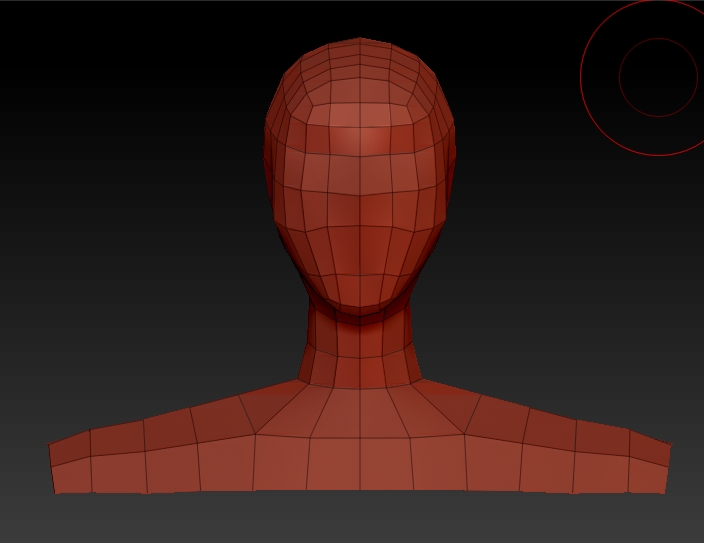
The mesh is a bust that was created by taking a humanoid base mesh, hiding all but the head and shoulders, and then deleting the points. I then saved this off as a ztool as a template to start others heads from.
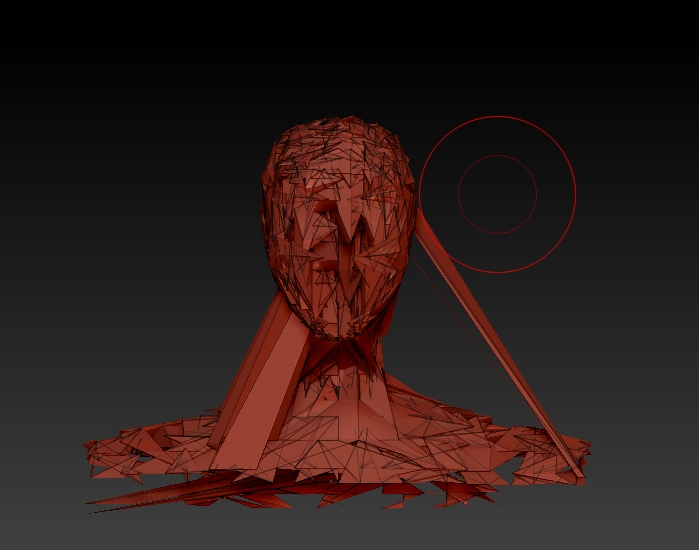
Working at the first subd level, I did some editing, then added another subd level, did some editing there, went back down one level, did some more editing. Then when I went back up a level, the mesh went completely haywire. Any ideas why this is happening? If it matters the head mesh is NOT a closed surface.
I’m using ZB4, on Windows Vista 64 bit.
Here’s the base mesh I deleted the body from

Attachments