ZBrushCentral

Subdividing Imported Mesh

I imported a figure from DAZ Studio into ZBrush, though the subdivision was really low. However, whenever I try to subdivide the figure, nothing changes (though it says it went up a subdivision).

Then, when I press the Smt (Subdivide Smooth Modifier) button it smooths out the mesh normally, but it also break the mesh up. I can’t describe it so I took a before and after screen shot.

Is there a way I can prevent this breakage while still subdividing/smoothing my mesh?

Attachments
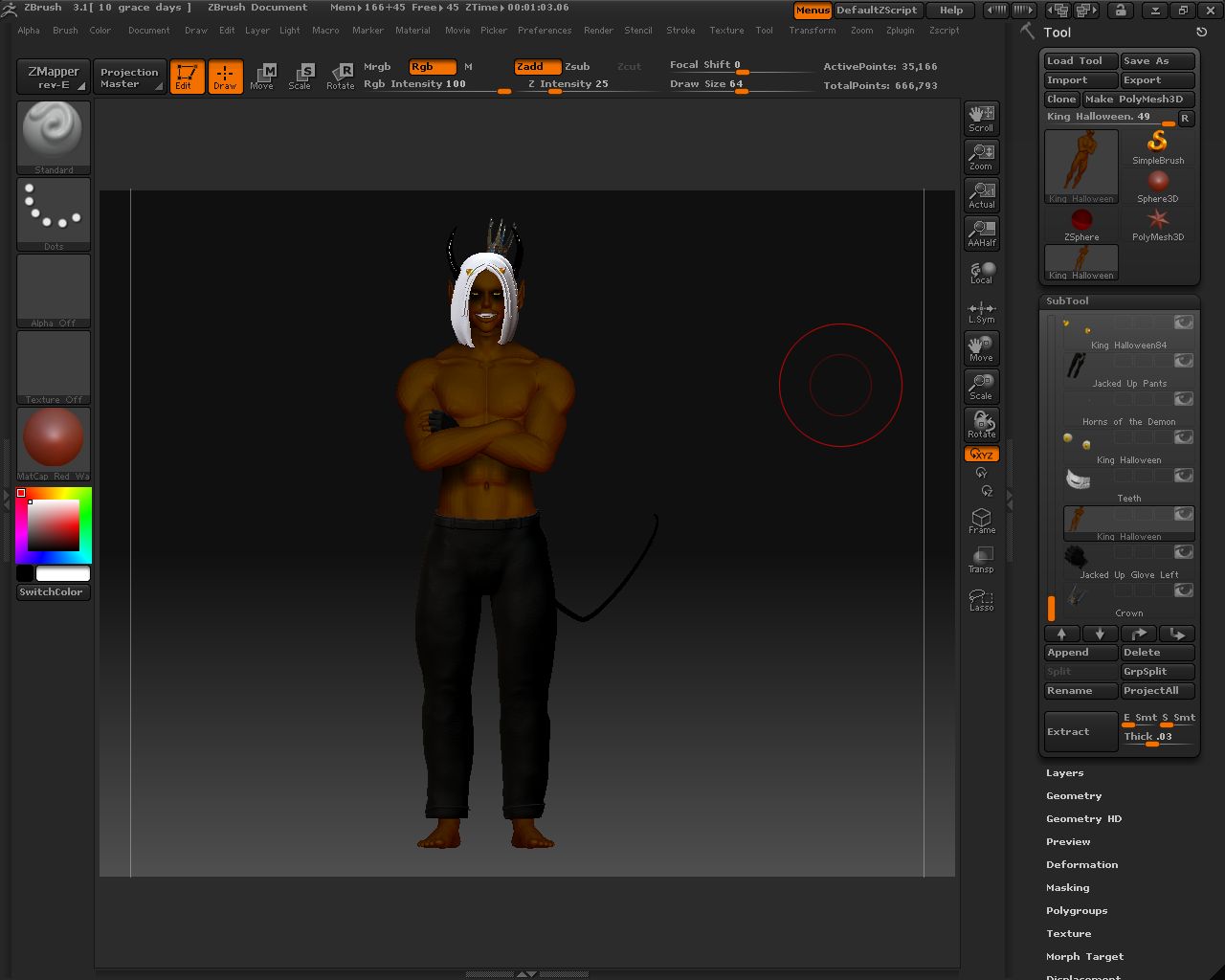
subd.jpg

subd2.jpg

When exporting from Daz Studio as a .obj for Zbrush. Make sure “use Bone Welds” is checked. When reloading morphs, with Morphloader Pro, make sure “Daz Studio Exported” is “yes” and “use Bone welds” is checked/yes.

For painting new maps, you’ll want to use “smt” and divide a few times to give you enough polygons to paint. As long as your model is already UV’d, you can then just generate texture maps on the Texture map panel. (You can set the size of the map on UV panel.)

-K

Thank you. That solved the splitting mesh problem but now there is a new one.

Whenever I subdivide the newly (bone melded) mesh, some extra geometry appears from the chin of the figure and between the eyes. >.>
And whenever I try to use the ‘Smooth’ brush, or holding Shift with any other brush in an attempt to smooth it into non-existence, ZBrush crashes.

Is there a way to get rid of this? Is there some way I can erase geometry without using the 2D brush? I tried to import the new figure, subdivide then split the groups like I did on the old one, but when I do that, ZBrush crashes as well.

Edit: I was able to kind of get rid of the weird star between the eye, so it only crashes whenever I try to smooth out that chin protrusion.

Attachments

projection.jpg

Sounds like some weird geometry in the original model. If you’re just painting maps, you might try turning on “mrg” or experimenting with “weld” on the Import tab of the Tools pallet.

As a diagnostic, try hiding the eyes and anything in the mouth that might be separate geometry (teeth, pallet, tongue, etc.) in DAZ Studio. Make sure “ignore invisible nodes” is set when exporting. If you don’t have the problem, the weird geometry may be coming from one of these hidden items.

-K