Hmm cause im running a mac with windows vista and i use mozilla firefox and have no problem viewing streaming media. Hmm interesting.
but do you have vista32, or vista 64? There’s a “known issue” thing on the quicktime website about 64 bit incompatibilities.
BTW, if the interface customization info in the zb ini file, in case I need to do a quick reinstall?
I hate to loose the customizations I’ve done in the last month or so.
Also, the cavity and elevation maps are combined in zb3, and output as one map, right?
I think dark is “in” middle gray is unchanged, and white is elevated, right?
Ok, I’ve managed to get a displacement map out, but I can’t seem to get it to work properly in poser7 sr2.
The entire model seems to end up somewhat “puffy” which would possibly indicate that the mid value for the displacement isn’t actually true mid range.
Dan, finally got it… and you don’t even use zmapper. one of the tools is displacement… you just click create displacement. for some reason though, it only actually creates it on the third click.
Here’s the displaced obj in poser with the displacement map applied.
Attachments
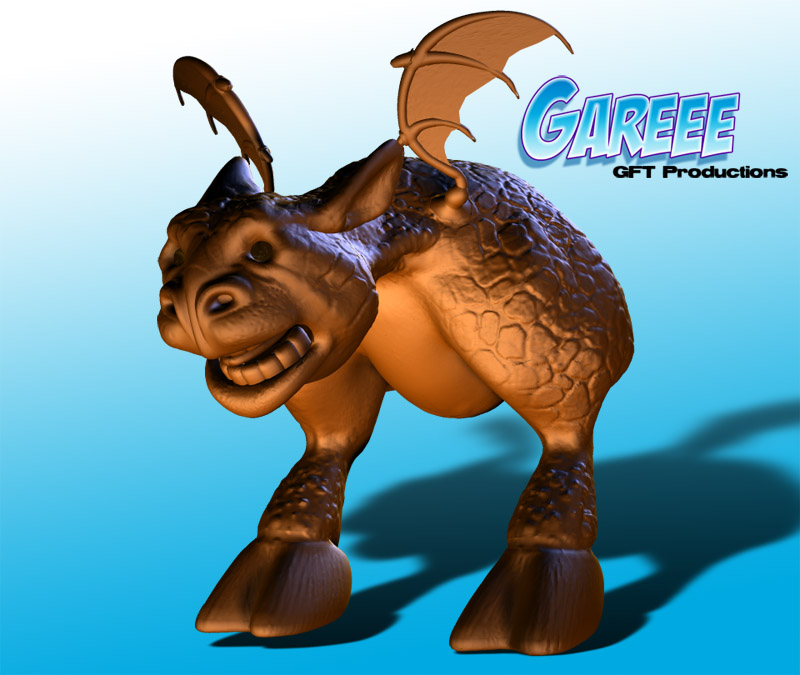
That looks pretty good. I know about that button but you have many more options in ZMapper than you do in the Tool Palette. But it looks good with what you have so far. Glad it all worked out for you.
Thanks. I did a few more export setting tweaks, as well as learning and using some of the settings in the displacement tool.
Do you know if there is any way in zbrush displacement map creation to decrease the amount of displacement in smaller polys, and increase it in larger ones? That seems to be an issue in poser for some reason.
I filed a bug report with them on the issue, and will persue that question in another thread here, in case aurrick knows.
Aurick is the one that helped me understand the entire process. I would post another thread in this particular forum, QUESTIONS AND TROUBLESHOOTING, im sure Aurick will help you out.
Heheee… been here, done that already… 
Seems he’s a one man answer system here!