ZBrushCentral

Strange Zbrush 4 preview

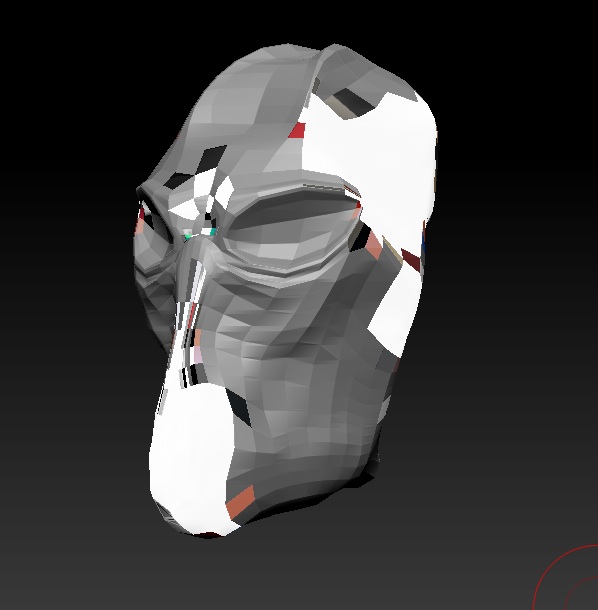
I was hoping some could help me with this strange issue. I have these strange white polygons on my preview, but cannot get rid of them. (See image)

I have no UVs or texture applied.

I have no idea how I did it or how to get rid of them.

Any help would really be appreciated.

Thanks

Attachments
Screen shot.jpg

painting materials?

I’m not quite sure by what you mean. Could you please explain.

Thanks

Ah ha! I hjave found another clue that leads me to think it is a Polypaint issue.

When I turn off Colorize this strange preview disappears, but when I click it on the strange Polypaint I cannot remove returns.

Any ideas??

Thanks

I think goast666 was asking if you used M or MRGB and painted different materials on the mesh.

Try this to see if it fixes your problem:

Draw your mesh on the canvas. Then:

First select a material then open Subtool Master and select the Fill option. Make sure you check Color and Material then click OK

You legends. That was the solution. I did’nt even think of it. Doh.

Thanks so much for you help.

Much appreciated

i have the same problem … i just go to my UV and click new texture … then it disappeers …Greatt i learn another solution today …

Yeah I tried that, but when I tried to polypaint I had to turn the texture off so I could polypaint.

I have used that solution suggested a couple of posts ago by zber2 and it worked perfectly.