the plane is 40 meters long (3dmax units scale), vieport cuts the back of the model. Image below.
Attachments
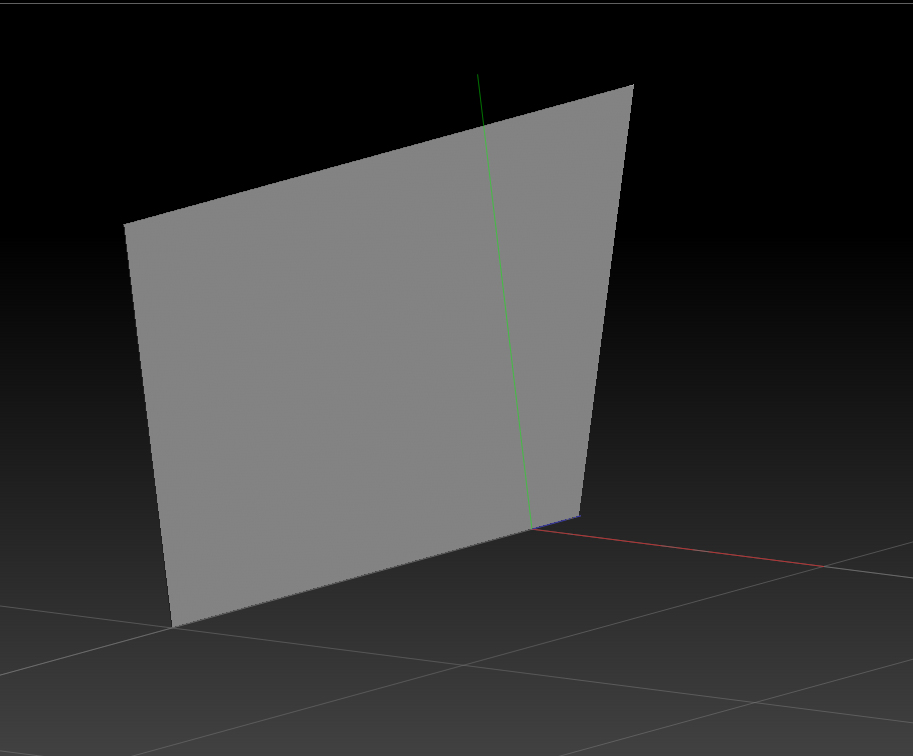
the plane is 40 meters long (3dmax units scale), vieport cuts the back of the model. Image below.
I’m not really sure what you mean. Your picture doesn’t make it obvious. But since polygons are single-sided by default have you tried turning on Tool>Display Properties>Double to view polygons as double-sided?
by “PLANE” i mean a 3dmax plane which is rectangular, i should have said rectangle, it would be clearer.
as you can see, and i have written it before, the zbrush viewport/canvas CUTS the back part of the plane when i rotate it around, it is simmilar to the camera clipping plane in other 3d softwares, but i am unable to set the availabe Z distance to a farther point.
Did you try Tool>Deformation>Offset on Z axis and move it forward so it no longer intersects backgound?
It doesn’t really look to me like anything’s being cut. It simply looks like perspective distortion. What happens if you turn Draw>Persp off?