Hello. First of all, sorry for my English.
There is some strange pale spots on my model. Nothing help: color fill, Colorize off, puting texture, material… Pliz help. =,(
Attachments
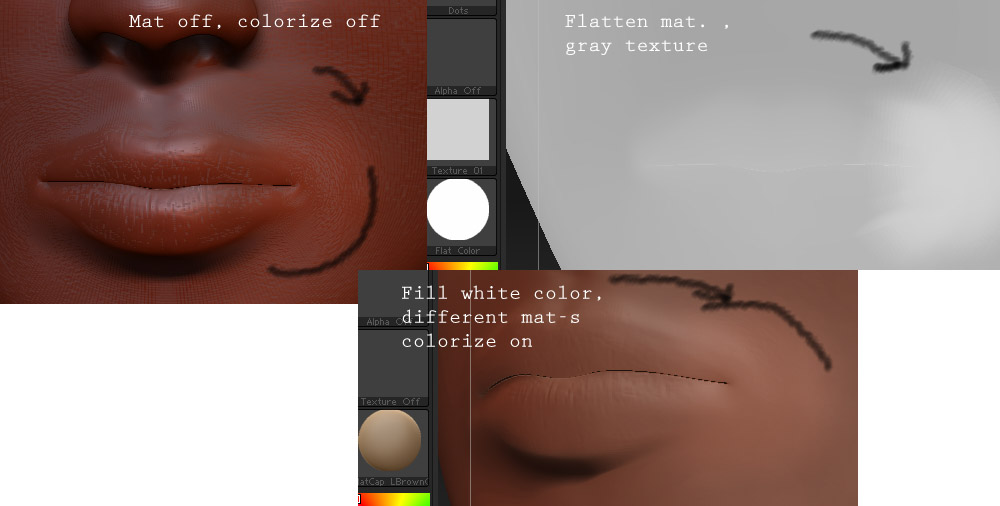
Hello. First of all, sorry for my English.
There is some strange pale spots on my model. Nothing help: color fill, Colorize off, puting texture, material… Pliz help. =,(
Hmmm…looks like those “pale spots” are just bumps on the surface that catch more light hence the pale spots ! Did you smooth the model correcly…? perhaps
you subdivided a model that had already a tight mesh, so you got some pinching that made the bumps apear…are these "spots"there if you use another material, the red wax brings out uneven spots in a mesh like no other material !
jantim
Thx for reply. I dont think that this is geometry bug = ( Look image pliz
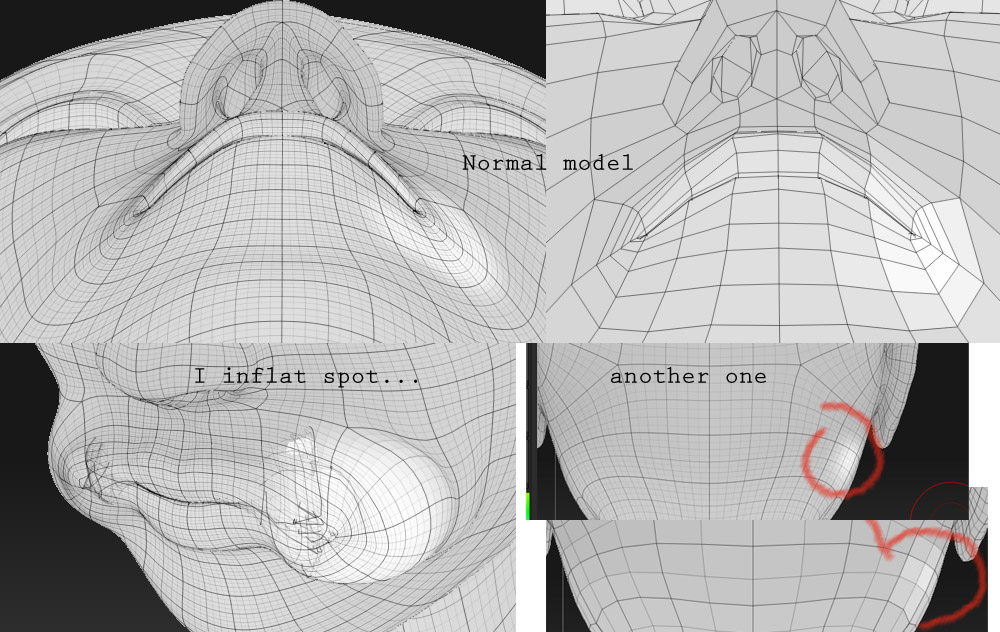
I think it’s some kind of pinching there. It might be pinched so much that you dont see this. Try to klick lower subdiv. 3 times down and then hit reproject higher subdiv. in geometry palette, maybe it will helps, or just retopologize model.
Strange problem 
Strange… but today i I did nothing and it disappeared = \
…is this effect only on this model !..did you forget to undo some "masking"on the model ,or did you use a sculpting brush in combination with a “color” ?
…otherwise i’m at a loss to explain this !..for "black"spots the solution is to set your mesh to “double sided” i case you have flipped normals due to a heavy subdivided and wrinkled mesh but that does not seems the problem in this case !
jantim