ZBrushCentral

Strange modeling artifact

Hi there,
I have a zbrush plane tool, which I extruded using alpha into G key, and then created sort of drape out of it. I am getting strange modeling artifacts near places where there are huge changes of angle (see attached screen). As if a single point was randomly pulled inward or outward. Any idea how to remedy this?

Thanks in advance
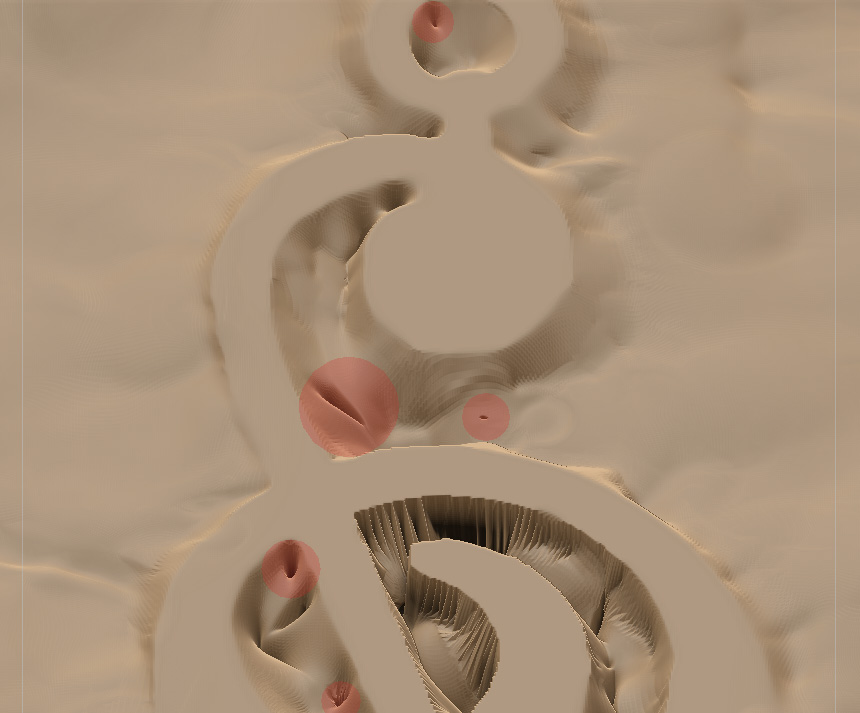
artifactsZbrush.jpg

What do you mean by “extruded by using alpha into G key”?

I mean that:

  1. I have a zbrush plane tool
  2. I apply alpha to my standard brush and use drag rect option to extrude the shape of the alpha
  3. I sculpt drape-like molds and bumps using standard brush with no alpha to achieve something like the attached image
  4. In the process I get strange twists and holes, marked by semitransparent circles.

I hope that helps! Thank you!

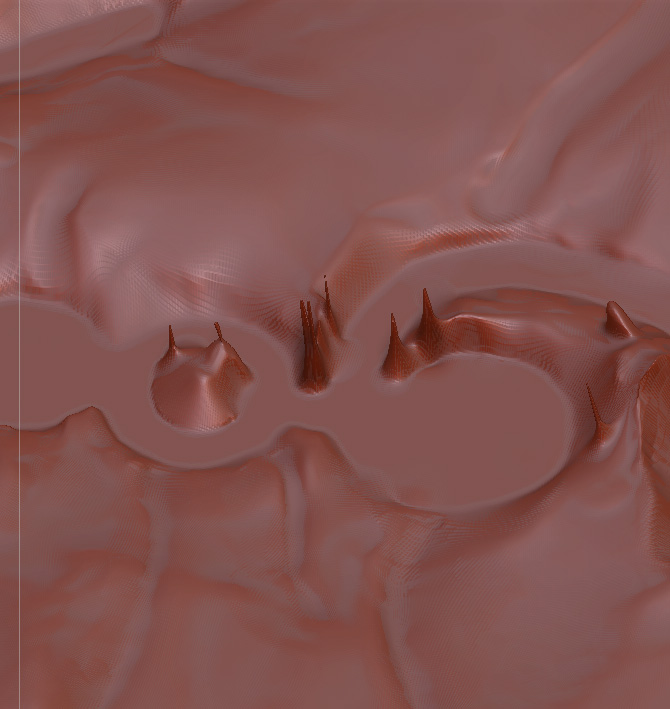
Below’s the screen from the other side of the objects. THe problem areas are those spires. Smooth brush doesn’t remove them. Anyone can help?

Attachments

problem.jpg

It’s likely that your alpha has imperfections in it – spots with greater intensity values than the surrounding pixels. This results in those points being masked more strongly.

I used this alpha just once - to extrude the shape. Now I’m using standard brush, no alpha, to sculpt drape-like shapes. And cannot get rid of these artifacts. Help!

All the good people of the Earth and the rest of the Universe!
Please do help! My deadline is set for 20th of April, and I have to find a workaround/solution for this artifacts! I’ve tried everyting - smoothing, making the plane double sided and trying to smooth from the other side, sizing up and down and then trying the smooth brush, but nothing seems to remove them. These artifacts are untouchable! Please help