ZBrushCentral

Strange masking after smoothing

Hi

I’ve been working on a model and am at the stage of adding detail. However whilst using the slash2 brush and smoothing I’m getting a strange masking/shading going on.
The slash1 brush seemed to be fine, but I’ve found that I get the same issue but not as pronounced as the slash2 brush.

I have attached image of slash2 brush applied and an image after smoothing:
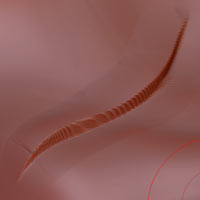
ScreenShot01.jpg

Any advice would be gratefully received.

Thanks Mark

Attachments
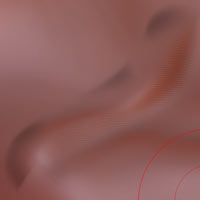
ScreenShot02.jpg

jsut clear all masking. then it should be ok. if mask does not appear maybe its poly paint and u have switched on mrgb.

or its jsut a bug. if it does not case any problems then just let it… change matcap or sth. maybe it disappears then.

or switch to m and remove zadd and zsub so u have no pressure on your brush, then u paint over it and look what happens, sometimes it works with displayproblems.

@ theMark, I’ve been ripping my hair out over this lately! have you figured out what the problem is?

seems like it has something to do w/ layers…

I’m unable to smooth within these mystery-masked areas which makes it more than just an annoyance.

@ZBRUSH, do you guys know about this??

r

Hi r_cal

I have to admit I moved to using other brushes after I had pulled out what ever hair I have left.

However I did notice that after Saving my work (File/Save As), quiting ZBrush and re-launching the strange masking didn’t appear when I opened the project (File/Open).

I havn’t worked on that particular model for some time, but after reading your post I did have another go with the slash2 brush and guess what - no masking, even on smoothing.

So try Saving your work, re-launch ZBrush, open your project and try again.

Let me know how it goes.

I am surprised no one else has joined this thread as I remember how frustrating this bug was. I am assuming it is a bug, nothing else makes any sense.

Try not to pull too much hair out or you’ll end up like me bald.

Good luck
Mark