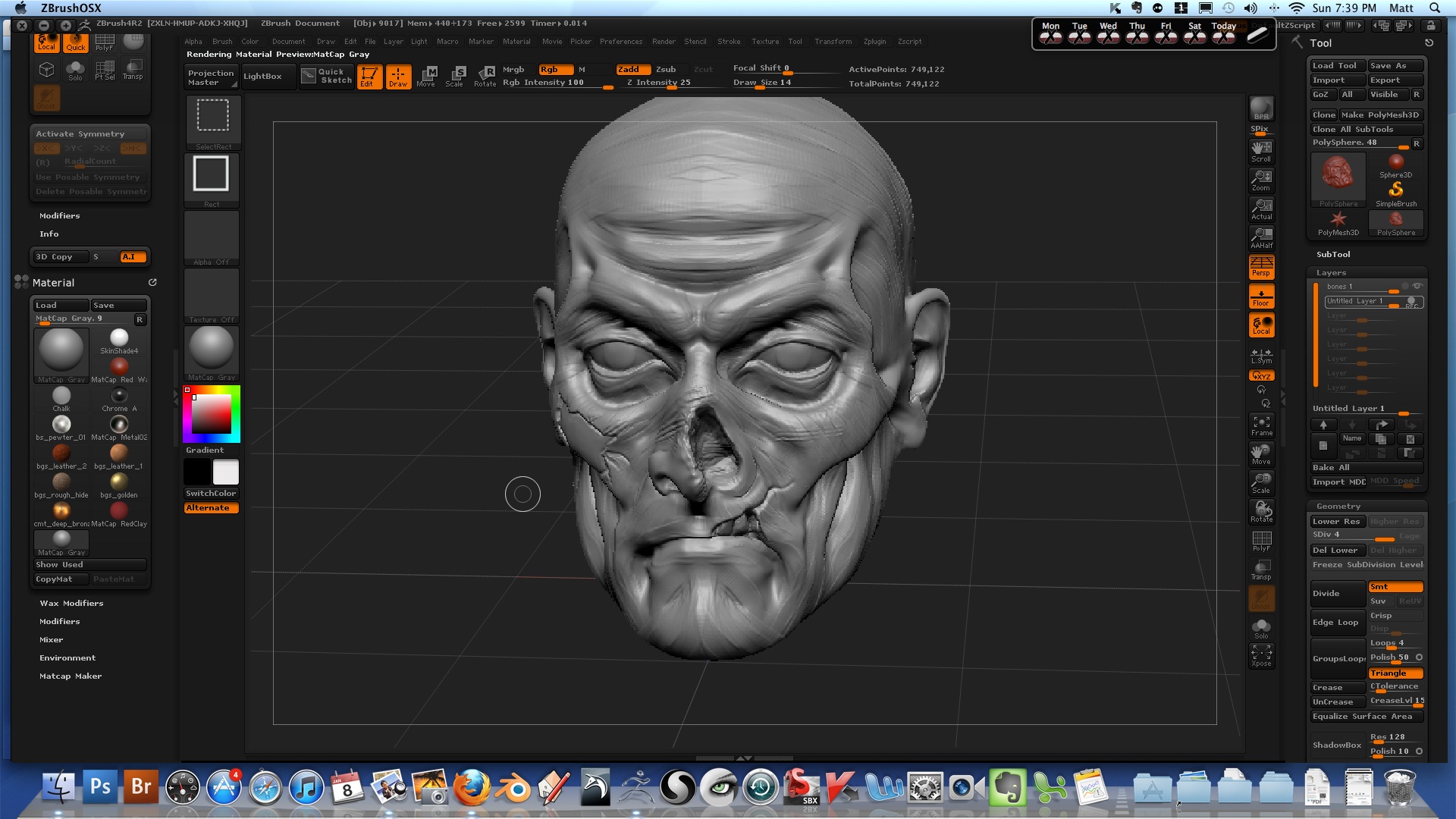
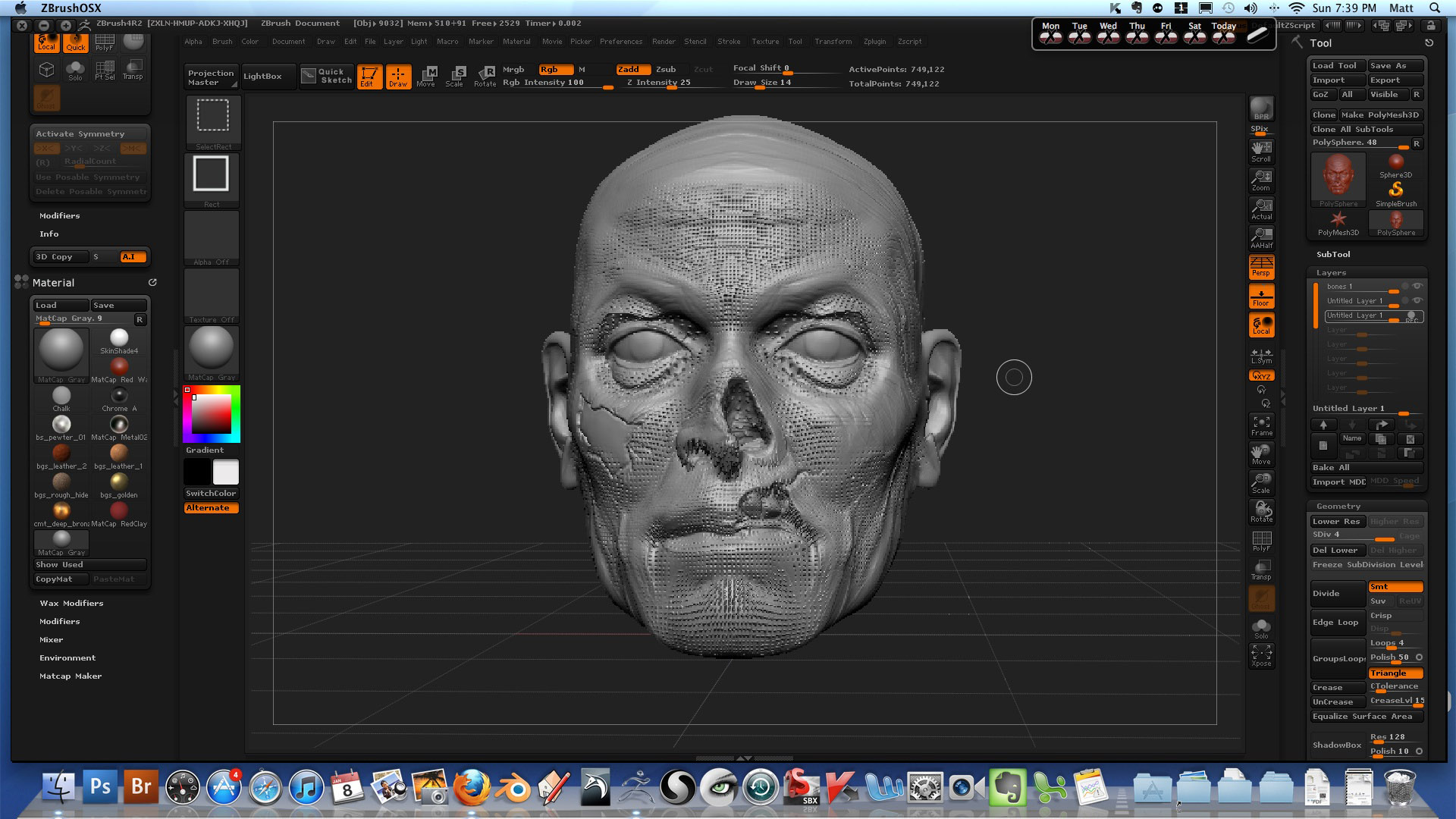
Hello. Hopefully someone can give me a hand here… I’m new to zbrush using 4R2 on a Mac as my first foray into the software. I’m having a very exasperating issue, which I’m sure is due to some mistake of mine. 
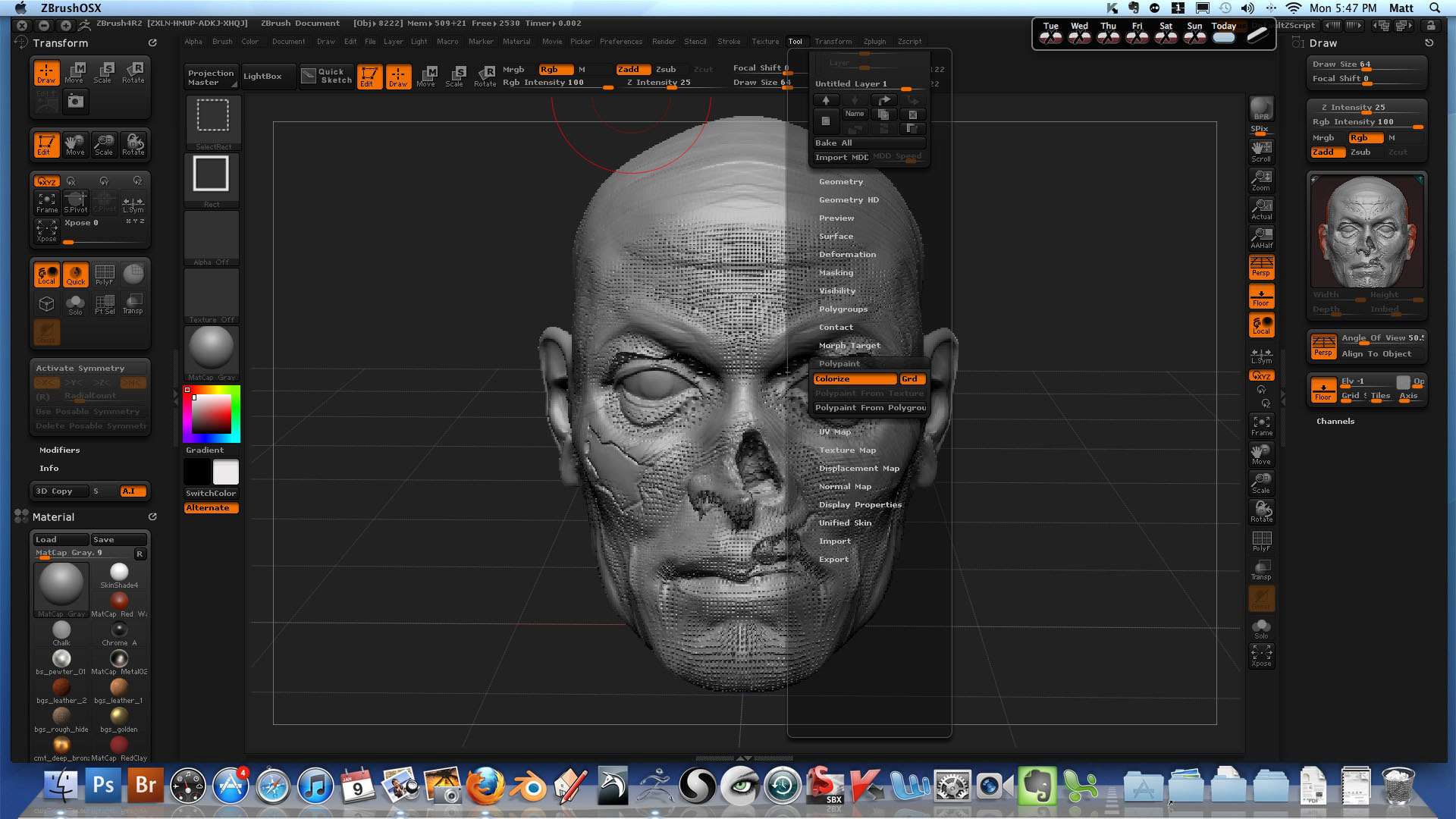
I have been following along with the Zbrush Workshop tutorials, and the lesson has to do with using layers. I had already done some sculpting with two layers, when I tried to add a third. As soon as I pressed the new layer button, the tool becomes covered in tiny intruding and protruding cubes. I tried going back to the saved file and restart zbrush to no avail. I had no issues with the previous layers. I contacted support at Zbrush Workshops, but they do not know how to remedy the issue. Below is what Will from Zbrush Worshops wrote. I did not do any re-dynamesh, and I did not use any masking intentionally. I do occasionally find myself accidentally masking, but I clear it whenever I notice it. I included three pics. In a previous email, Will thought it might have something to do with polypaint, so I included a screen shot with that menu open. Thanks for your help.
Hey Matt,
I was trying to replicate this and have been unable to. It looks like when you use Masking in Alt mode and then re-dynamesh. Not sure what else you have going on through those layers. If I remember correctly layers won’t show masking one you’re created a new layer (it’s just not visible). You may want to check and clear the masks.
Sorry I couldn’t pinpoint this precisely. Let me know if you need further help.
-Will
ZBrush - Creature
Wrokshops Support
Attachments