ZBrushCentral

Strange behaviour Uvmaster Unwrap

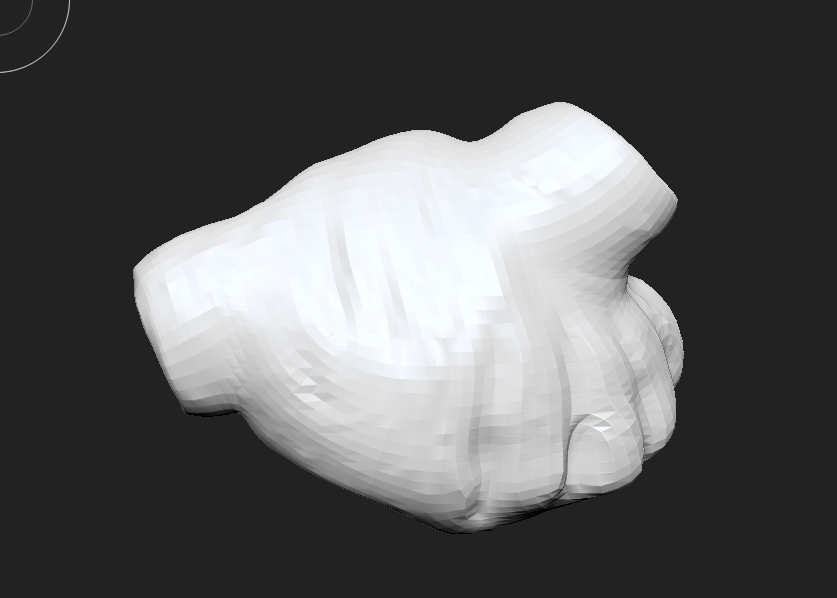
Hi I’m kind of new with brush I just have a few months of using I’m working on a heart model This is my firs full model try From sculpting to polypaint uvs all of it. But I had a strange behaviour with UV master.

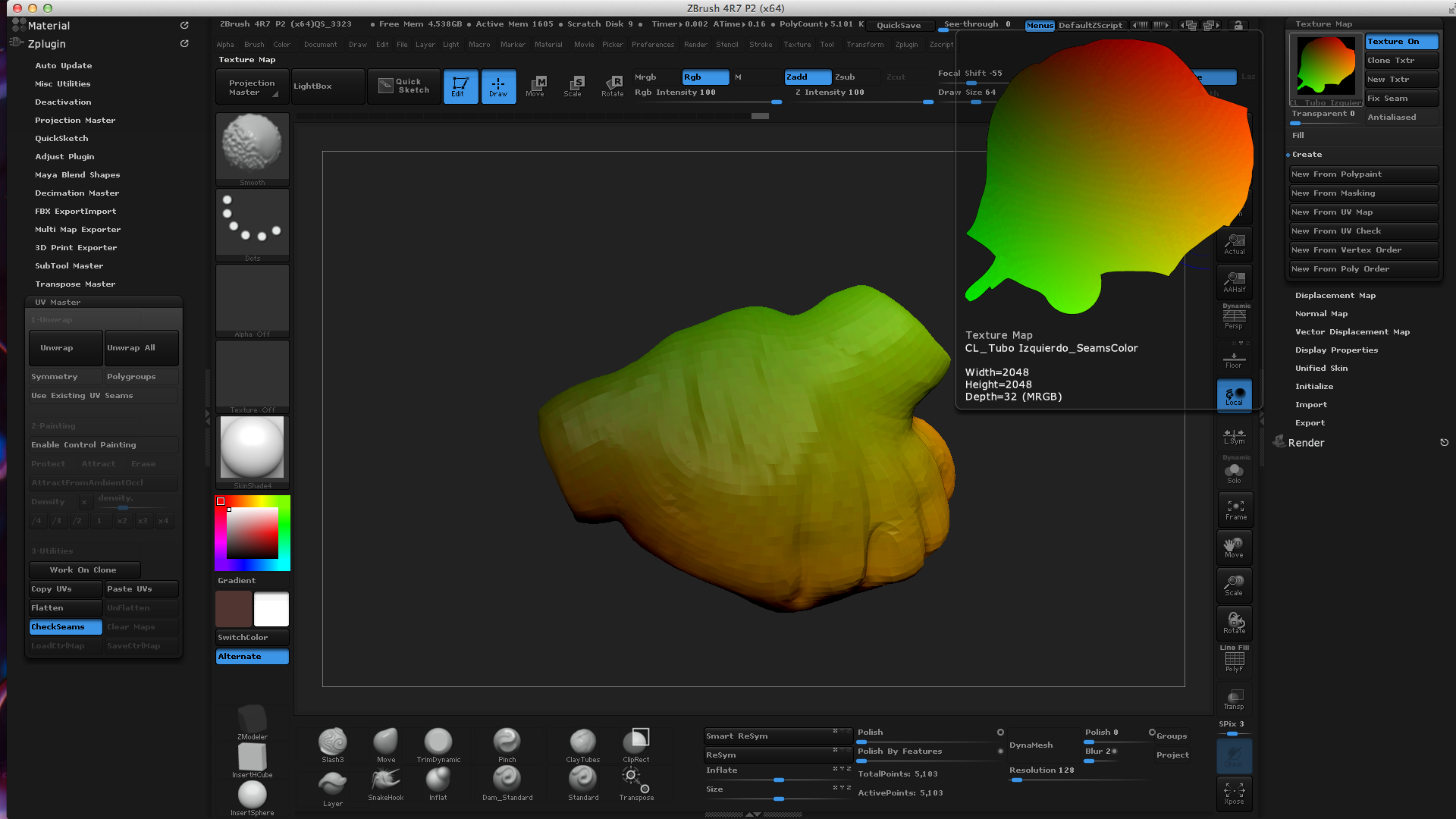
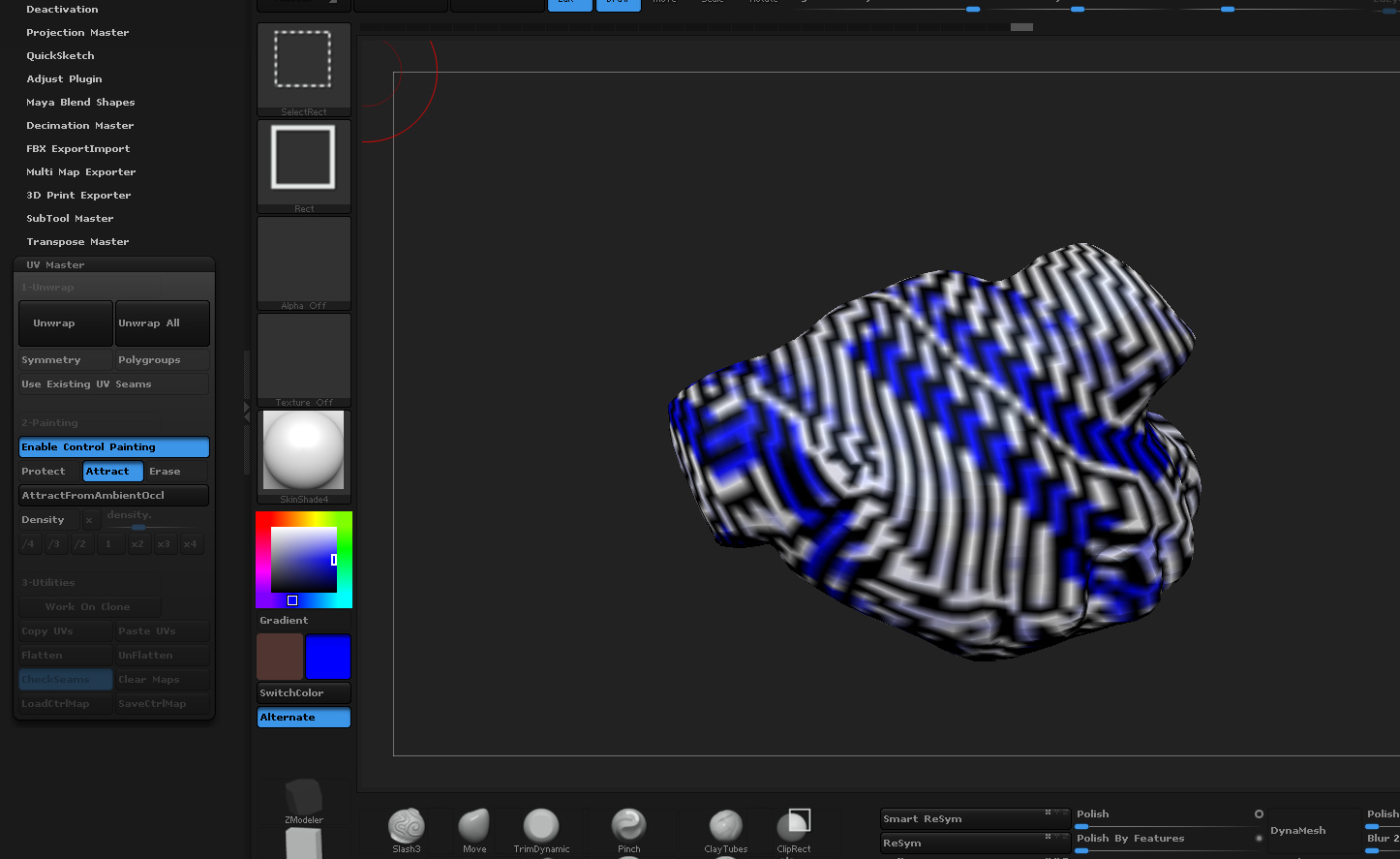
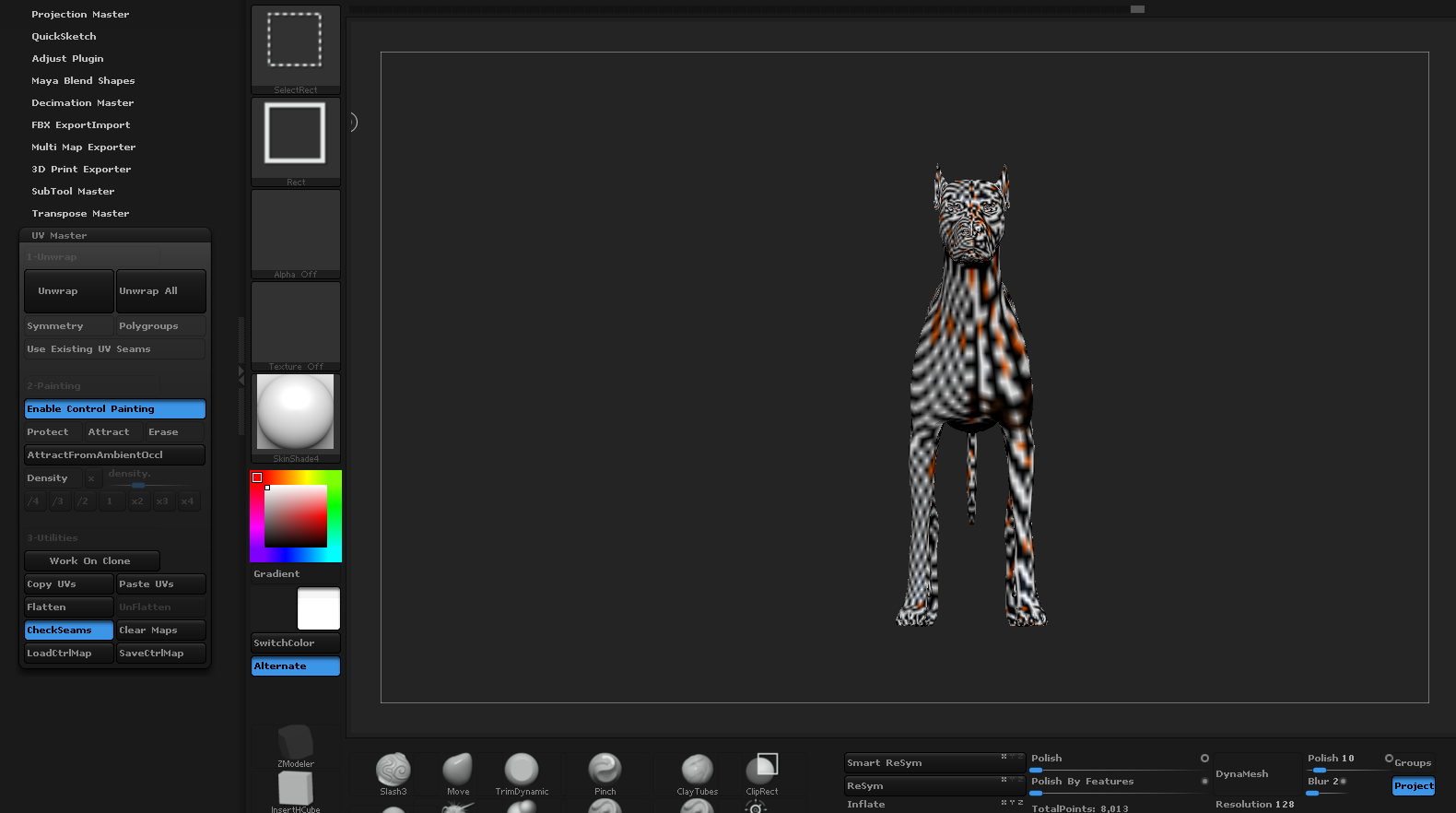
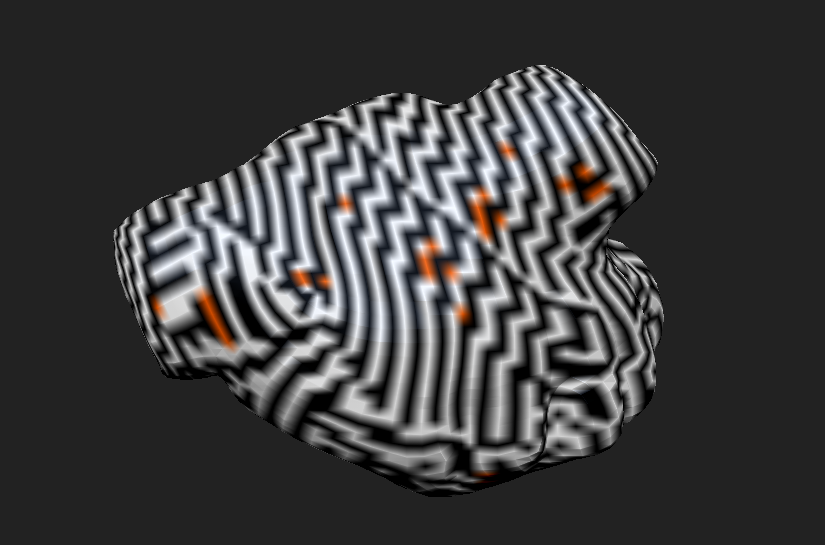
I follow the normal process: Zplugin - UV Master - Work on clone - Unwrap And I successfully made most of my uv maps using the UV Master tools like Enable control painting. However Sometimes a Subtool will give me this problem like a zebra effect.

NOTE this problem is only visible when I hit check seams strange thing is my Uv maps seems to be “fine” But I loose all ability to use control painting for readjusting seams, not even the “Attract from ambient Occlusion” works and once the problem appears in one of my sub tools it will affect all of them even the ones I’ve already have my UVs if I want to re adjust them I don’t get the clean check seams view I get the zebra effect.

I manage to save my sub tools by going on a backup file and unwrapping again. But I lost some extra work for some tools want to know what I did wrong because it seemed so strange and random.

Is it a glitch? or just some option I have turned on o something? I haven’t find much information about it but I really don’t want to keep saving my subtools through a backup.:frowning:

I’ll be posting some of the WIP screens I have and The final result soon!

Thanks a lot!

Attachments
Screen Shot 2015-09-26 at 8.53.45 AM.png

Screen Shot 2015-09-26 at 8.54.00 AM.png

Screen Shot 2015-09-26 at 8.55.18 AM (2).png

Screen Shot 2015-09-26 at 8.55.56 AM.jpg

Screen Shot 2015-09-26 at 8.54.00 AM.png

Hi,
for unwrapping in general, or with UvMaster especially,
it is required few things that if they are not, can create issues.
To resume them,
I would say in the modeler way, we have to have a clean mesh (low poly of course).
What is a clean mesh ?
it means no extra points, no normal faces that are not aligned or in the good direction, overlapping polygons, mess poly, etc…

In general, within zbrush it is fastly fixed or prevented by using some button/functions you can mainly find in the 'geometry tab of the 'tool menu.

  • check mesh / fix mesh
  • weld points
  • optimize points

and for the normal direction issue, you can go to 'display property and clic on ’ flip

If all that do not solve the issue,
personally I would send the mesh to external 3d app like Cinema4D, 3ds Max or maya (etc);
then check it manualy, carrefully to really totaly clean it.
In general and maybe for all the cases I have faced, it fixed the issue when unwrapping with UvMaster.

I hope it can help you, and you have not already try all that.
I would be interested to know if you confirm or not my 'diagnostic.

Anyway, good heart & good luck :slight_smile:

ps: if you want you can send the mesh here so I can take a look. the lower subdivision should be enough.

Hey Thank you very much for the reply on my problem. Sorry I couldn’t answer until now. It was very useful to know what to look for when troubleshooting this kind of problems.

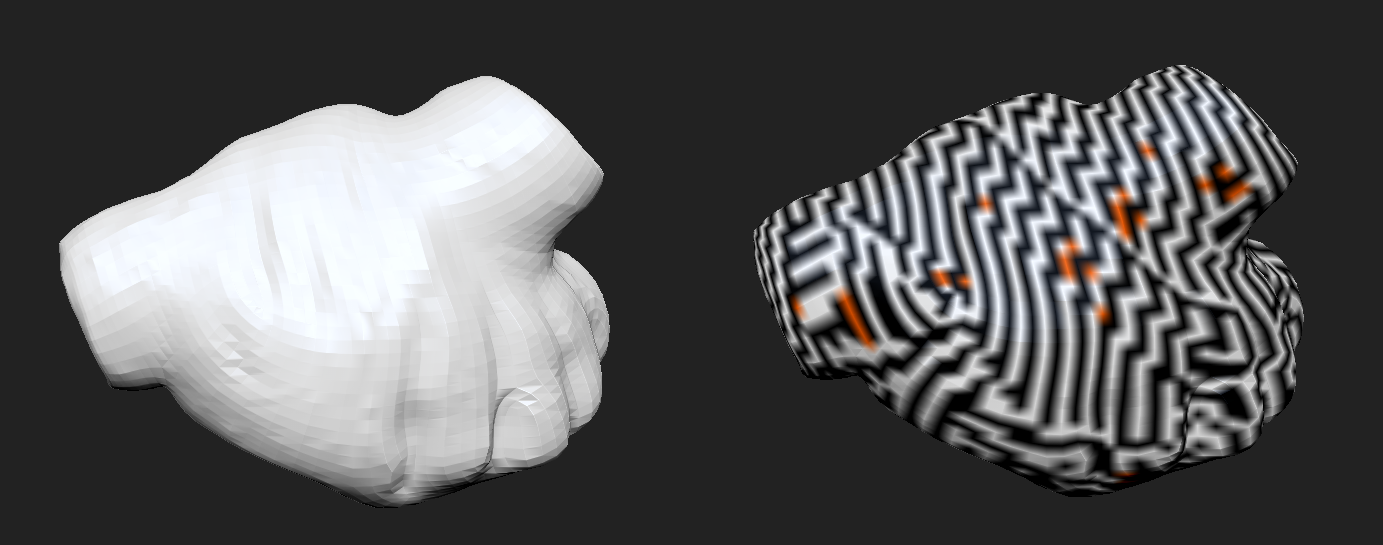
I tried your tips and it fixed some other stuff I had going on but the UV map did not. It got me thinking a lot about What did I do wrong so I tried on a basic Document from lightbox and The same problem happened without me touching a single thing of the document, Just the UV master.

I believe now It is kind of a random bug. It seems only my ZBrush64 is sometimes making this, the 32 seems all right.

To “fix” the document I just Open it again on the 32 and make the UVs there. Still no clue to what is causing it though, and it is still very random. But I hope this workaround may be helpful for someone else.

Thanks again for the great tips and the support!

Attachments

Screen Shot 2015-10-04 at 7.07.21 PM.png