ZBrushCentral

Still have Subtool Master for 3.2 Problem?

I just got 3.2 on mac and have been Decimating everything! It’s Great. The only problem is that I lost the use of my Subtool Master Plugin. It gives me the same message each time. I posted a screen shot of the error message.

I had another problem with my subtools. Each time I duplicate one, the names become Dup #, Dup, Dup , etc. Until finally ZBrush crashes because of the naming system alone…

Thanks,

Maury

Attachments
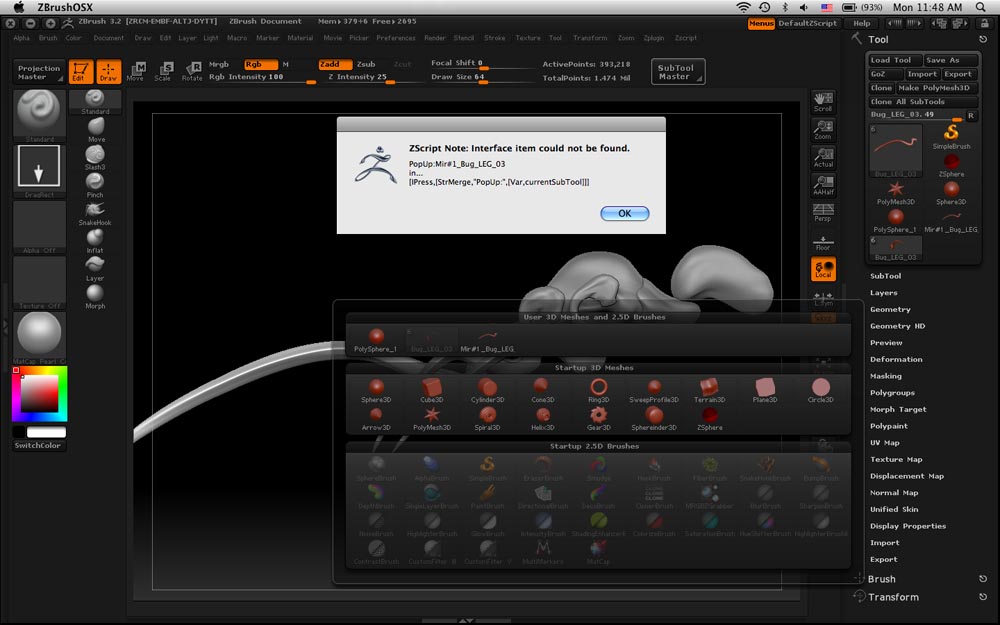
Picture 2.jpg

Plugins that were created for earlier versions of ZBrush may need to be updated to work correctly in newer versions.
When plugins are updated, they wll be posted here in ZBC

Thank you for the speedy response. but does this mean ZBrush 3.2 has to have Subtool Master 3.2? I started a new model in 3.2 thinking I’m done with 3.12b, but I have to wait for the new Pluggin to use Subtool Master, and as a result, cornered myself into 3.2. I love Decimation, but if the price at the moment is no Subtool Master, this throws off my workflow. I will be patient with regards to the updated pluggin. I just didin’t want to start the model over again in 3.12b. I suppose the practice is good for me.

Thanks
Maury

From the forums, I get the impression that Subtool Master works for 3.2. So does it work for 3.2 or not? “May not work?” I just want to know if I should continue trying to get this to work, or accept that it IS a version issue that must be updated.

I appreciate the help,

Thank you,
Maury

Don’t forget that most everything subtool master does can be done “manually”, its just more time consuming.

Yes, your right. Thanks. I also figured out a work around for this error:

Make your mirror or duplicate. Your tool palette will have it as a new tool, but the subtool palette will not. So you can append it to your subtool palette. Only catch is you can’t append it to existing subtool, so modeling on these symmetrically is not possible. . . .

Thanks,

Maury

you need to merge them, by using the insert mesh command in geometry palette. make sure to clone both just in case. and i think you cannot do this with subd levels, so do it at your highest and reconstruct subd. if you wish.

Subtool Master for 3.2 is being tested and will be released as soon as possible.

I appreciate the help and notice about Subtool Master 3.2 under way. I am trying the insert mesh. This is new to me, so cool!

Thanks spaceboy412 and marcus,

Maury

Yes it can be appended. I created a sphere mesh and appended it to the Subtool. Then from SubTool Master I did a mirror – and had results like you and I appended the tool that the SubTool Master made. Now I had a right eye and a left eye. I clicked on eye for the body subTool (while being “on” one of the eyes), and the body became invisible. Now with just the left and right eyes being visible, I clicked on the Merge Visible button and a Merged tool appeared in the Tool palette. I then deleted the left and right eyes, appended the merged tool and hit the X key and had both eyes and I could model them with symmetry on.

Just like SpaceBoy said, it can be done – just takes a few extra steps.