ZBrushCentral

Stencil full of noise

what I meant by the difference in high to low isn’t the way you’re thinking.
I meant that the areas in the face that are all mostly white (not in shadow) from your image are going to think they need to be higher than they really should be. There should be a uniform level of contrast to an image you use for a stencil or bump map.

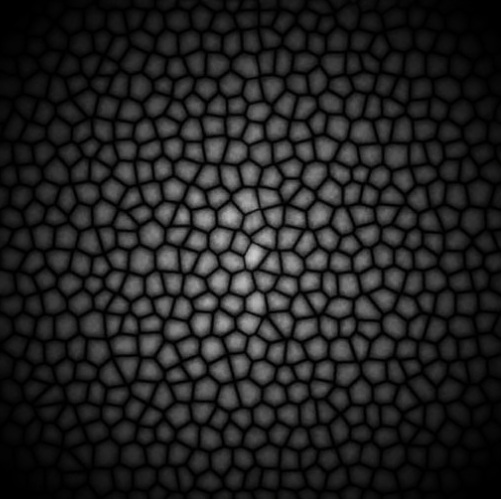
If you look at the stencil for the scales you showed you’ll see that each and every scale is in white at the tip and black at the base, rather uniformly across the image. The image you’re trying to use has high and low values all over the place.

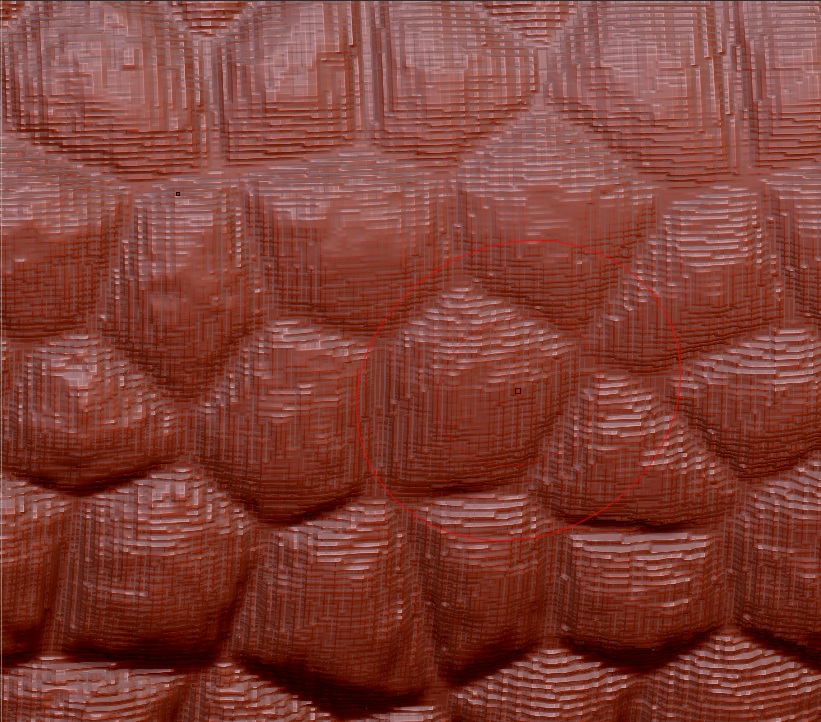
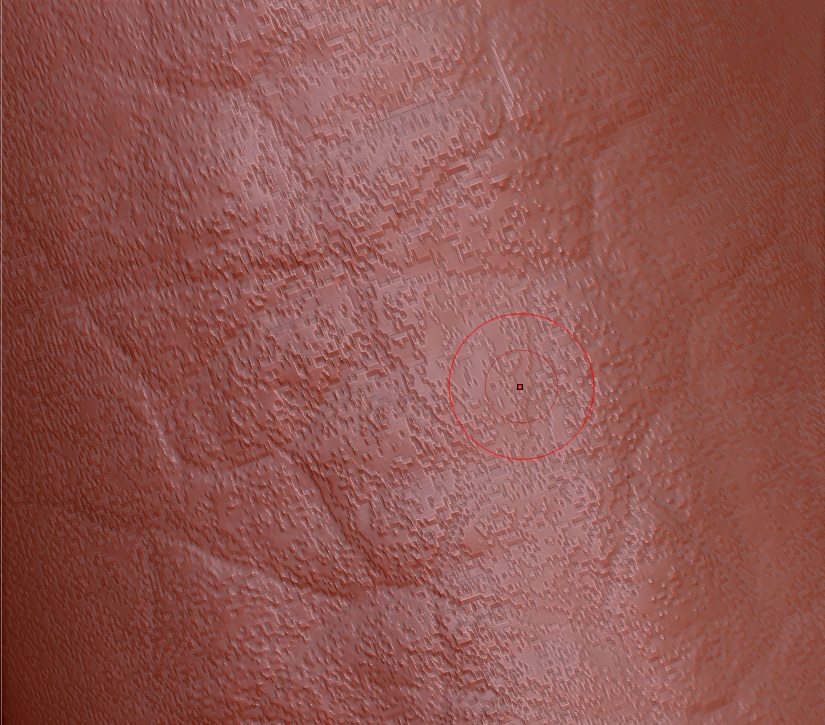
That image also has pixel data in the image that is causing the stair stepping when you sculpt. If you load that alpha and fill the canvas with it and zoom in you’ll see exactly where your stair stepping is occurring.

Remember that stencils aren’t meant to be just a plop down and everything is good, they are better used for guide lines when working.

@zber2: How did you the scurfs of your"dinocar" in your sketchbook?

@goast666: Oh, i understand.

Unfortunately the tutorial i’am speaking of has a copyright, so i don’t know if i can should a picture from it. Oh but here is an introduction with the stencil in photoshop and the later result of the eye wrinkels. http://www.digitaltutors.com/09/lesson_one.php?cid=3385

I thought if i take a high resolution picture the problem with the pixel data would be negligible.

Original by maxpd
@zber2: How did you the scurfs of your"dinocar" in your sketchbook?

dino skin.jpg

Here is the alpha if you want to use it.

dino skin_01.jpg

Thank you!

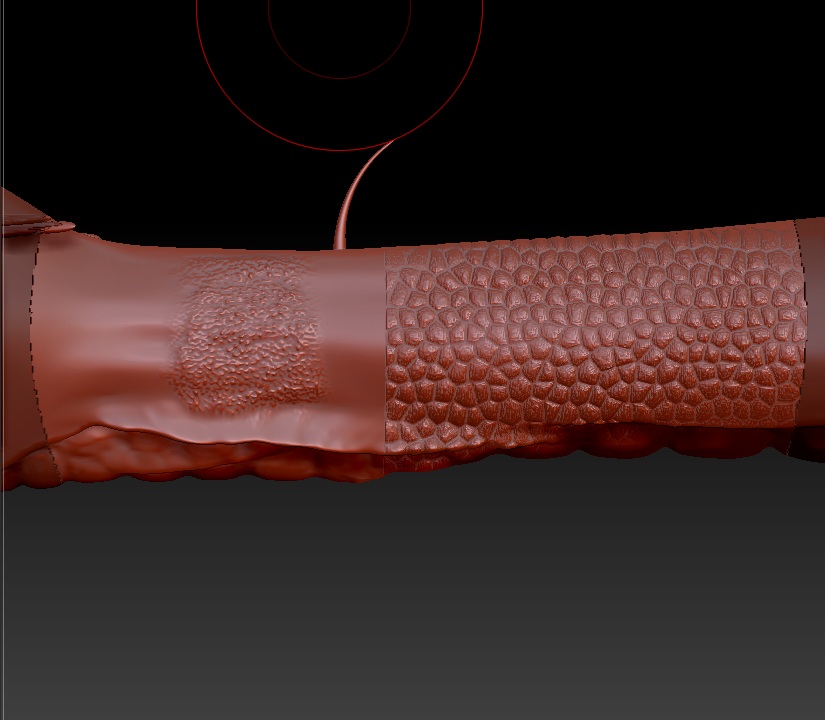
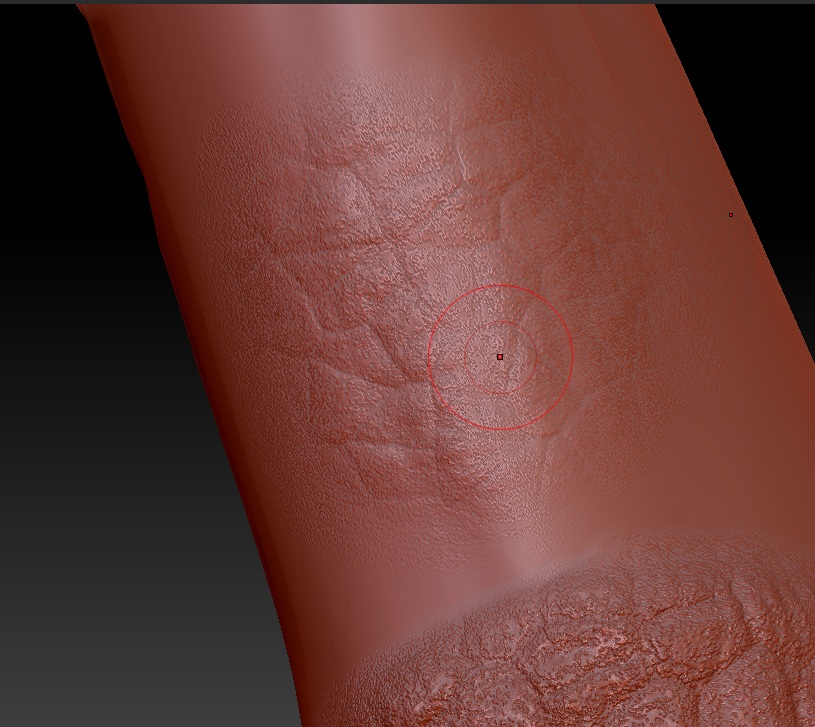
I tried another Gnomon Alpha. I find it really nice. But always the same problem. I think there isn’t any problem with the alphas. It is another problem. You see here the neck of the dino. It has 5 million polys.
I can smooth after using the stencil, but then also other nice details will be getting lost.

In your image i also see noise, but this seems to result from the alpha. Just like it should.

Attachments

7.jpg

5.jpg

6.jpg

original by maxpd:
In your image i also see noise, but this seems to result from the alpha. Just like it should.

Yes, I made this alpha myself and added noise to get some bumps.

But why these steps in my sculpting? My Polyframe looks nice, there is no shifting.

That does look like jpeg artifacts. I am assuming that that alpha from Gnomon is a jpeg. You can try Free Jpeg Enhancer to see if it helps.

edit: The best alphas will be 16 bit grayscale .psd file but 8 bit grayscale .psd work well too.

It’s a psd. A Freebie from there Website.

I increased the sub even more to 512 mil. polys. 5 mil. in this area. And the result is even worse.

Attachments

8.jpg

Such a result would be nice: http://www.zbrush.us/media/zbrush_3/zbrush3_example1.jpg

But don’t know how to achieve it. Not with this problems.

I thought a little bit more about the stairs. They look like there would be a lack of a function which calculates the average direction of the normals. Something thats smoothes the mesh. Any further ideas?

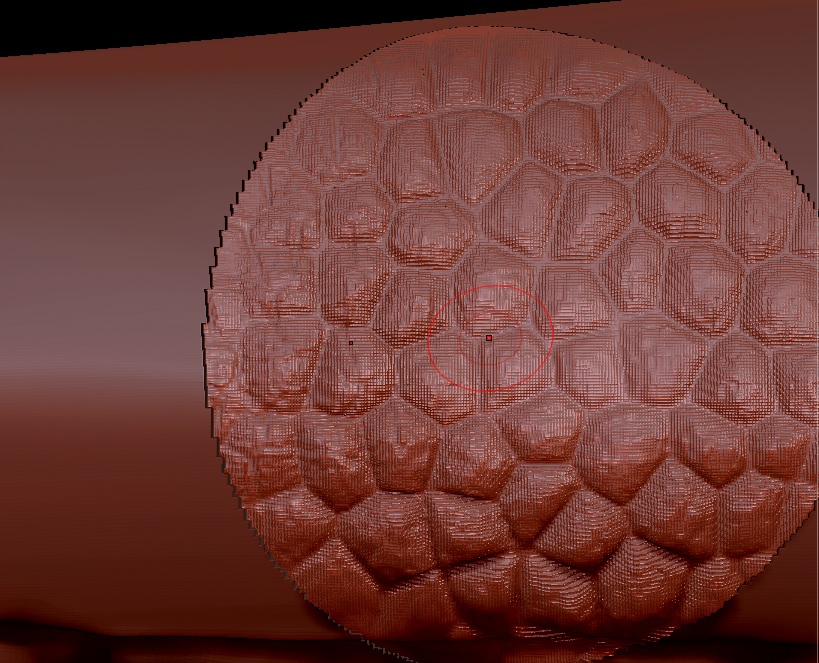
By the way zber2, thats the result of your alpha. I think, there is a significant difference to your results.

Attachments

10.jpg

9.jpg

Me again.

  1. If i use another object, the problem still exists.
  2. If i use the smooth function of the brush itselfs, the problem isn’t as heavy, but there is also a lack of detail.
  3. If i use the drag function of the standard brush with the same alpha i use for the stencil, the result is superclear. Exactly how i want it. But with a stencil its even easier. Can’t solve it.

I don’t know why the stencil shows this behaviour. It may be to do with masking or it may be to do with the stencil being stored at a lower bit depth.

You might find it easier to use the image in Spotlight. Sculpting in Spotlight is easy and versatile. You can load alphas into Spotlight by double clicking them in Lightbox.

A few notes:

  1. You may want to change the Intensity on the Spotlight dial so there are no transparent areas in the image. This will give more even results.
  2. Turn off RGB and turn on ZAdd. Start with a low Z Intensity.
  3. Turn down the opacity so you can see the image and the sculpted result at the same time.

Spotlight_sculpt.jpg

hmm…what marcus said. he seems to know what he’s talking about :stuck_out_tongue:

Same result. I will take a light smooth brush to fix it. Thank you anyhow!

No longtime solution. Doesn’t work quite well :frowning:
Other hints?

Does somebody have a similar problem or any ideas?

I think its some kind of limitation of the stencil tool, good for clean lines but finicky with gradients. Using the Move brush seems to help a bit.

The best work around i’ve found is to just use a standard drag react with an alpha instead of using a stencil, it can handle the largest file you throw at it. Use grayscale 8bit.