ZBrushCentral

Spotlight Resolution

I’ve made a face model which I have sub divisided as possible for my machine. If I then paint a high resolution picture on to the face model and zoom in it all looks a little blurry.

If I instead zoom in before painting (zoom into an eye) and using the same photo enlaging and lining up the eye - then paint - the details from the photo are all there.

Is there a way to paint the whole face in the screen and keep the highest resolution possible from the original photo?

Thanks
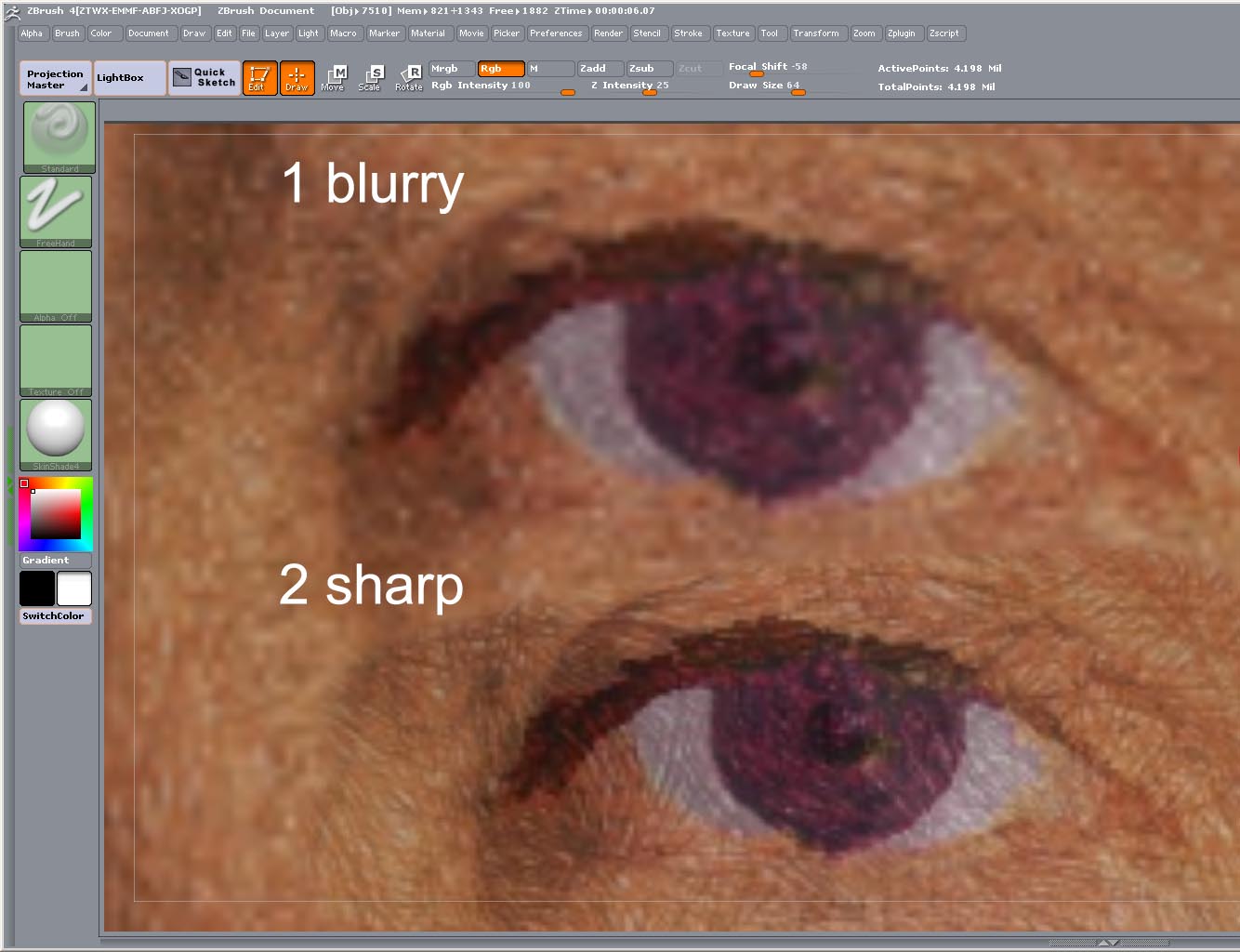
To show what I mean here is a test image.

1 Shows spotlight painting an image on to a cube face with no real zooming in
(Cube 4m points)

2 Same image greatly enlarged and the face of the cube zoomed into

So by zoom into the cube and resizing up the image/texture I have a higher resolution image on the cube with no imcrease in the polycount.

Is there a way to not get this blur without enlarging everything. I thought there might be anti alias thing going on but I switched this off to no effect

Thanks

Attachments

test.jpg