ZBrushCentral

Spotlight question

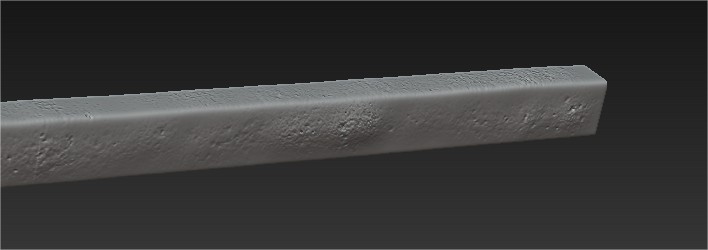
Trying to paint 3d detail (not rgb texture) into a mesh, using standard brush (tried others like layer, claytubes etc) but finding that the painting distorts the base mesh. Is there a way to ONLY paint in the details? As you can see here I’m making it bumpy :frowning:

Attachments

a_7.jpg

try using the layer brush instead.

Using the layer brush is a solution, thanks but I don’t know if it’s the right one. It adds a solid height to it meaning I have to brush over the entire piece. Anyone have any other ideas?

Painting isn’t causing the distortion, the sculpting is. Watch the strength settings and draw/stroke options. Maybe hide some parts and use mask by alpha first?

instead of pulling out everywhere, try pushing in only the areas you want to effect.

Alphas or masking would be another solution, and probably faster to use too.