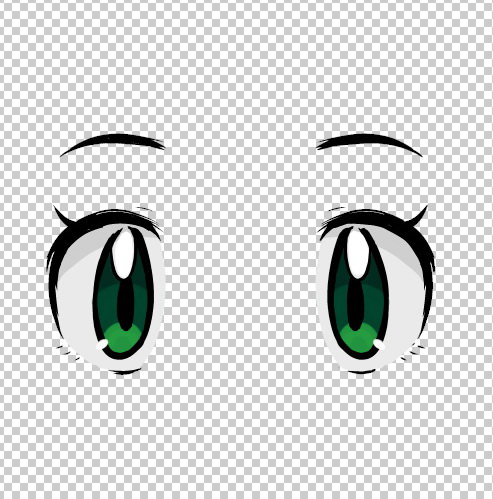
I want to use spotlight projection to create a texture for the eyes of my model, so I created the eyes in another program and saved a file with transparent pixels and alpha channel. But I just cant project the image into my model, it always gets all the white area surrounding the eyes, and if I try to use the Intensity + Contrast, it just makes the blacks transparent.
How can I do this? If black is transparent I cant project the eyelids and pupils as they are pure black.
Isnt there any way to change the transparent color? Or just use the PNG file + alpha channel properly?
Pic attached is what I want to use. I tried almost everything and ran out of ideas.
Thanks in advance