When I set the res at 1024 an apply in Spotlight it crashes ZB4. What am I doing wrong?
I cant reproduce this issue…
I do:
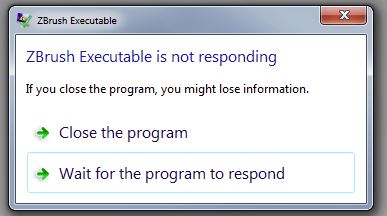
I start zb4 and in spotlight double click on shadowbox go to subtools type in res of 1024 click on the shadowbox button which is orange which then turns gray click again on the shadowbox button and get this
[ ]
]
win7 ultimate > 8gigs ram > 500 gigs hd > vidcard (which zb doesn’t use) 1gig
Forgot - i7 quad core
OK I can add that at 512 res no problem:)
Back to the 1024 res.
I decided to let it hang on the win7 message for awhile then moved the mouse in the zb4 window and it went away (the mesage) and there was lightbox opened at 1024 res - I repeated this many times.
Anyone knows why it hangs when uping the res to 1024
Haven’t tried 2048 res yet.
I repeat your step and no crash at all, what ocurr in my system is that take longer to construct a cube of more than 1.5 million poly also i press on and off the shadowbox again take time but no crash. My PC is very far modest from your supermachine! sorry
ps: have you try to make some mask and get a geometry then change the resolution?
andreseloy first thanks for running tests.
I was thinking it might be a win7 issue.
After posting the last message I tried 2048 res which gets stepped down to 1024 res (I think but not for sure the highest res is 1024)
Anyway it created the 1024 res spotlight box.
I then closed zb4 opened again and did a 1024 res and it worked - repeated it many times and it worked every time.
LOL I don’t know if typing in the higher res had anything to do with it or not but it is working now.
Happy you get rid of…