ZBrushCentral

spot light texturing: details problems

Hello Guys,
I am new to the forum and to zbrush too.
I have a question for you.
I am trying to practice with spotlight texture projection zbruhs tool, and I feel really good using it.
But there is a problem.
I am actually projecting an hig resolution image of a face (2000*3000 pixel, 300 dpi) on my model face mesh but the resolution of the projection don’t match the resolution of the image.
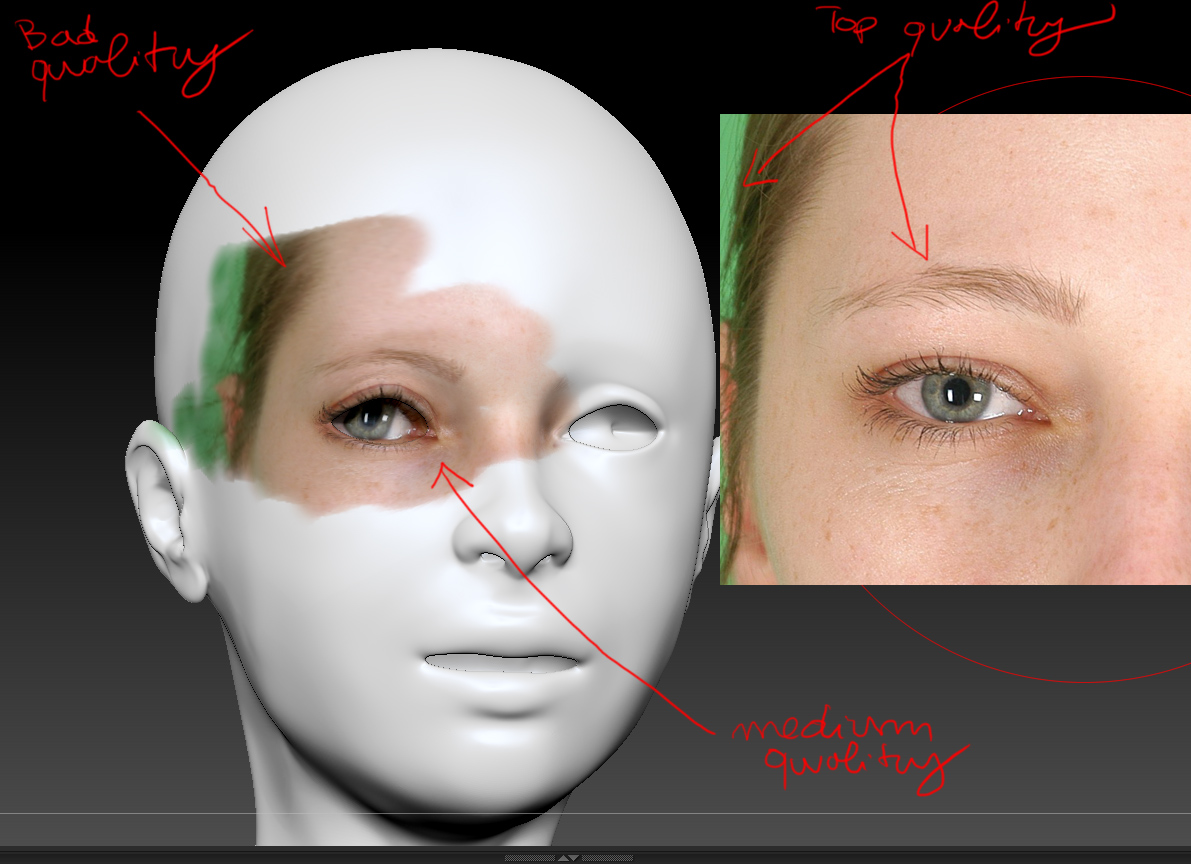
In order to make my problem more clear, I attached this image for you:

as u can see the right photo is really detailed, otherside the left projection is muddy, without the full detail of the original, expecially along the eyebrows and hair attachment.

Any suggestions to solve it?

I am working with win 7pro, an intel 6core with nvidia 4000 gc

regards and thanks for the attention

Matteo

Attachments
txql.jpg

You’re approaching how you are thinking about texture quality wrong.
Vertex color information is what polypainting is.
You can think of it this way, 1 vert = 1 pixel.

So if your mesh is only 200,000 points for the face. Then you only have 200,000 pixels to work with.
200,000 might seem like a lot, but it isn’t. A 1 million point mesh can support a single 1024x1024 image. 4 million =2k. 16mill = 4k. ETC.

Basically, what I am trying to tell you, is your mesh isn’t dense enough to support the detail level you want. Subdivide 1 or 2 more times probably to achieve the effect you want.

In addition to what Beta wrote, consistency is also important. Even if your mesh had 5 million points in the head alone, you may find yourself unable to achieve the same level of detail as easily on the back and sides of the head if most of those 5 million points are crammed around the eyes (which tends to happen if you have edge loops designed more for animation than sculpting). It’s worth seeing if you truly need the consistent detail though. Sure the hair looks blurry, but then again the hair doesn’t belong there. You can tell by the ears that it doesn’t match up (and when you’re painting with photos you generally don’t want to create the detail for the sides of the head by using the last few pixels of the front view). For the front view just focus on the forehead, eyes, most of the nose, lips, and chin, and then rotate to a side view and paint in the sides from a profile image. Chances are you’ll find that part of the head turns to skin, and it probably wont be as busy as the skin around the face is.

Secondly I don’t think spotlight really cares about your image resolution. AFAIK, it projects exactly what you see onto whatever is below it. If you have one pixel and you enlarge it to cover 50 points, it will project onto those 50 points. On the other hand if you have a massive image scaled down and your model zoomed out in order to see the whole thing, then you’re going to be losing a lot of data from that image. If exact detail is what you’re looking for from such a spotlight stencil, you’ll probably get the most bang for your buck by keeping the image scaled as close to it’s full size as possible, and scaling the view of the model to match.

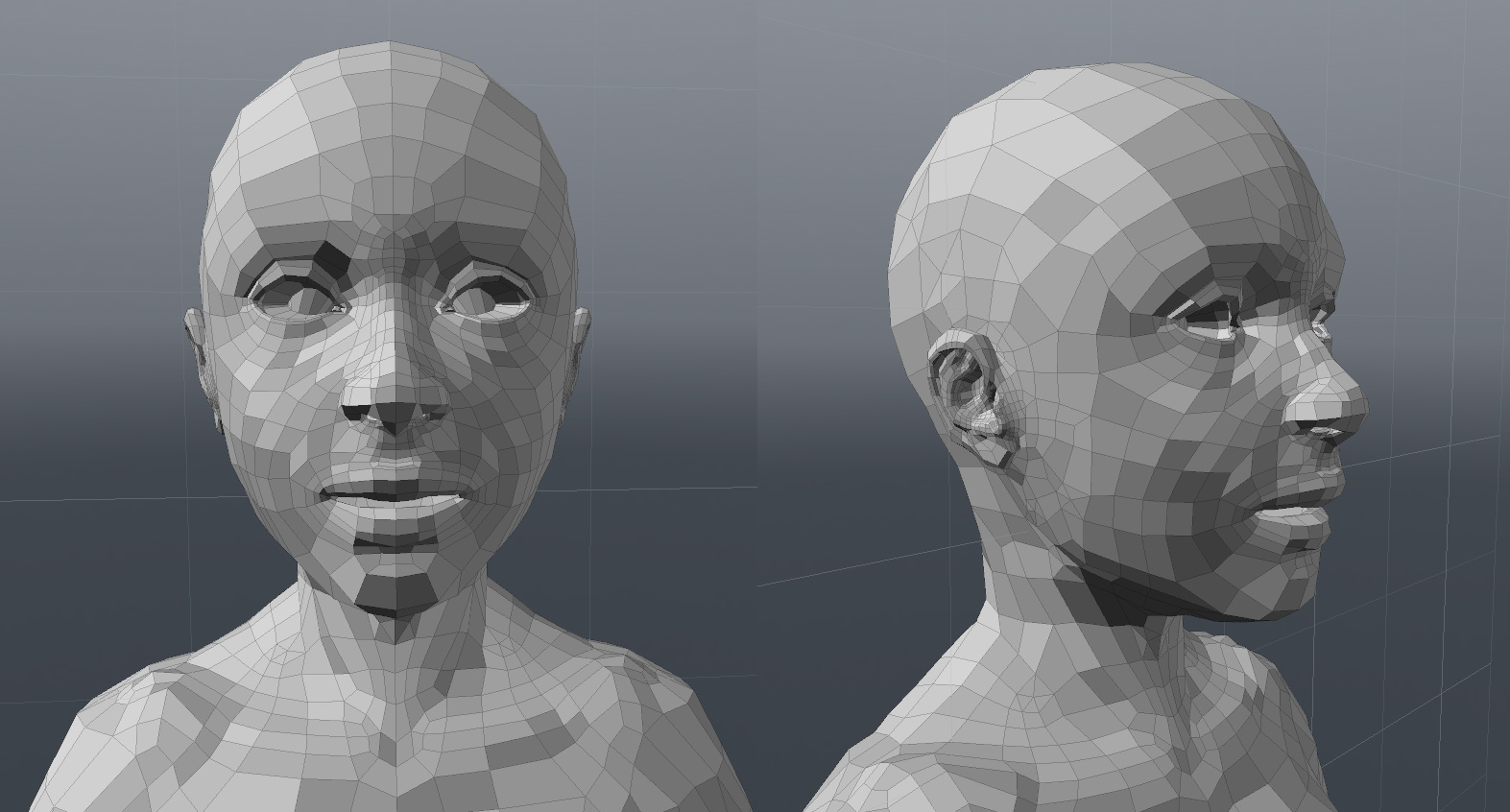
A wireframe of your mesh would be beneficial. And there is local HD geometry if needed.

Ok Guys, thanks a lot for the replies, really really thanks!!!

My model is very subdivided, almost 10 times and three times with HD subdivision, but the situation doesn’t not move to change better.
I think the reason is betweeen what you Cryrid and Beta have written. I chatted with others friend of me what are doing a massive use of zbrush and the answer is often the same Beta give me.
Maybe for my needs this is not the perfect method to add HD textures.
I attache here 2 images, one of the wireframe (low poly mesh) and one about a render wip of full detail texturing I am doing using another software.
Texturing in an old way it’s very bothering when u came from spotlight!!! :(((

provatexture_4.jpg

thanks again!

regards

Matteo