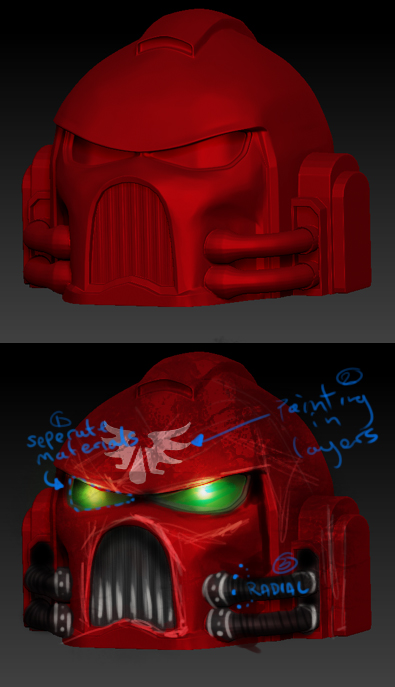
hey guys recently got a new computer (one that can actually handle z brush) and decided to get something cool done. I’ve done a couple of models before but I’m still struggling to get anything of any real quality made and I figure the best way to do that is with the help of people who know what they’re doing, unlike me. I’ve checked out as many tutorials as I could find but there’s some issues that they don’t cover, if anyone has any suggestions on these feel free to call me a dumbass and set me straight. O.k so I’m trying to do a 40k space marine I done the basic mesh in maya and imported it bit by bit and straight away I realized I was stuck, which makes for pretty rubbish work-flow, here are the problems using the head/helmet as an example:
Hey man, one thing i can help with is the smoothing. In the Geometry tab, just to the right of the “divide” button is a button labels “smt”. That’s the smooth modifier. If you un-check it your model will subdivide but the shape will not chance. Your edges will remain hard at a high subdivision level. The set back is that your areas that you want to be smooth you will have to do some work getting them there since it will keep their edges hard as well.
And honestly for something like the space marine that has big smooth shapes and hard edges, why don’t you just high poly model it in Max…?
aye, I think your right there man, I’ve spent all day on it again with nothing to show, though earlier I sub divided it like six times and found the polish brush worked a helluva lot better, duh right? but there were bits with crappy topology that screwed it all up and I got frustrated and cried a little, I’m thinkin’ the best option for a good model at the moment is a complete re-do in maya…nuts! thanks for the help dude
You can experiment with Smt in ZBrush. For instance, turn off Smt for the first 1 or 2 subdivides then turn it back on and subdivide some more. See if you can find a happy medium.
its still good model mate , beginnings are always difficult , you have to learn the program so it will help your imagination not stop it , if u are close to throw your computer out of the window have a walk hehe , im a beginner to , its painfull
Posted by tomaszlanski:
its still good model mate , beginnings are always difficult , you have to learn the program so it will help your imagination not stop it , if u are close to throw your computer out of the window have a walk hehe , im a beginner to , its painfull
What has that got to do with what I said in Post#4 ???, seeing as how you quoted me.
zber2-that’s a really cool idea actually, I’ll give it a go (gives it a go) ha brilliant, I’ll definitely be doing this in future, I’m working on another head at the moment, one with better topology and even though I got 40k planted firmly in my head I’m using reference this time. cheers
tomaszlanski-thanks a lot man thats well appreciated, yeah learning the basics is easy enough it’s when you try and do something with the knowledge that I get all bent out shape, kinda like the models, ha, if I had a walk every time I got frustrated I’d be a very fit bloke indeed, thanks again for the support.
just been working on a new helmet mesh, here’s what I got so far,
[space_helmet.jpg[/ATT]%3C/font%3E"]

it’s a start…again!
Posted by slaine69:
I’ll give it a go (gives it a go) ha brilliant
HaHa! nudge nudge, wink wink, say no more!
last update for tonight, thanks to zber2’s idea of turning on the SMT after I subdevided it a couple o’ times the head is looking a lot more space mariney, I think I know what I was doing wrong with the importing too, apparently you cant import with the edit button on, who knew? anyways this is just a test to see how the model translated from maya, which is well enough apart from the edges of the boolean earpiece which disappeared (check it out from the front view) still got to do some work on the mesh in maya too, cheers again for the help.
[space_helmet_test.jpg[/ATT]%3C/font%3E"]
](http://%3Cfont%20color=%22#9A9A9A%22%3E[ATT=230987)
sory mate it have nothing to do i should put in my signature , new to computers beware , i was just trying to compliment person that made a space marine and quoted you just simply by accident
Original post by tomaszlanski,
sory mate it have nothing to do i should put in my signature , new to computers beware , i was just trying to compliment person that made a space marine and quoted you just simply by accident
LOL, no wacky backy while your on the computer 
quick update before I go through the arduous task of re- exporting all the different body parts, I will give a billion quid to anyone who tell me how I can do this lickaty split, any ways a before and after shot here, god I love the smooth tool
been working some more on the ol’ marine,
[space_marine_wip_1.jpg[/ATT]%3Cbr%20/%3E%0A%3Cbr%20/%3E%0A%3C/font%3E"]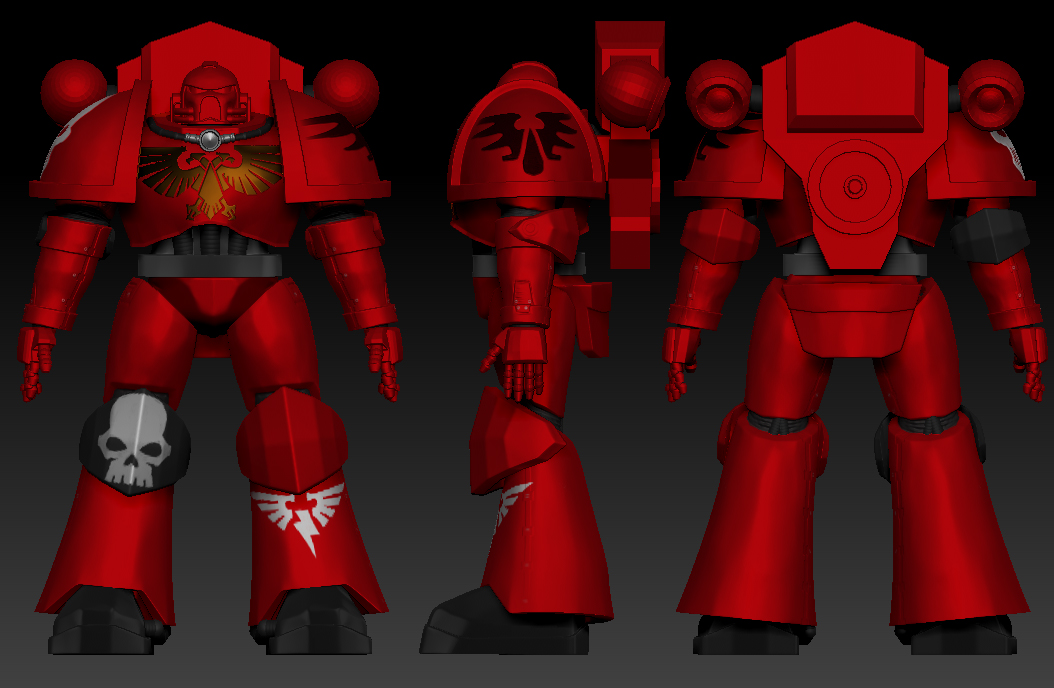
gadr
](http://%3Cfont%20color=%22#9A9A9A%22%3E[ATT=231747)
cheers in advance!!!
Attachments