ZBrushCentral

[somewhat answered] ZBrush4R5 timing out when opening project then crashes

I feel like I’m here everyday… all I can do is thank the patient masters who help us through our many trials.

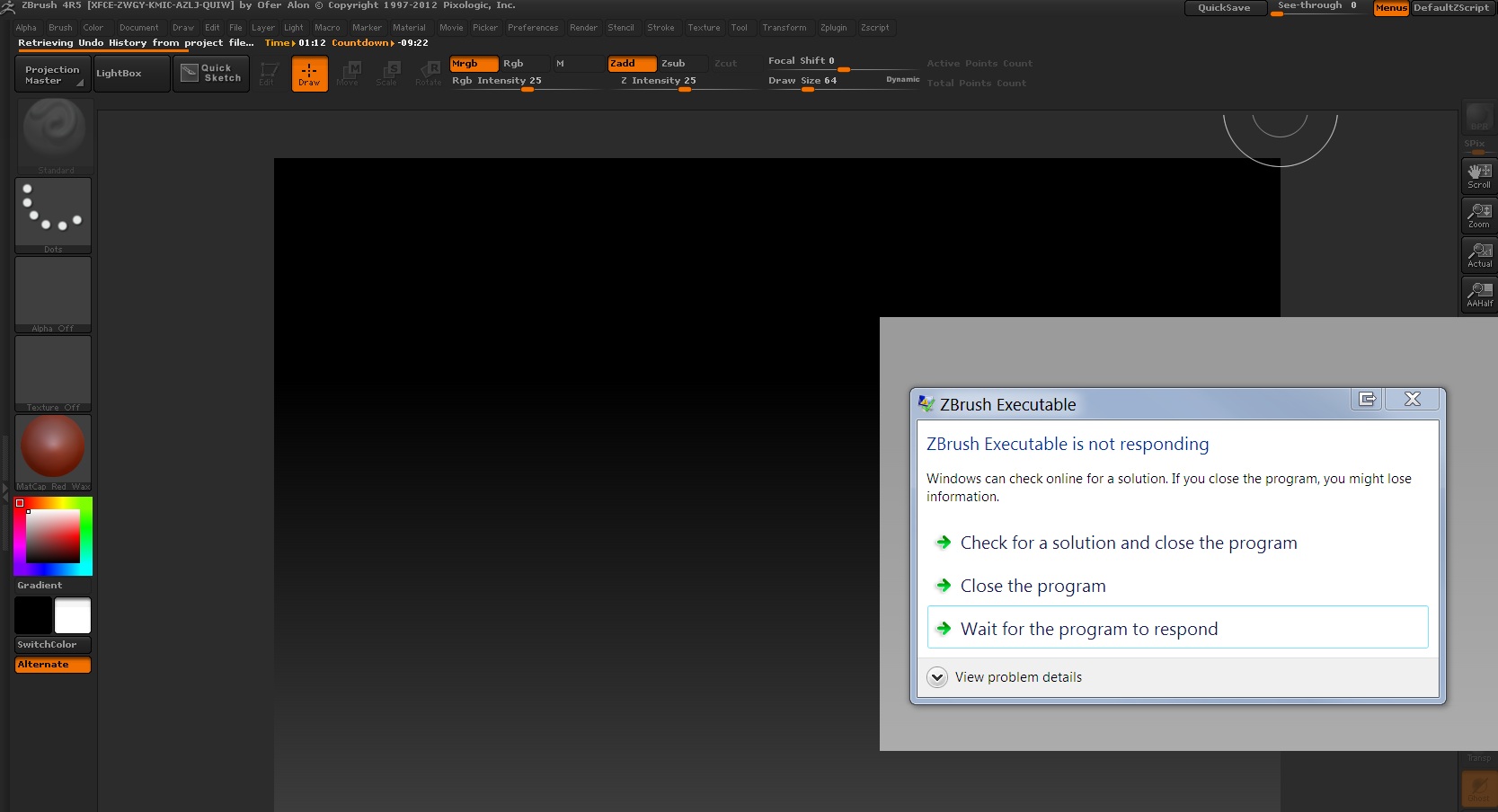
My issue today is one of stability, I have a modest sized file but when I open it, this happens:

Even walking away for about 10 minutes, when I came back, it had crashed. Ugh. How can I either stop it crashing or get it open long enough to delete that pesky undo history?

Attachments
timingoutproblems.jpg

Try going to ‘Preferences>>Undo History’ and enable ‘Skip Loading’

Define ‘modest’, please. :slight_smile:

The fact it can’t even open its own files as intended is an issue no matter which way you look at it. R5 has some great features, don’t get me wrong, but there are SO many problems with it compared to R4.

It crashes all the time on minor operations of files with just 200,000 active points let alone the “millions of polygons” it often claims.

I meant in Mb or Gb. not active points.

… is he serious ?

I feel like I’m here every day too OP. I love ZBrush but I rarely use it since I’m always running into issues even on the simplest meshes :frowning:

That’s not a serial number. It’s a diagnostic code that contains no account information. Every copy of ZBrush has one.

LOL…now don’t you feel silly?

No , not really … :smiley:

What version of Windows are you using?

Its a serial that is generated from the X-Force Keygen he has a cracked copy of Zbrush. Believe it or not. You can also search on Google and see that any copy of Zbrush with XFCE is a cracked version. I can’t believe he is asking questions on a copy of the program that he stole. I hope ZBC bans him.