hi friends! I have a problem! i was working in this model and when active the symmetric mode, that’s happened! the cursor is out of place , can someone help me plz?!
Attachments
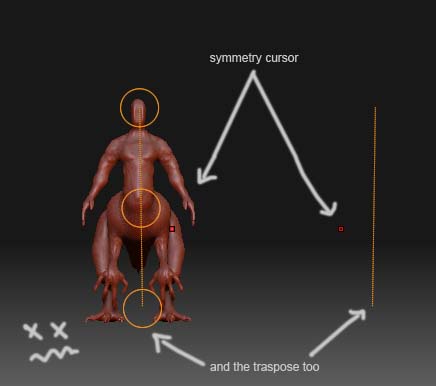
hi friends! I have a problem! i was working in this model and when active the symmetric mode, that’s happened! the cursor is out of place, can someone help me plz?!
Looks like your mesh has moved away from the centre point (0,0).
So the symmetry tools will break until the mesh is recentered.
I don’t know of a way to fix this that doesn’t involve using an external
tool. But wait a bit, some ZB expert may be able to help you.
G.
thanks for the interest grey, definetly is a center point problem, hope sombody give me a help! i`m stopped and I can not keep working!
Just remembered something.
If your mesh is still symmetric, and just shifted, the ‘Unify’ button may work
for you.
It’s under the ‘deformation’ menu.
Worth a try 
new shots, this is what happen when i move the action line (i have two action lines:eek:), seems like the mesh have two center points… or something…
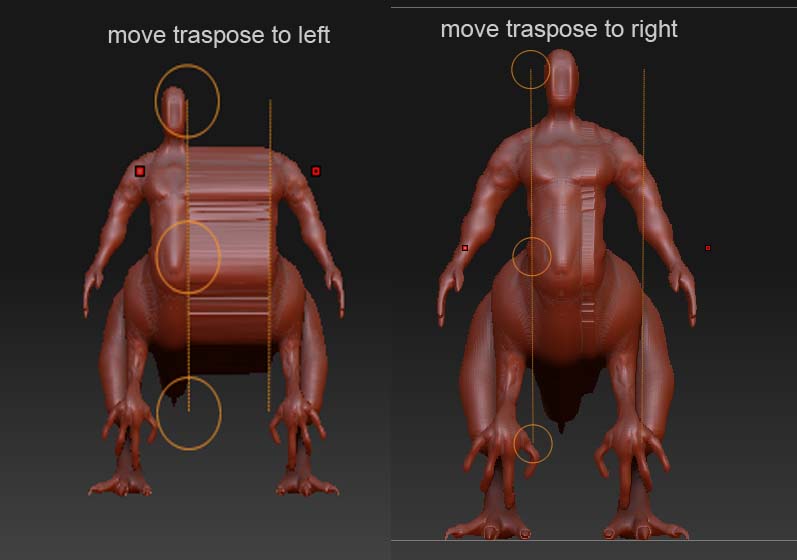
I just try the unify button and nothing happens, is something very strange!
well grey, seems like the unify button work now:D : out of edit mode>unify button>then back to edit mode and the symmetry works again! thanks a lot friend!!! small_orange_diamondsmall_orange_diamondsmall_orange_diamond
OK Great!
Careful with that symmetry stuff. Is is very easy to lose or break symmetry
(e.g. by forgetting to turn it on first thing), and sometimes there’s just no
way back except to revert to a previous save.
G.