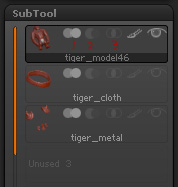
Dose Zb have a layer mode like multiply, add, color,light and so on (like photoshop’s layer mode) when I paint color on the model? Because I paint a tile-like gray color as my base (using projection texture method) and I want create another layer and add different color.
when I use “merge” to merge all subtools and continue sculpting, if I don’t smooth the new painting area, seam will be seen obviously. When I use “remesh”, it always cannot work out a exactly same model as I remesh before. So how can I dealt with this problem?
What are those icons stand for and how do they work? (where I marked the number 1,2,3)
Attachments