ZBrushCentral

<<<Solved!!!>>>Normal Maps Weirdness in Zbrush 3.5 r3

My greetings to the community! :slight_smile:

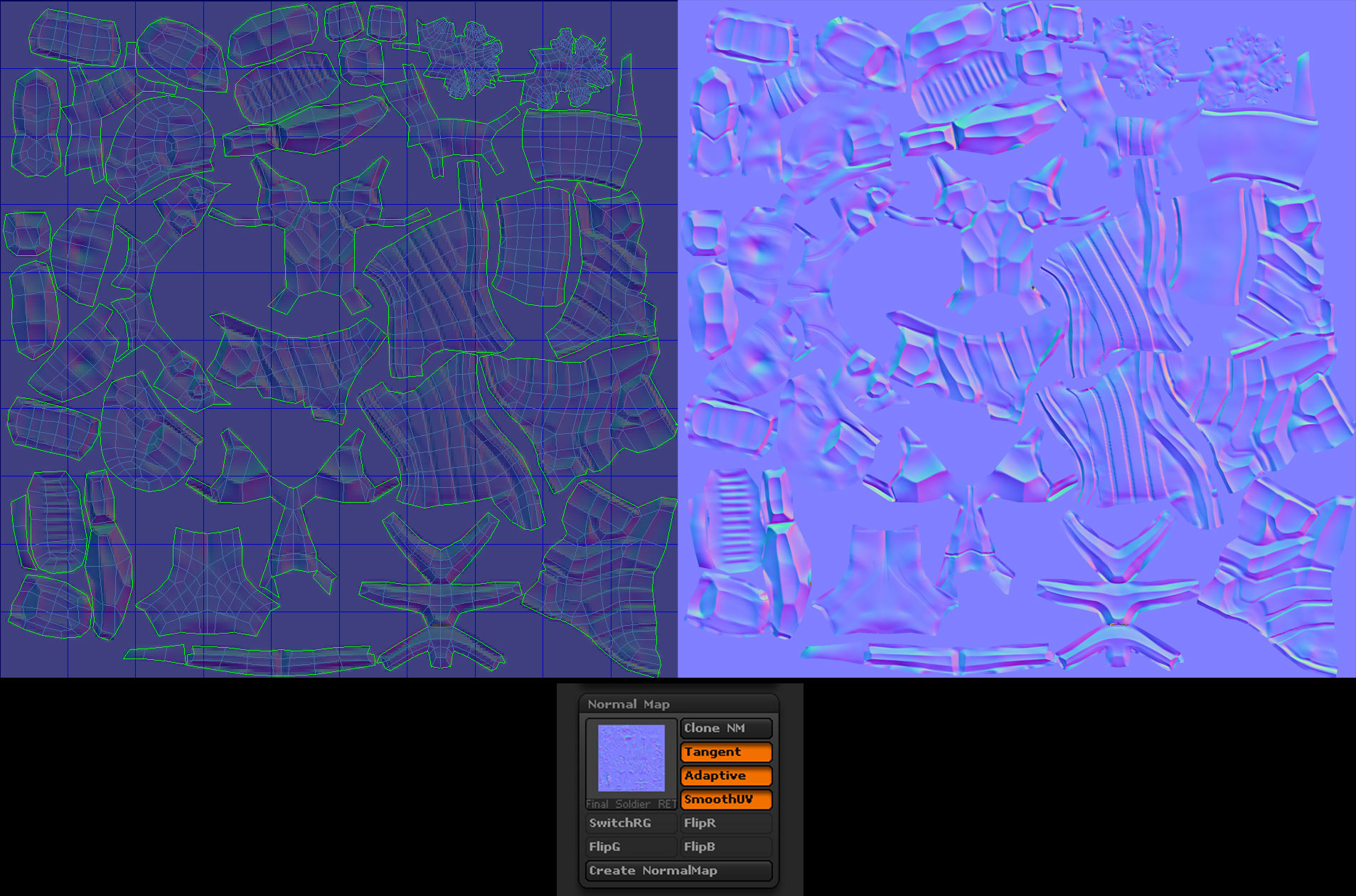
I ve been having some problems with Normal maps creation.
Back when i was still using ZBrush 3.1 i was using a specific preset for Zmapper in order to create NMaps specifically for 3ds max 2008, and the result was flawless. But now in the latest version of ZBrush i get some weird issues.

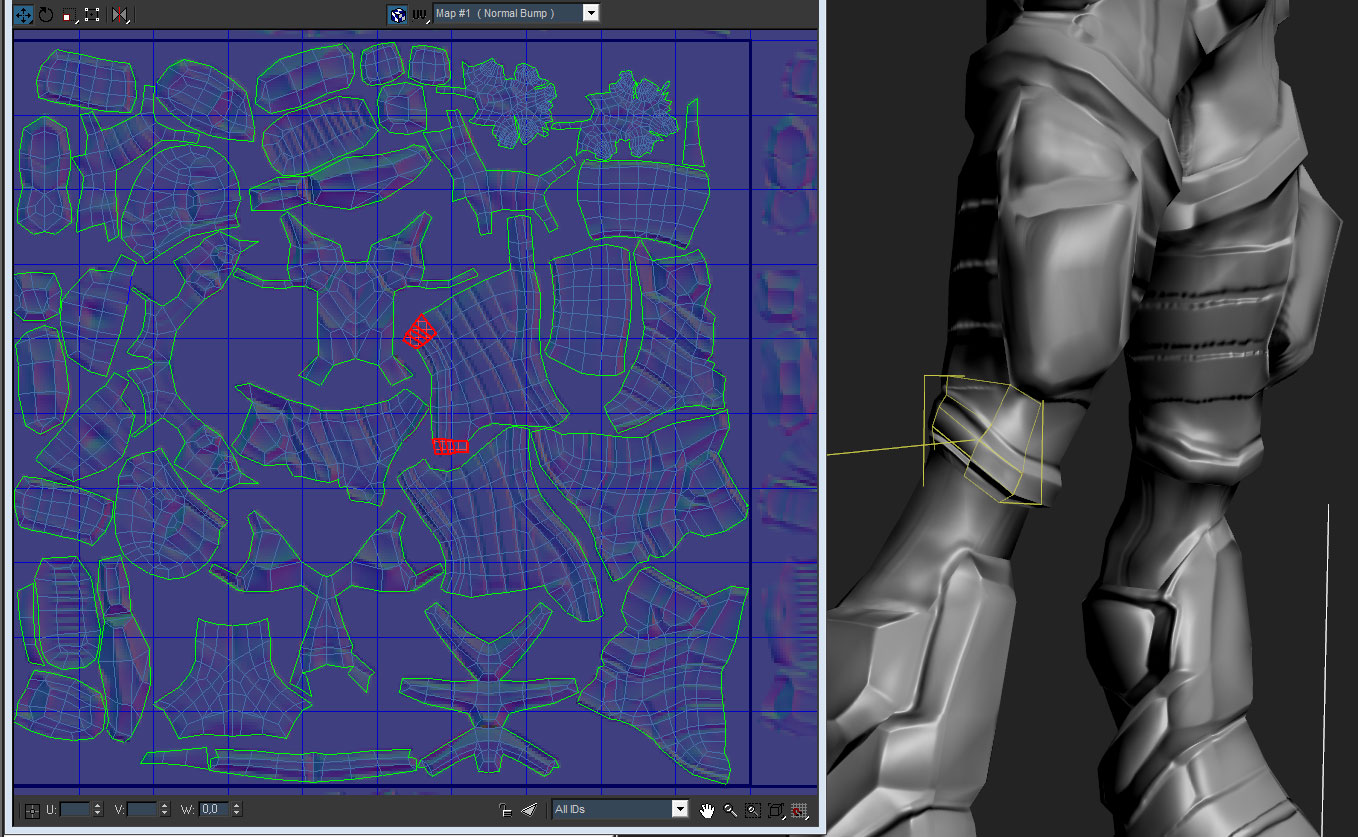
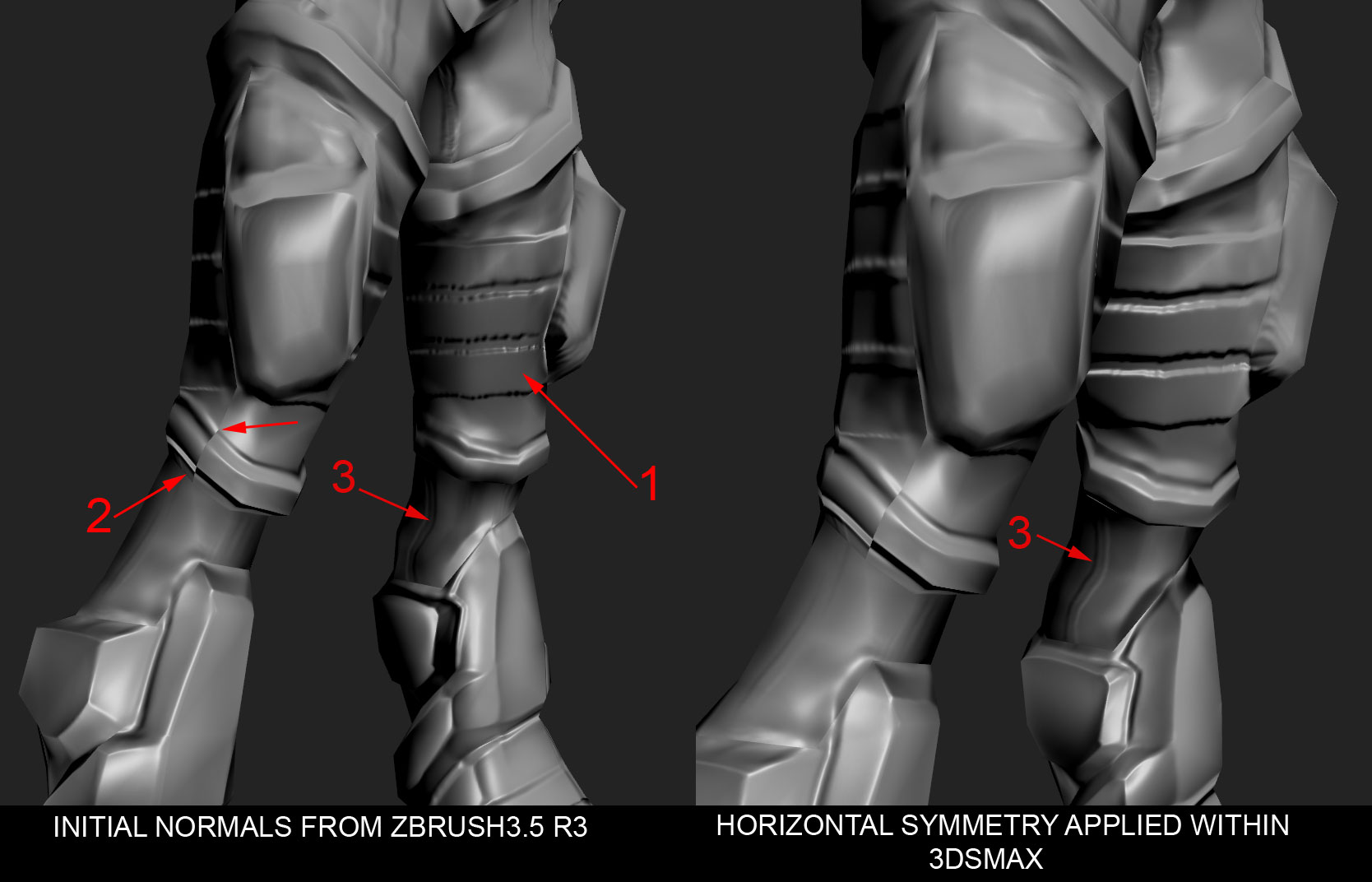
Here is a video on youtube and some pics to help me explain:

Youtube.jpg

I did this model entirely in ZBrush, using zspheres, converting them to adaptive skin and i also used the smart resym feature a couple of times durinng the process.

I ve already tried opening the ztl file in zbrush 3.1 and create the Nmaps
there, but it crashed, probably because 3.1 cannot support the ztl file that
was produced by a newer version of ZBrush.

So… Has anyone else had this problem?
Feel free to ask me for any other attributes that i might have forgoten to give.

Thank you all!

Attachments

01.jpg

03.jpg

04.jpg

02.jpg

You just hit one of the limitations of tangent maps. This is an inherent limitation caused by the mathematical rules behind that map type. It’s not unique to ZBrush. Tangent maps dictate that the normals flip when crossing a UV seam. The solution in this situation is to map the model so that the seams are as hidden as possible.

If you use UV Master for the unwrap, I’d start with ambient occlusion protection painting. This will help place the seams in cracks so that they’re not visible. Additionally, you would probably want to paint the back of the model with Attract so that as many seams as possible are drawn to where they won’t generally be seen.

Aurick, thank you for replying, but I think that the problem lies elsewhere.

I 've uploaded a video on youtube demonstrating exactly what happens.

In it you can see the same model, first with the normals that i create from zbrush 3.1 and then with the ones from 3.5

http://www.youtube.com/watch?v=in2XZFJ8Dhg

I added more details on the video itself.

Feel free to comment.
Thanks!

When you are creating the normal map in 3.5, what are the settings that you’re using? If you’re using Adaptive mode, you should also set Tool>SubTool>PA Blur to 8. See here: https://support.pixologic.com/index.php?_m=knowledgebase&_a=viewarticle&kbarticleid=42

If you are doing that and still getting these results, would it be possible for you to provide us with the model so that we can try some tests?

<<<PROBLEM SOLVED!!!>>>

It turns out the solution was really, really, simple, if you know what to look for that is…

Just click on flip Green channel and the normals look amazing again!!!

Hi there

I got the same problem, but fliping any of the color channels didn’t work for me.
Is anything else too solve the problem (apart from just try to hide the seams)?

Thanks

marc…fixing normal maps depends on the map, orientation of the UV’s, etc. To help you fix the errors we’d need to be able to see them.

No, sorry Marc.
And sorry about the late reply.

Flipping the green channel was all i had to do for the normals to work in 3ds max.

The truth being told, the normals would look wrong only in 3dsmax, because i also imported my model into a program called “xNormals” and it looked fine there, so i guess it was a compatibility issue between 3dsmax and zbrush.

Which program do you use, 3ds, Maya?
And yeah, some pics of your probelm might help us figure it out.