Hi guys,
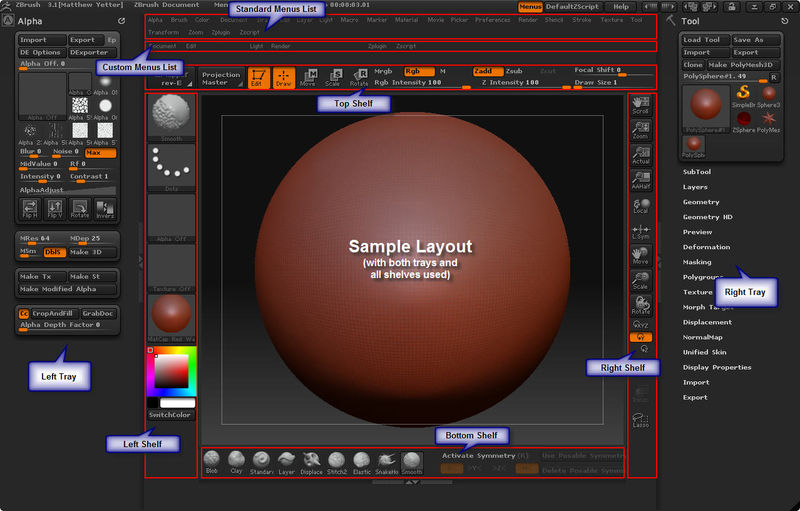
All I want to do is move the brush palette to the bottom as shown in this screen shot:
The documentation here doesn’t work and is outdated (I did however find where the Customize UI button moved to):
http://www.pixologic.com/docs/index.php/Changing_the_Interface_Layout
If anyone can please tell me step by step how to move the brushes palette to the bottom I promise to make a video and put it on youtube for others.
Any help would be greatly appreciated. Thank you 
EDIT: Solved! I found a video that shows the steps.
To anyone else who runs into this make sure you watch the whole thing before dragging brushes. He drags the wrong icon at first then fixes it the second time:
http://www.youtube.com/watch?v=Jr3XNnctUfI
If whoever made this video is on the forums … THANK YOU!
Attachments