ZBrushCentral

Soft falloff for spot and point lights, how?

Hi there
I am trying to place a light with a soft falloff in my picture. Unfortunateley i am not getting what i want and the edge of the lit area is always hard and looks as like cut with a knife. I used spot and point lights.
In the attached picture you see, what i am talking about.
Any idea how i may get what i want?
Best Regards
Heiner

PS. Sorry for the double posting in the “old troubleshooting thread”
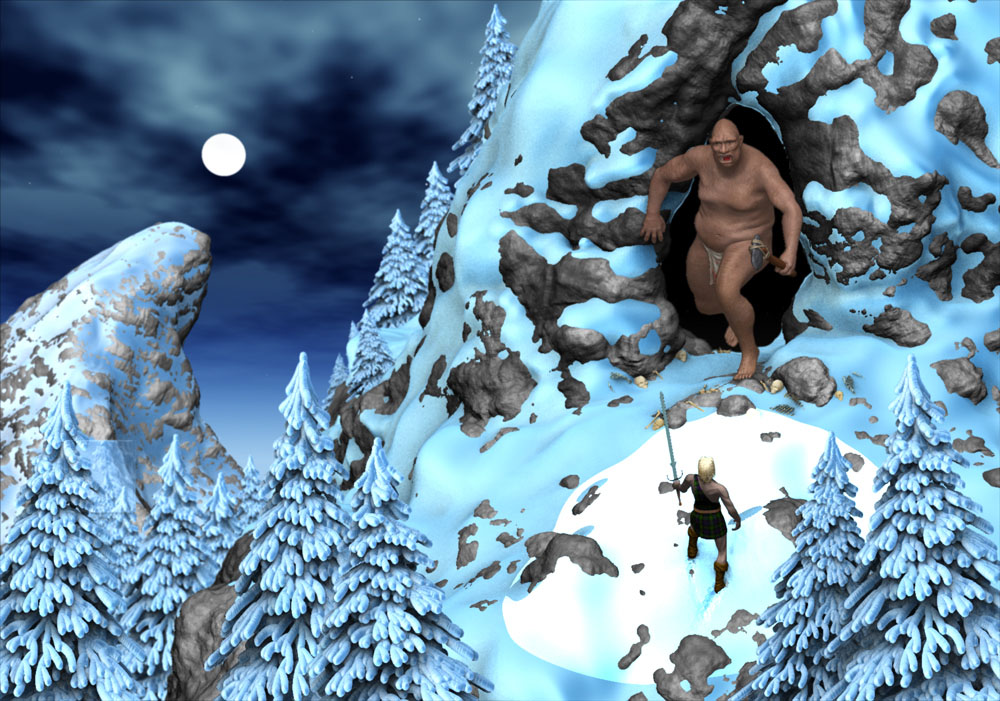
The_Cave_on_Ice_Mountain_V5_reduced_4_Rendertesting.jpg

Try increasing the ‘Radius’ slider in Light > Placement submenu.

ist only affecting the range of the light, but i am not getting any changes to the falloff of my light: Its still cut of very hard.
Regards
Heiner

The snow material i used is a matcap material. If i use a regular material instead, i get the desired result. It that another shortcoming of the MatCap, or is it it me, missing something … still asking myself that question!.
Regards
Heiner

MatCap Materials have lighting and shading information already baked into them.

Standard Materials do not have lighting information but do have shading information baked in.

Flat Color Material doesn’t have any information at all and can be used to reset any material fills or to display pure polypainting.

If you are going to be adjusting the lighting in ZBrush, then use the Standard Materials.

Thanks zBer for the info.
Is there a nice way to turn a MatCap Material into a standard material which supports shading?
Best regards

Heiner

Yes, I think there is something you can try. I don’t have the time right now but I will post it later and also, I want to try it myself. I presume you want a material like your snow material?

Yes, you are right. Since i am still enhancing that illustration, i would need that. And by the way a big Thanks, I apprechiate your Help.
Regards
Heiner

I made a Standard material and tried to match it up to your scene. You can download it if you want (attached at bottom of post). I only used 1 spotlight in the image I posted but you can play around with the material and lights to try and get it the way you want. This may or may not be what you want but I tried.

moonlit snow.JPG

Hi there ZBer2,
thanks for your efforts, it looks very good so far. Which material did you use as start mat?
Again, thanks a lot, it looks quite nice so far …
Regards
Heiner

Hi Heiner.

I’m glad the material is working for you. I just used the Basic Material in the Standard Materials palette.