Hi! Is there in zbrush 3 any method to smooth border edges of a model? (the are NOT creased)
I couldn’t find any info about it.
Simply I’ve got a model with border edges (edges that have only one "|neightboor polygon  )
)
and smooth brush can’t smooth them 
Please abourt help!  thank you
Maybe flatten brush?
Best post a picture so we can see.
Maybe geometry is masked?
Does the smooth deformation help? Or you could subdivide and then use the smooth brush.
No, that isn’t it
geometry is NOT masked and there is no more geometry.
This are BORDER edges as on ths image:
(when I’m subdividing the problem still appears - i can’t fix it manually - and smooth brush smooth everything but no the vertexes on the border as for examplein mudbox)
please help me with it
thank you :)jkl

Attachments
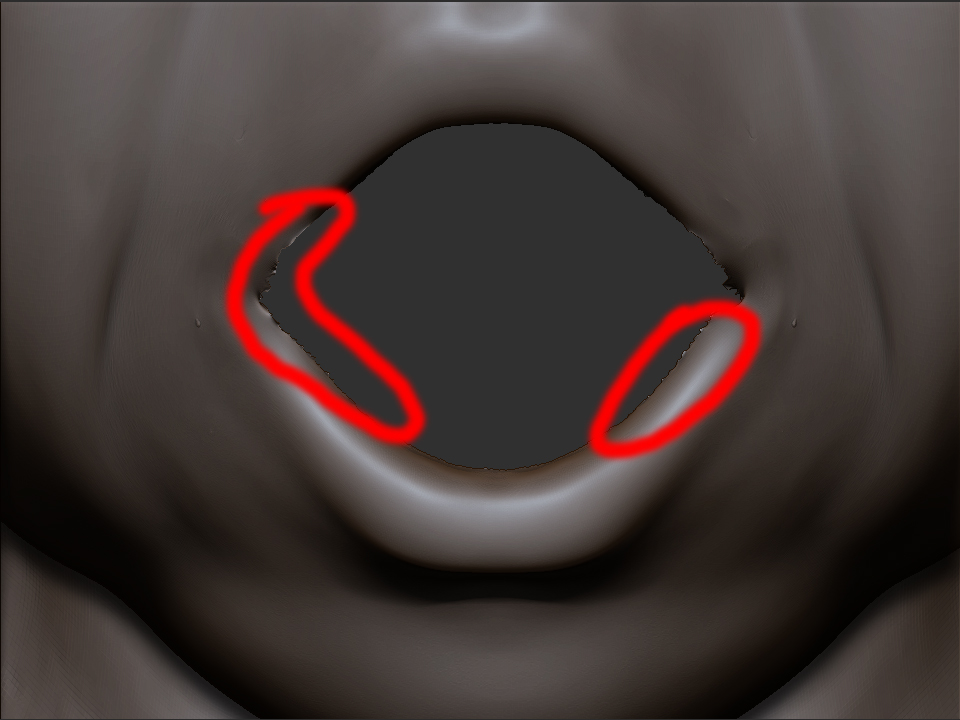
It looks like there edges that are already smoothed (Zbrush might think there detail) I’d use a flattening brush like Disco suggested. (low intensity, small brush)
That won’thelpbecausethis “heights” are not in one dimension - vertexes on this edgeare “noised” in all dimensions so I would have to use a lot of move brush etc and effect willnotbe perfectly -
SO WHY ZBRUSH SMOOTH BRUSH can’t smooth border edges :qu: - all verticles on border edge appears as they would be creased (they aren’t of course) Smooth brush can not move them
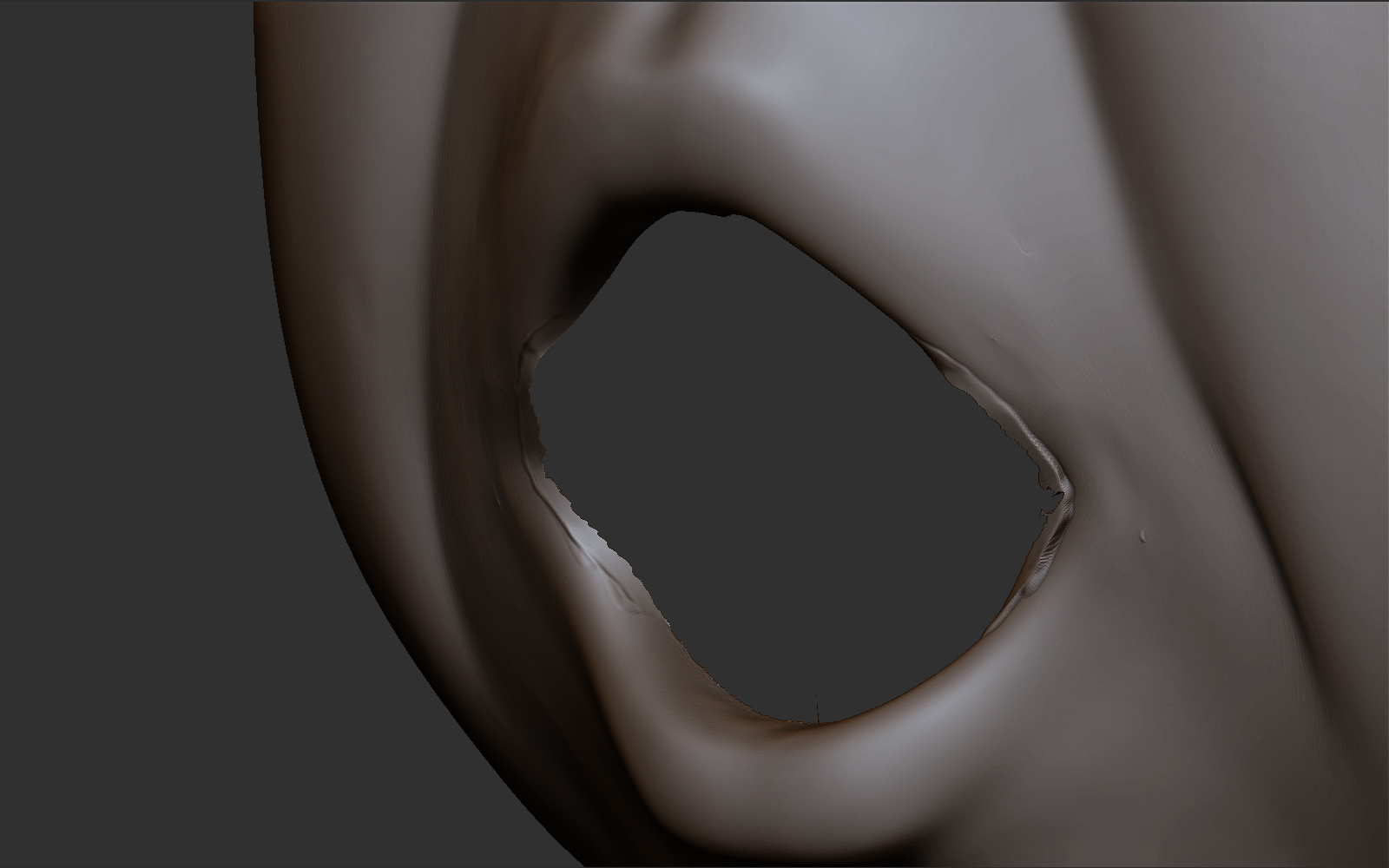
here is image afterusing flatten brush:
Attachments
I’d say if you plan on building a mouth do it and it will cover it up, if you don’t, just close it.
But I don’t want to cover this up,becouse on the other layer I’ve got mouth detail and I don’t want to destroy it. I only wanto to smooth it
Sorry for my english but I didn’t understood a part of your’s sentence: “if you don’t, just close it.” what should I close?
Go to: Brush > Smooth Brush > Min Connected Pts - Lower this setting to 1, then the smooth brush should smooth your border edges (whether creased or uncreased)
Sorry for the late answer, but I just came across this thread when trying to sort out the same problem. Now anyone else who searches the boards will find an answer too.