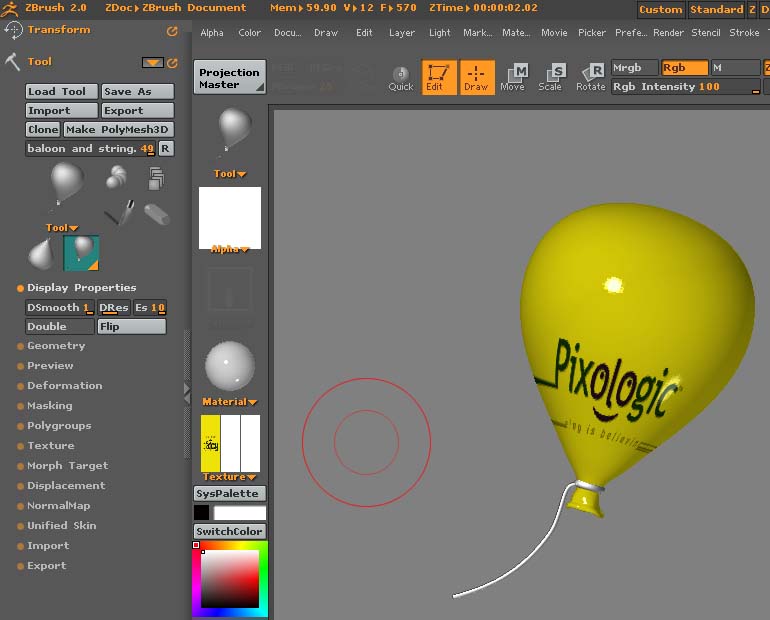
I’m having a strange problem I can not find an answer too. I’m experimenting with the best ways to create terrains for scenes. I’ve merged the layers and saved and now I want to add an element to the scene. I’ve added a simple object to demonstrate the problem.

When this baloon is drawn in a new document and the smoothing slider set to 1 it renders smooth as it should. When I add it too this document, whether I place it on the same layer or a new one, it will not render smooth no matter what I do? Any help would be appreciated.
For parametric objects, Quick must be turned off (top shelf, or Transform palette).
For polymesh objects, Quick must be turned off and Tool>Display Properties>DSmooth set to 1.
My guess is that you forgot to turn Quick off.
Polymesh object - Same setting in both renderings. Must just be an anomaly? Or I’ve hit upon one of those rare bugs that only seem to plague me:lol:
Attachments
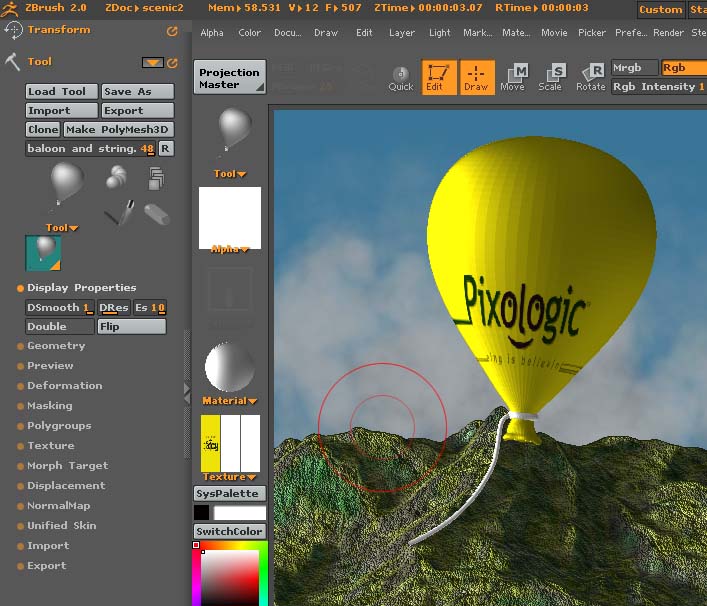
Hmm. I’m not able to duplicate this problem. It’s got me pretty well stumped.
Not to worry aurick - There is something corrupted in the mesh file itself I think. The next time I tried it exploded all over the screen. I tried another object and it went OK. Thanks for your time.