ZBrushCentral

Smart ReSym makes model worse?

Hello all,
I am new to 3D Modelling and I’ve been playing with Zbrush as part of a course I am taking at the moment. I have run into a snag that I can’t seem to figure out.

I lost symmetry on my model at some point I think as the result of a bad rotate operation or something–now I’m trying to get it back. When I use Smart ReSym, however, the model just gets worse. You can see my model before and after using Smart ReSym below:

Before:
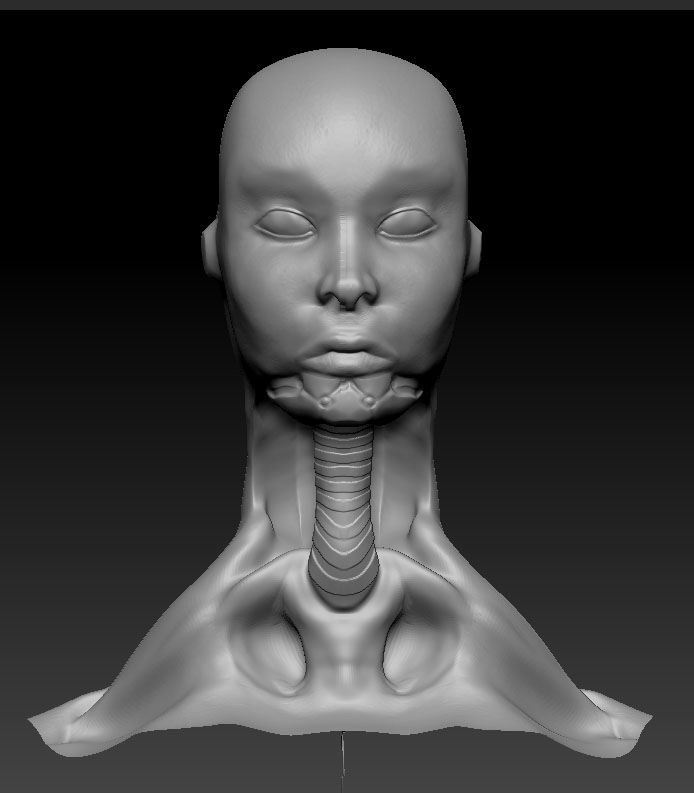
Presymmed.jpg

Clearly I’m doing something wrong. Why does the ReSymmed version not even look symmetrical at all? Is there a setting somwhere that I’m missing? Is there a better way to restore symmetry on my model?

Thanks!

Attachments
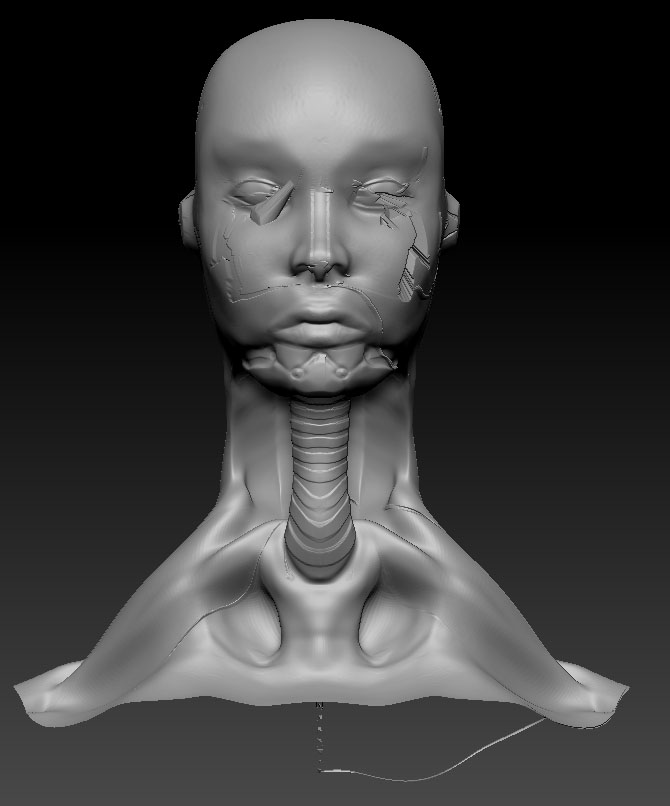
Resymmed.jpg

I am having similiar issues. Except, I my model refuses to smart resym. It has about 1.4 million polygons, yet it just stales for 30+ min when I try to smart resym. Is the time it takes to smart resym directly proportional to the polygon count, or does it also take longer for other reasons?

I.E. If the model is far off symmetry, does it take longer?

I think I’ve found a solution to this problem, as it was driving me crazy on one of my models as well.

First, as I had previously read online, I tried using unify & selecting “S. Pivot” twice from the transform menu. (this should have my mesh pivot centered, from what I understand).

I then hid all subtools except the mesh I was trying to fix. I selected “Remesh All” to create a new mesh, and then divided that mesh up to the point where it had equal or more polygons to the one I was fixing.

I then used “Project All” to conform my new fixed mesh to the old one, masked half, and used Smart Resym. It worked!