ZBrushCentral

smart quading a low poly mesh

hey everyone.
i’m brand new to zbrush but from what i’ve seen so far it looks like a powerful tool to assist with my 3d modelling and portfolio. my question is this, is there an effieicent way to subdivide a low poly model into quads of similar size throughout the model? or is this something that has to be thought out and implimented during the early model construction?
below are two renders of a piece is made for my portfolio. im content with the design and model itself but and not satisfied with the bump mapping. so i look to zbrush to really go to town on the surface details. does anyone have any advice on how i should go about preping my model for zbrush?
thanks !!!
nick

Attachments
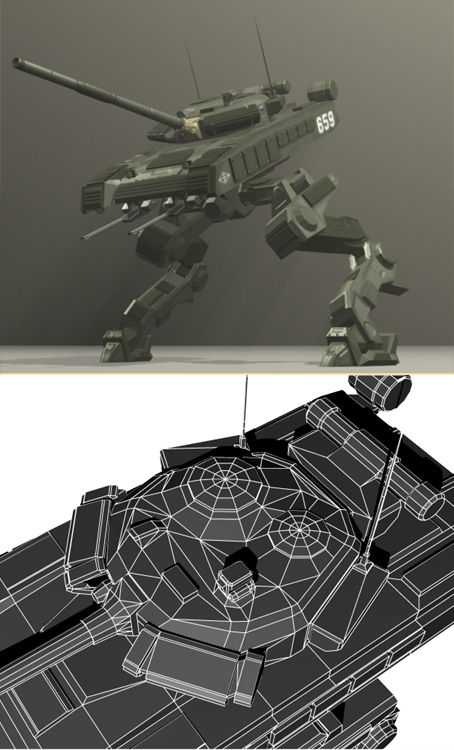
1 copy.jpg

To get even polygon distribution at a low level, you pretty much have to start out that way. Although there are things you can do with retopology to fix some problems. For example, you could add another edge loop around the dome there, splitting each of those polys in half. Of course, you can also completely retopologize the model and then project the details across to the new topology. It all depends on how much you need to do for the particular project at hand.

Also don’t forget that you can split a model into SubTools and then divide them individually. This is a way to add extra detail where you really need it without taking the whole model to poly heaven.