ZBrushCentral

Slice curve brush issue

Hi all,

I was watching the video entitled SLICE CURVE BRUSH from the link below…
http://www.zbrushcentral.com/showthread.php?161537-ZBrush-4R2-ZClassroom-Movies.-Update-3&p=895791&viewfull=1#post895791

I can use the slice curve brush to have different polygroups. However when I try and move the separate piece I can indeed move it BUT its still “attached” to the other part of the object. So when I do move one polygroup around there are these wierd tendrils still attaching the other polygroup. I have zbrush 4R6 just in case something has changed in the version. Below is a screenshot of what I mean. Any idea whats going on? Thanks.

Tjvelcro

Attachments
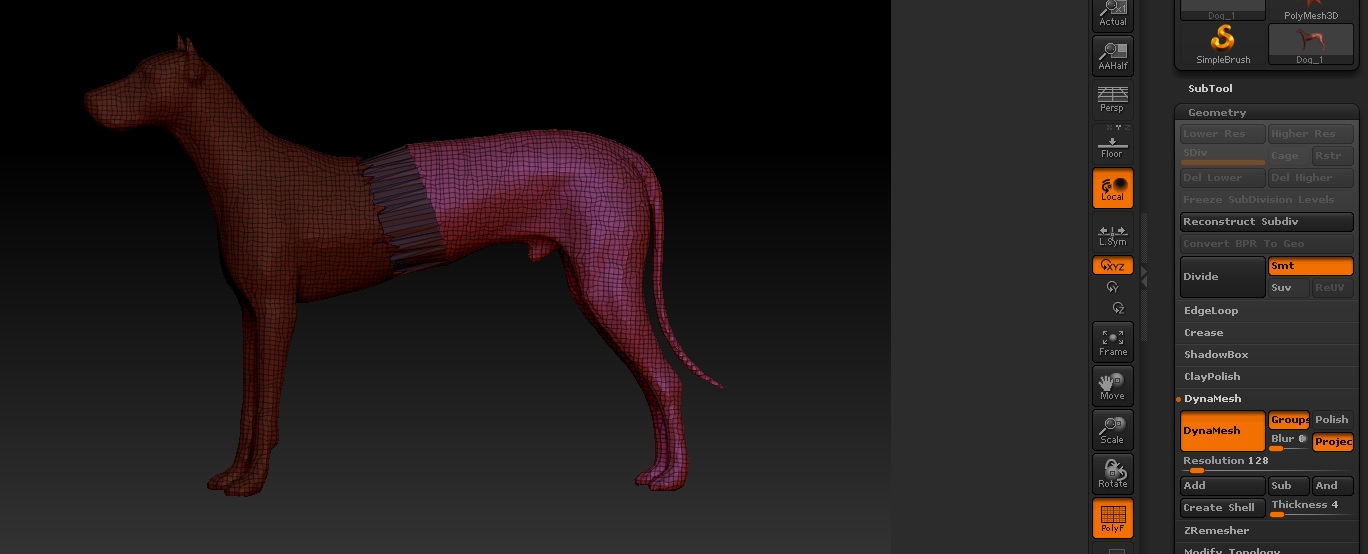
Dog Stretch.jpg

Enable polypaint

http://www.zbrushcentral.com/showthread.php?181309-how-to-use-slice-tool-and-dynamesh-to-create-separate-pieces-of-geometry

I’ve noticed some issues with R6 when you try to select one poly group that depend on how you’re selecting it. Once you have it asked, try the 'sharpen mask’button in the ,asking sub palette to see if that works.

http://www.zbrushcentral.com/showthread.php?161588-quot-Axis-quot-Plugin-for-ZBrush-4r2
Hold ctrl wile dragging on the center circle of the Transpose line to extrude in smaller segments. What are you trying to accomplish? Current software version is ZBrush 4R6 P2.

IN ZBRUSH 4R6 there is some buggy about that, when :

1–turn on DYNAMESH
2–turn on group
3–slice the mesh to get a new polygroup
4–crtl+drag “DYNAMESH” it

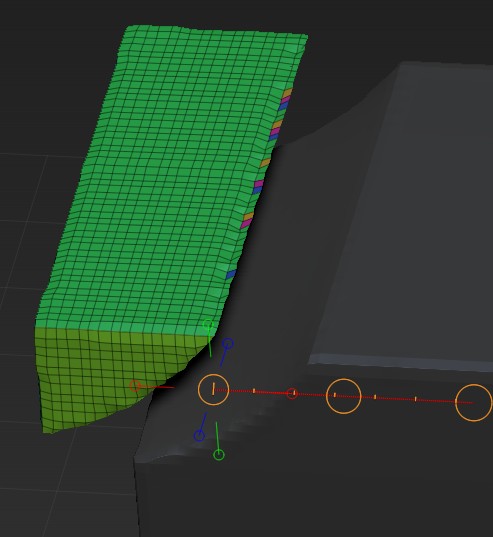
normally what you expect is two pieces of mesh BUT you won’t…fisrt ,the cross section will be assign a single polygroup,so you must select it by pressing "CTRL+ SHIFT+ A ",this will select the whole separated piece of mesh. BUT if you move it ,you will found that it look like a cheese on the pizza. it is because the polygroup very unclean…i tried to press "merge stray group " but not work for that issue…

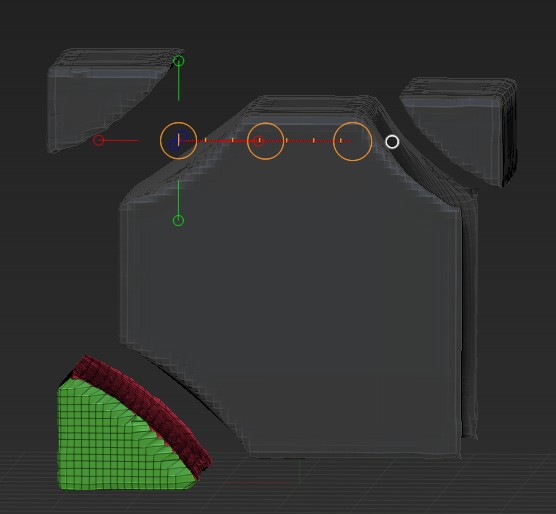
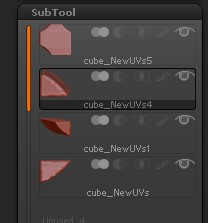
So i found that the only way to get the job done is : after using slice brush,go to subtool panel and press split to part,you will get a clean piece of mesh that you wanna cut off,then press group visible.

1:the unclean polygroup cause “PIZZA cheese”QQ截图20131216204650.jpg
2:split to part after slice:QQ截图20131216205042.jpg
3:group visible if you want:QQ截图20131216205054.jpg

PS: because the cross section will be apply a single polygroup, think about this,you are turning on the GROUP button in the dynamesh panel,that mean each time you dynamesh it ,the “cross section group” will become a single mesh AND the cross section between them will be apply a single mesh again…SO it you keep slice the mesh and dyanmesh and slice and dyanmesh …it wil smash all thing…

Thanks for all the replies! Turning on polypaint beforehand seemed to solve the issue, just have to remember that for next time.