ZBrushCentral

Sinners Project

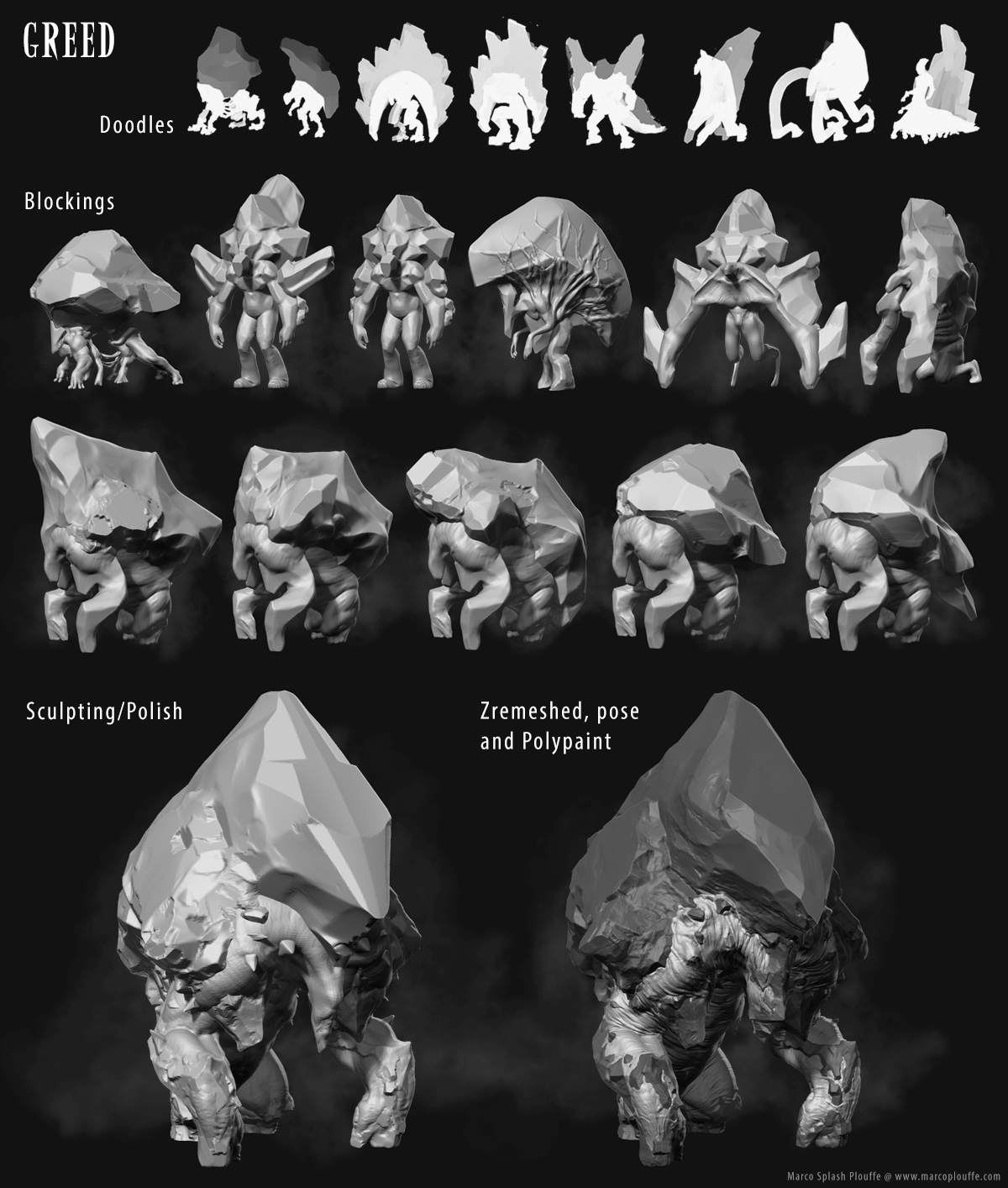
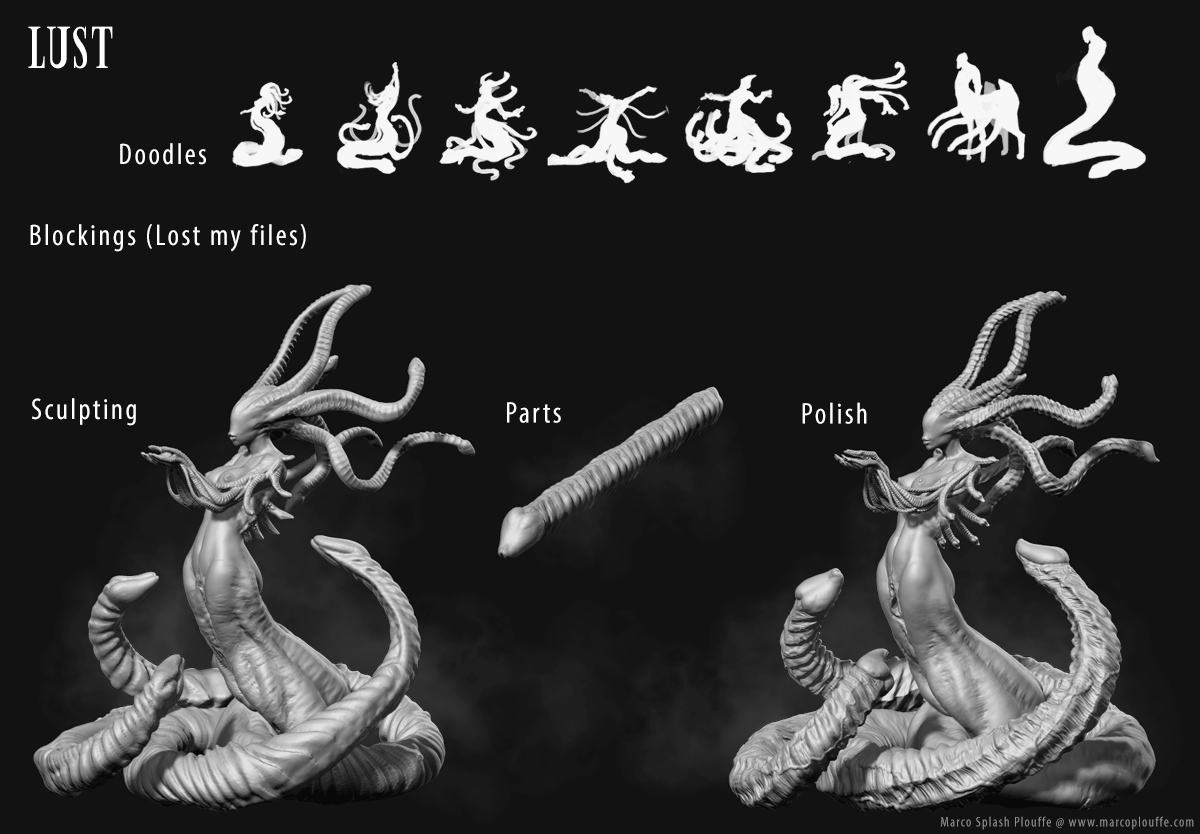
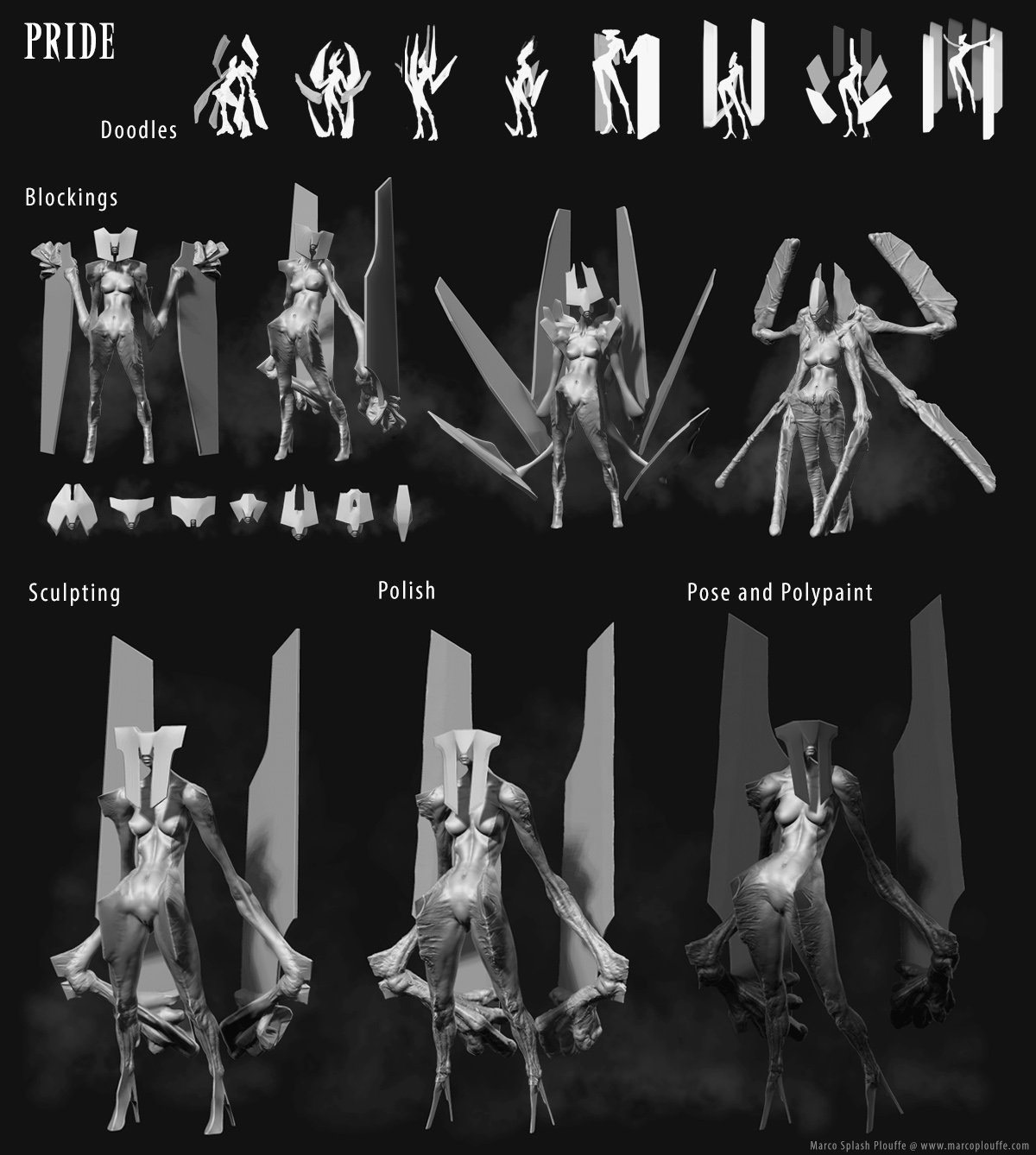
Love the lust one, probably the best one since its so easy to read and has again that nice clean style seen in pride and gluttony with a strong focus point and good rest a detail areas distribution. Greed is also nice.

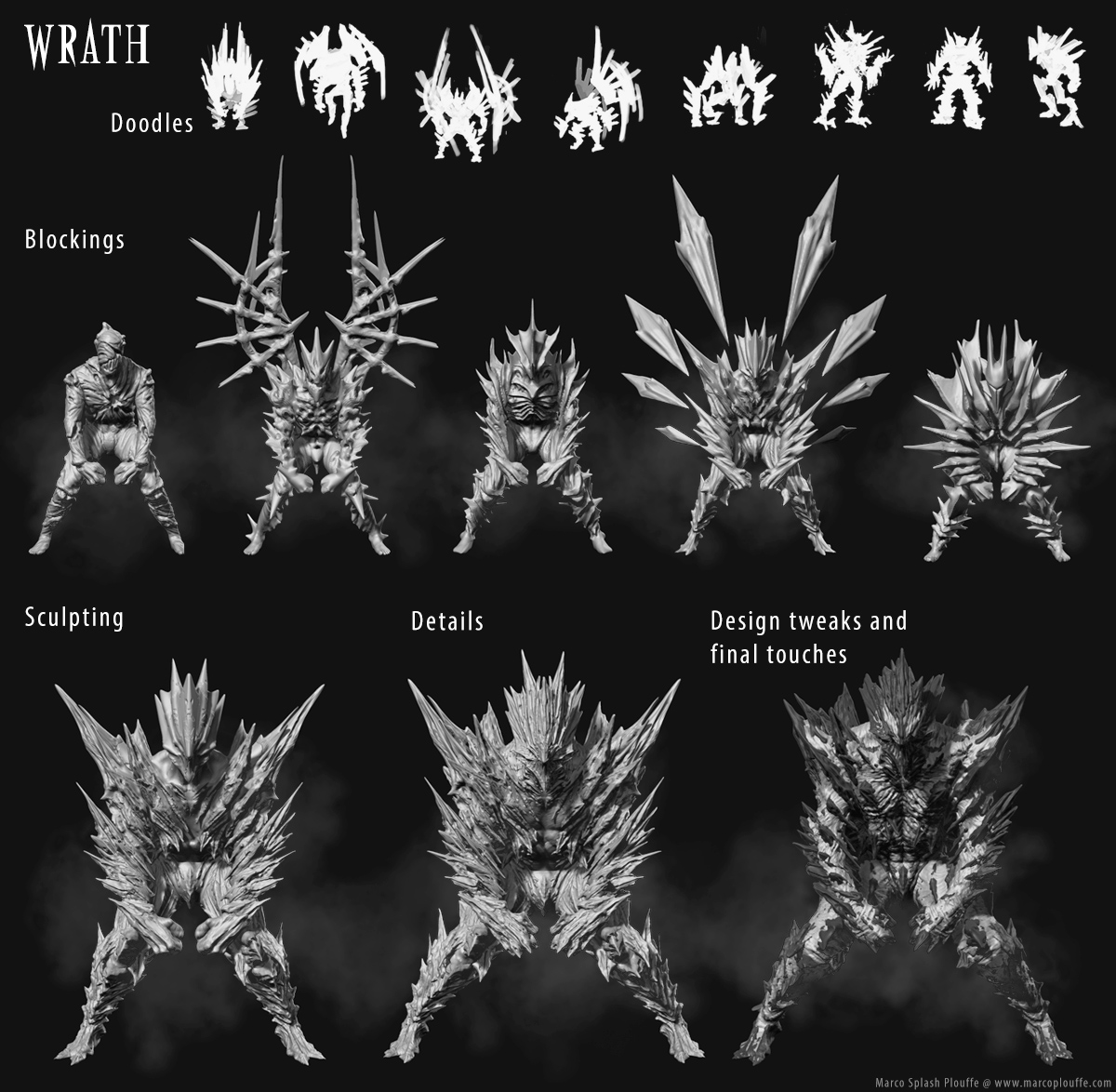
Sloth Wrath and Envy my least favorite, hard to read and a bit wonky on the forms ;f

Also did you make them so fast or did you have it planned out before ?

Thanks all!

Love the way you designed and modeled her arms.

Epic Project! Congratulations!

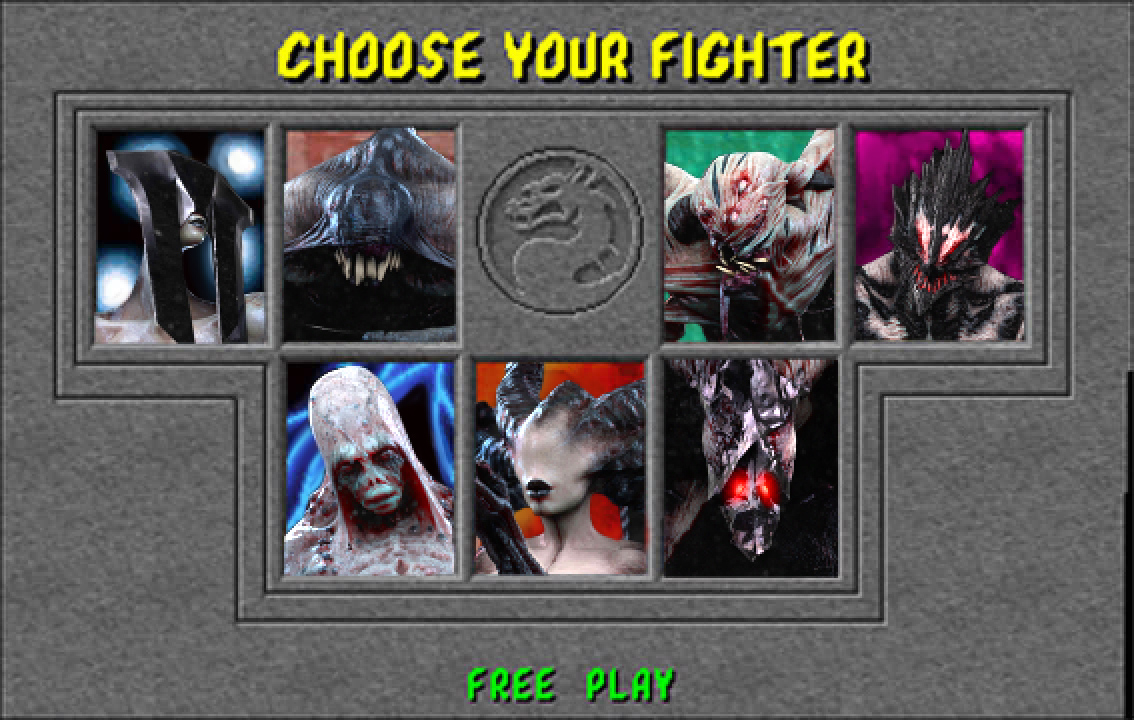
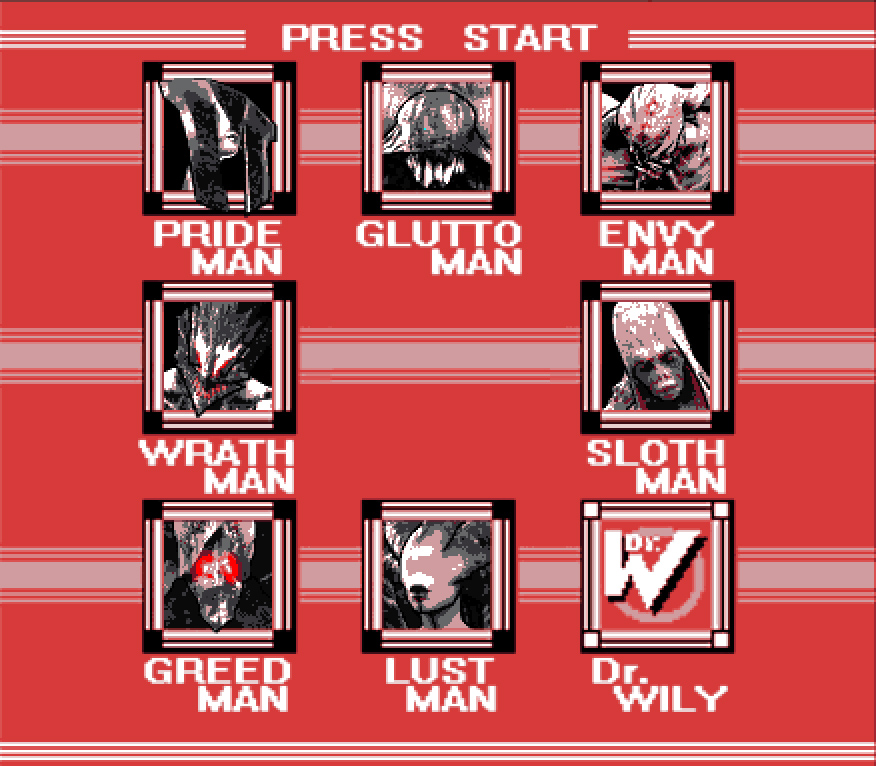
Here’s a couple of title cards for the collection!

7sinners_MK.jpg

7sinners_megaman.jpg

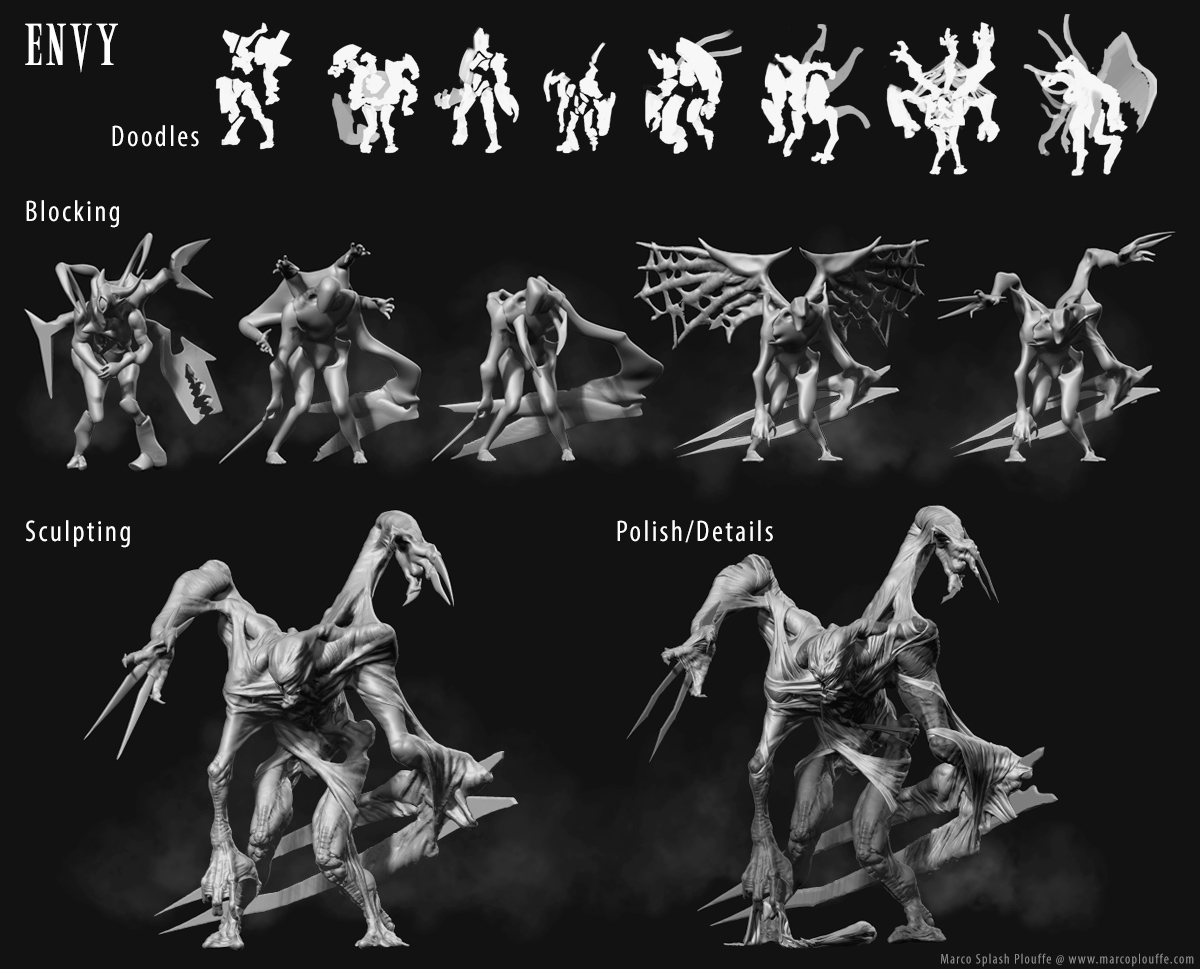
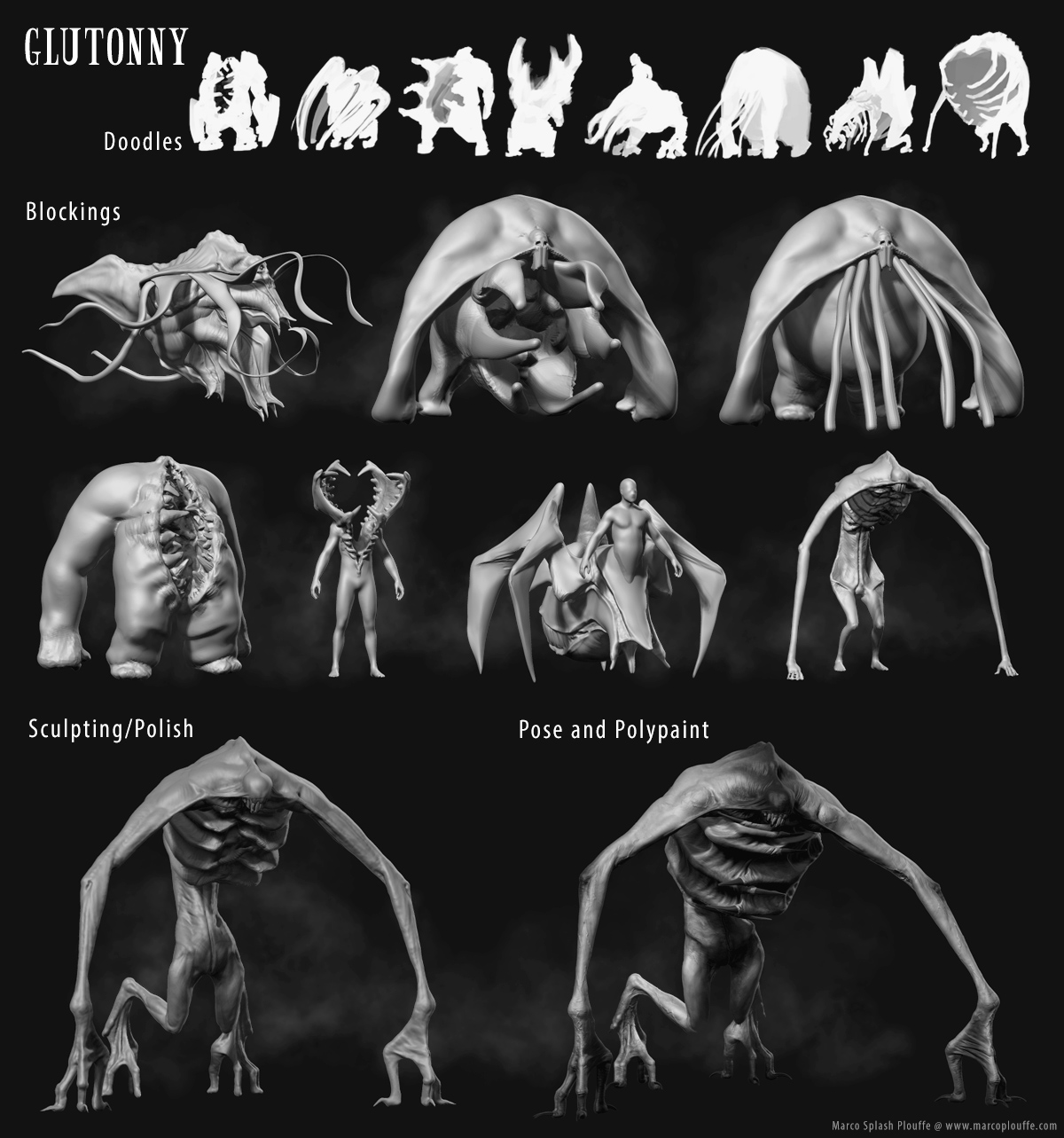
Here’s also my sketchbook

z_envy.jpg

z_gluttony.jpg

z_greed.jpg

z_lust.jpg

z_pride.jpg

z_wrath.jpg

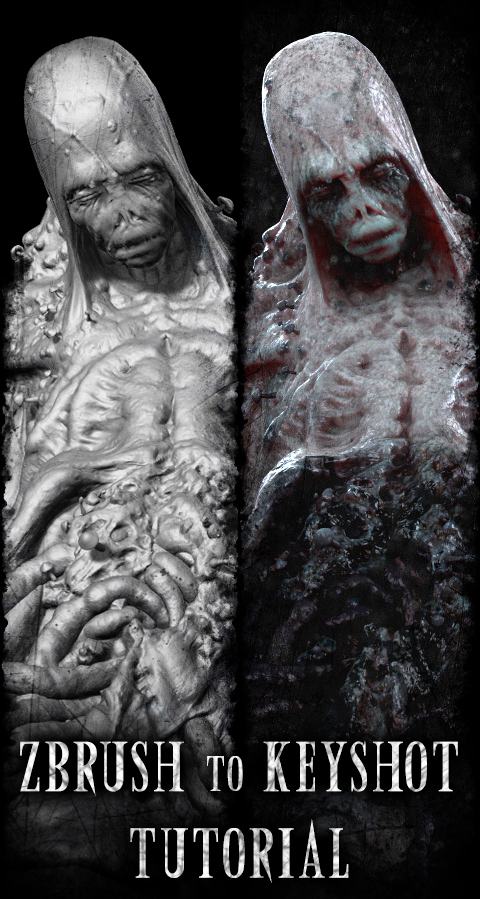
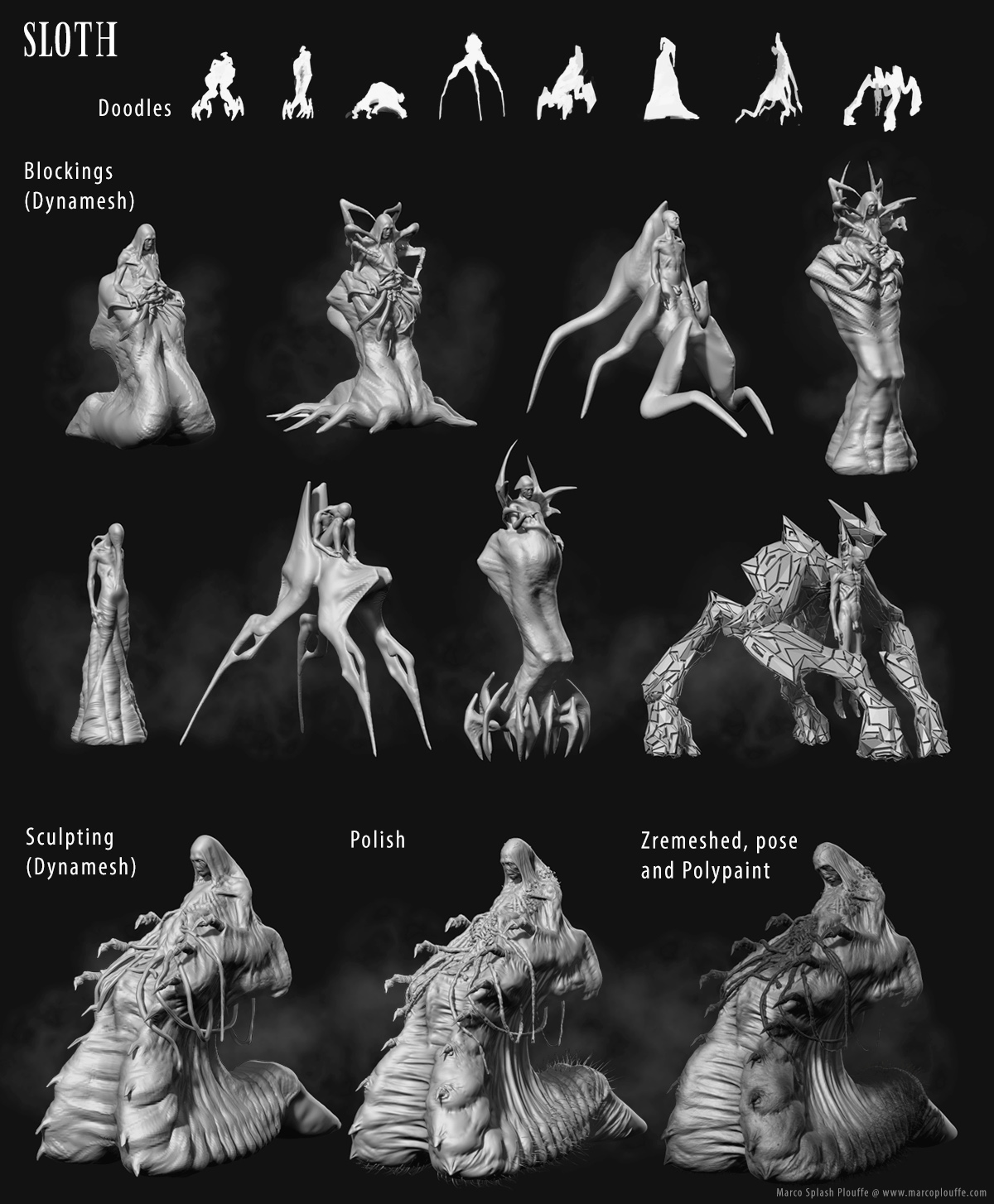
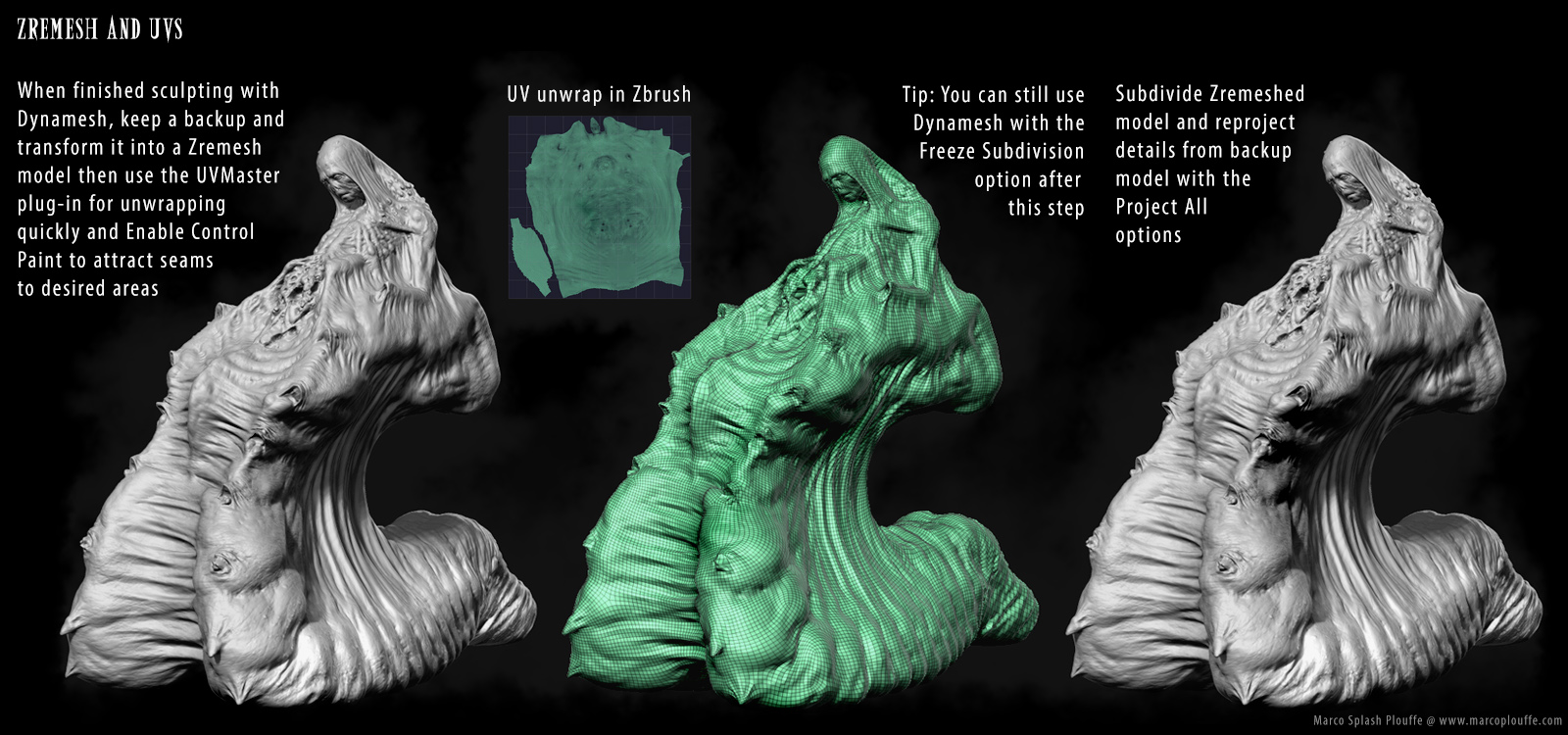
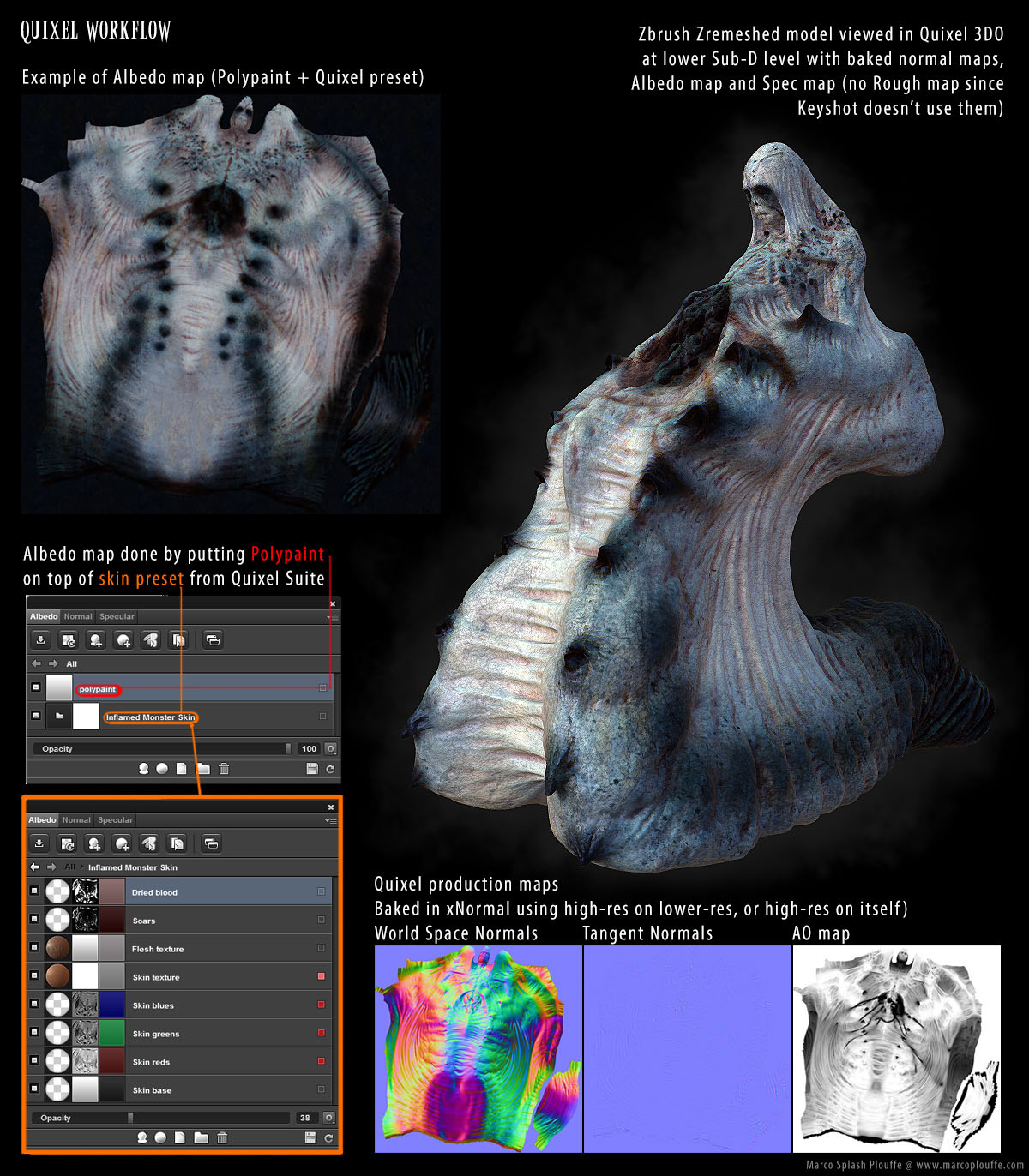
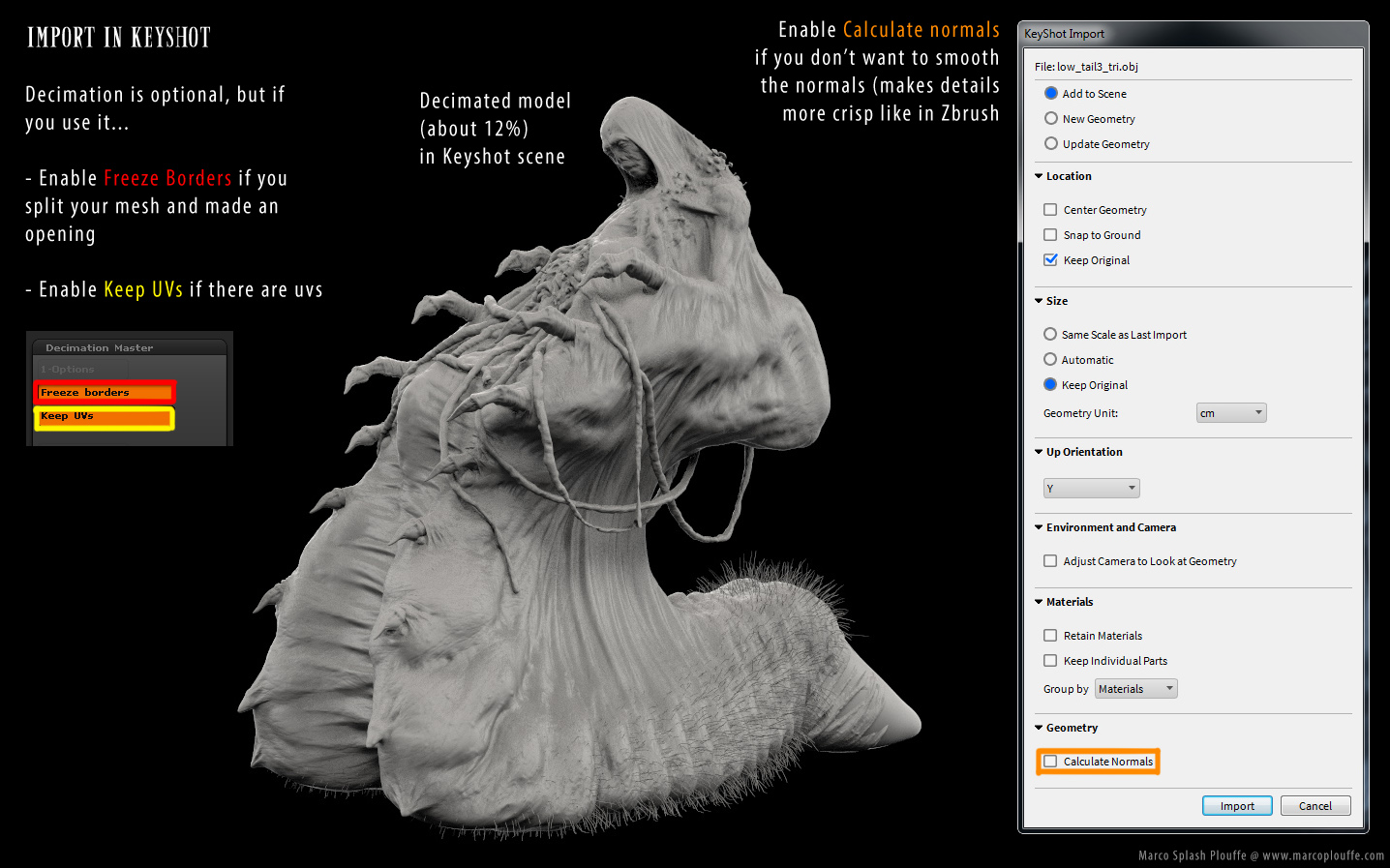
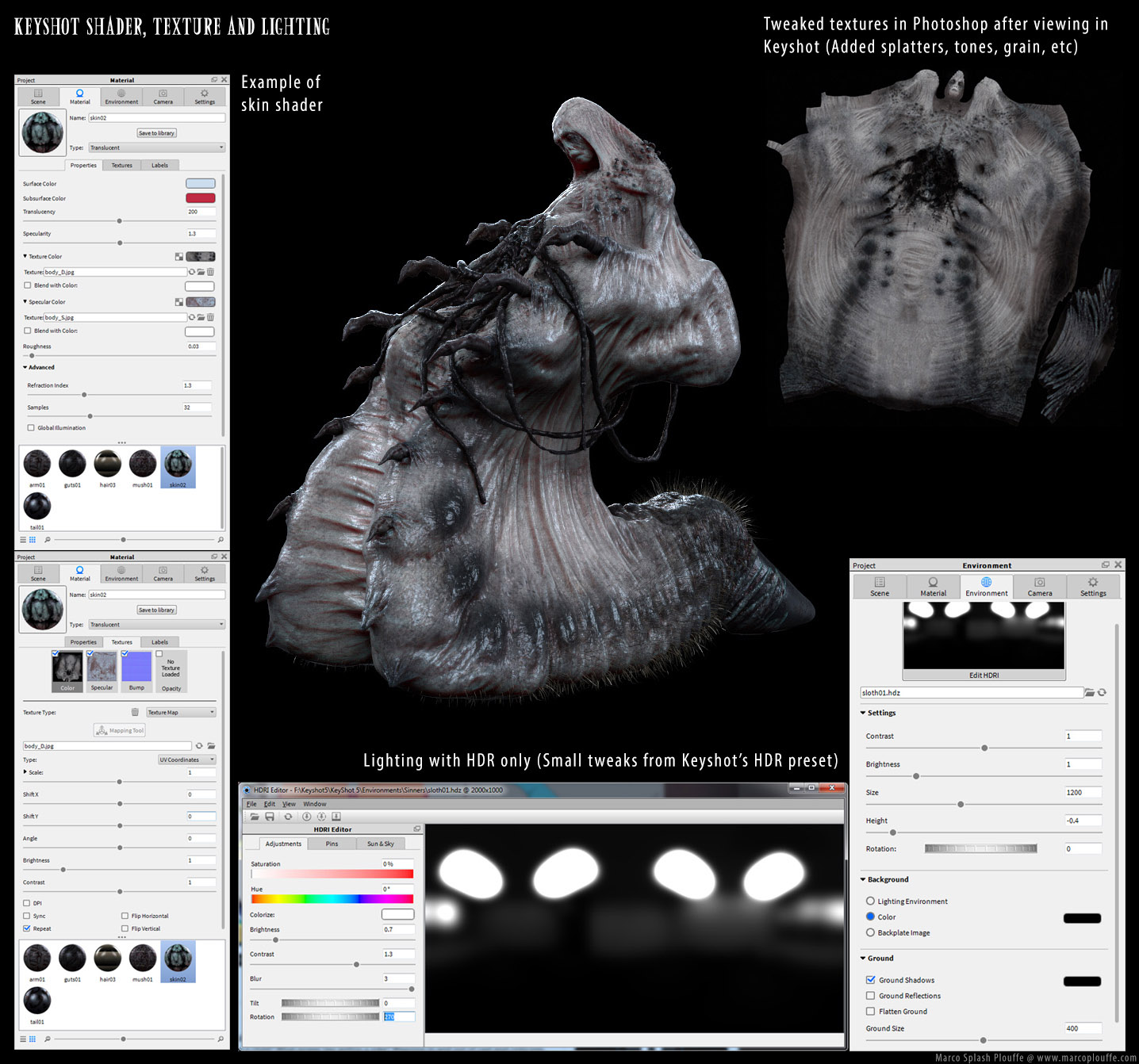
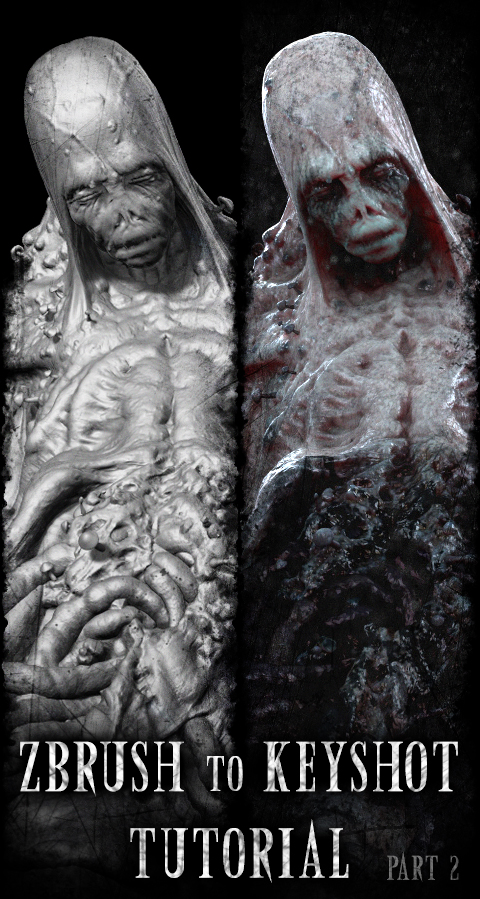
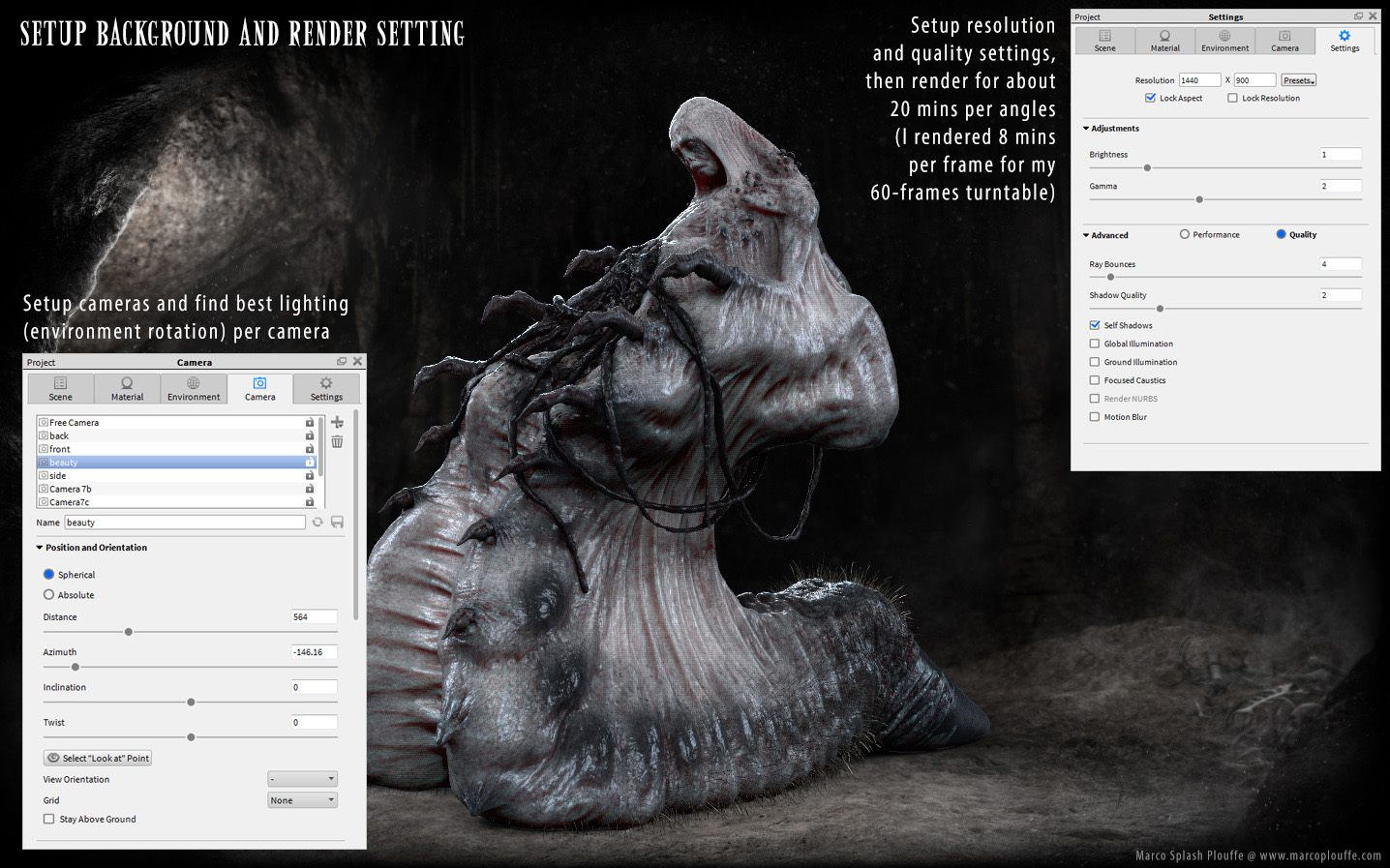
Here’s a step by step tutorial on how I used Zbrush, Quixel and Keyshot to do my latest collection: The Sinners.

You can visit my website if you wish to see the turntables: www.marcoplouffe.com

_thumbnail.jpg

sloth01.jpg

sloth02.jpg

sloth03.jpg

sloth04_canvas1.jpg

sloth05_canvas2.jpg

_thumbnail2.jpg

Anyway I hope it helps. Have a good one!

TOP ROW ! :+1:

Definitely Top Row.love these stuff.;):wink:

amazing pieces all of them

Epic creatures!!! I like them! keep it up.

Thanks Maarten and thanks everyone for the comments :slight_smile:

Awesome !!! :wink:

Truly nice and inspiring characters! Kinda sad that there isn’t more of them :P.

Top row for sure! Amazing work. And thanks for the breakdown of Zbrush to Keyshot!

really nice creature design!

part of me wants to see a different composition, where it’s less even-handed. You could swallow part of your character in shadow, letting a colored rim light give hints of the character’s silo. I’m not sold on the evenly-lit approach with the character smack-dab in the middle.

No intentions to be critical–it’s just that your creature’s so well thought out that you could play more with compositional storytelling to do it justice.

Hi Marco, amazing work you have here.

Your Keyshot/Bridge tutorials are greatly appreciated.
Very valuable to me, in helping me learn how to get around the lack of Multipass functionality.

My workflow has been to export Zbrush render passes to Photoshop layers.
It seems that Keyshot can only output an RGB render with an Alpha channel, depending on saved file format.

Is there a fog function or a way to fake a depth pass in Keyshot-for-Zbrush?

Thanks again, for generously sharing your tips and workflow.

thanks all!

acmepixel: I’m not very technical so I’m not sure what is the issue. The only thing I know is that there is a Depth Pass option in the Render settings, and as faaar as I can remember, when I used it, it worked. Sorry to not be of a better help!

mbaldwin: That’s actually what I tried to do but I wasn’t happy of the result I obtain because it lacked in volume readability. Actually it’s funny you mention that because I get critiques saying the opposite. It seems there are very different opinion on lighting/composition when it comes to the subject of story-telling and readability. I suppose there is a way to balance both category and please the entire crowd… but I don’t come from a background of rendering and illustration: I’m sculptor using quick tricks to get my sculpts textured and rendered. If I continue doing it, I,m sure I’ll catch a trick or 2 to get better at it. That been said: comments are appreciated!

Totally understand, Marco–best thing is to make yourself happy and satisfied and block out too many outside opinions.

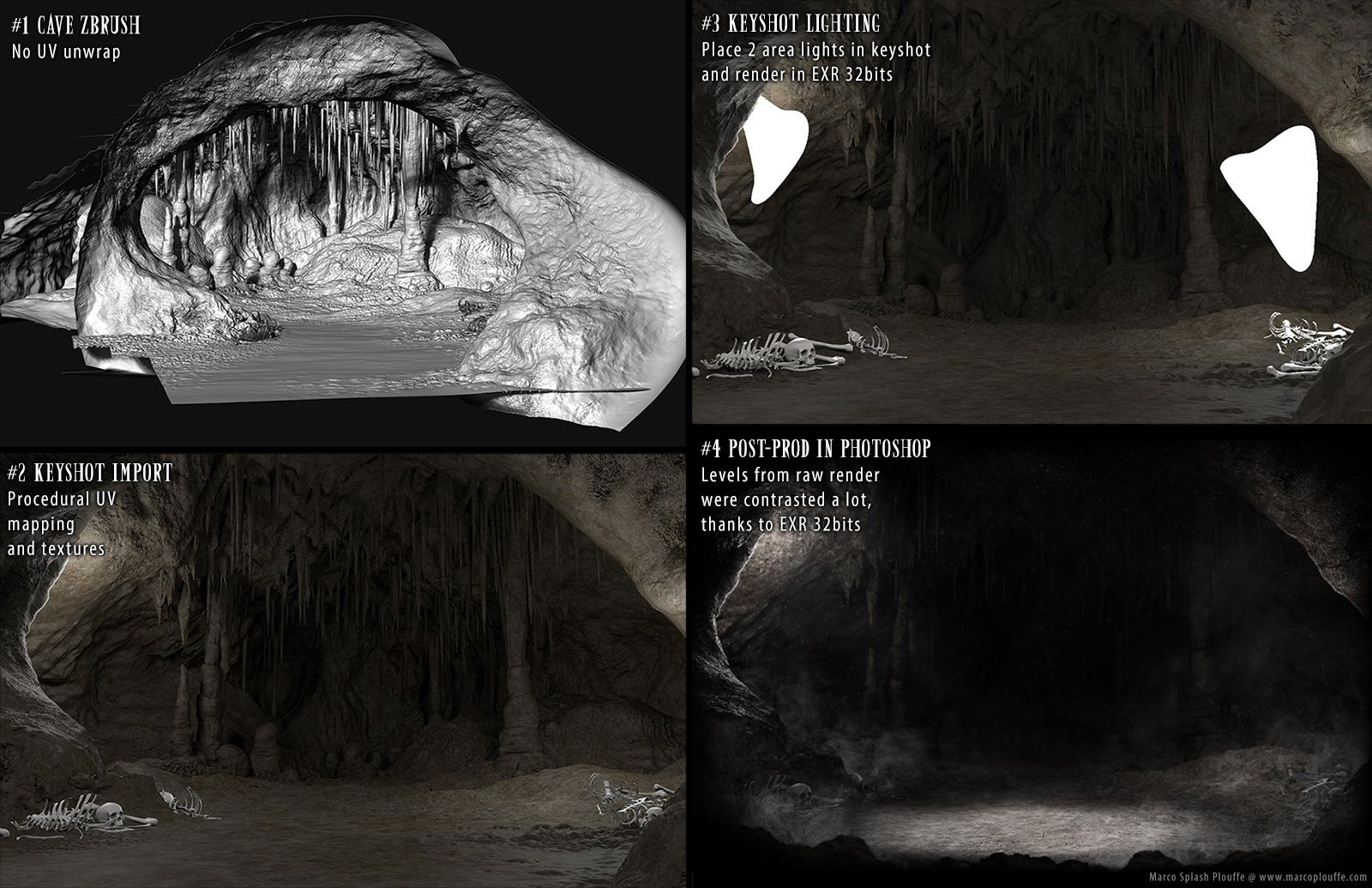
You’re cave environment sculpt is great btw.