When sculpting with the layer brush is there a way to continue a stroke from a previous stroke so that they blend together and don’t build up on areas that overlap. (See screen grab)
Thanks,
Mike
Attachments
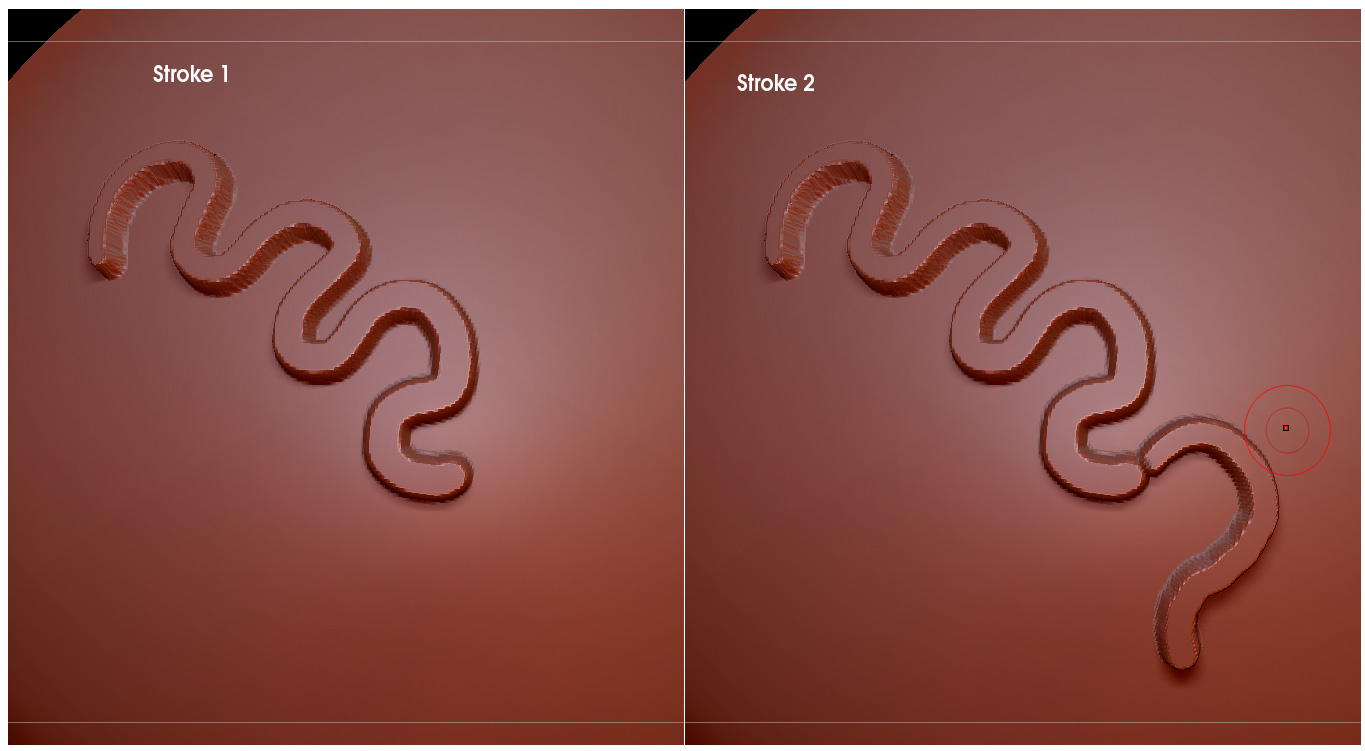
When sculpting with the layer brush is there a way to continue a stroke from a previous stroke so that they blend together and don’t build up on areas that overlap. (See screen grab)
Thanks,
Mike
store a morphtarget first.
tool>morphtarget>storeMT
This will be the baseline. All strokes from the layer brush will be the Zdepth away from that baseline and should blend together the way you’d like.
Wow! Yes this works perfectly now. Thanks you!