ZBrushCentral

Silly Matcap question...

I know how to create/modify matcaps etc… but I have a silly problem.

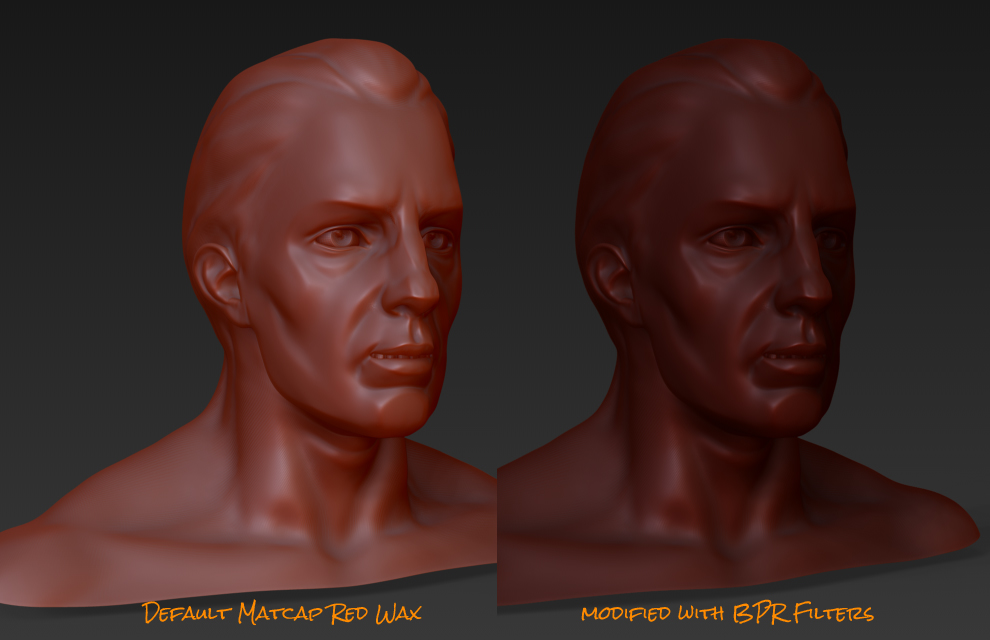
For my default setup, I use Matcap red wax — however, I’ve set some BPR filters because I like the results:

What I’d like to do is basically recreate my rendered material as a new matcap so I don’t need to use these particular BPR filters.

I’ve tried modifying the default red wax (messing around with all the sliders) to replicate this - but haven’t gotten the results I’m looking for.

I know can easily create a new matcap by grabbing my rendered sphere texture … but this results in a single “A” material. I kinda want to have additional control (A + B).

Ideally, I just want to open the default matcap red wax A and B in photoshop and do my edits to one or both A and B components – but for the life of me I can’t figure out how to grab the A and B materials.

All of the tutorials I’ve found simply talk about modifying existing using sliders, or creating new matcaps - not how to modify existing “B” components.

I’m sure I’m overlooking something simple… :confused:

Attachments

mc1.jpg

You can capture both spheres. The MatCap modifiers need setting for each sphere separately. For the left sphere, set Intensity A to 1, Intensity B to 0, Cavity Detection to 0 and Cavity transition to -1. For the right sphere, set Intensity A to 0, Intensity B to 1, Cavity Detection to 0 and Cavity transition to 1. You might also want to reduce Obj Shadow to 0 in the Render:Preview Shadows submenu.

Subdivide a sphere until it’s nice and smooth and position conveniently on the canvas. Set up for the left sphere, then use the MRGBZGrabber tool (with Shaded and AutoCrop modifiers on) to grab it as a texture. Adjust the material for the right sphere (it will change on screen eeven though the sphere is no longer in Edit mode). Now hold Ctrl and use the MRGBZGrabber again. The second grab will be added to the first.

My version of the RedWax texture is in the zip.

Thanx Marcus! :+1:

I thought that was the way to do it – I had tried getting B by 0 A intensity and 1 B intensity… but I was missing the cavity/cavity detection settings. :o

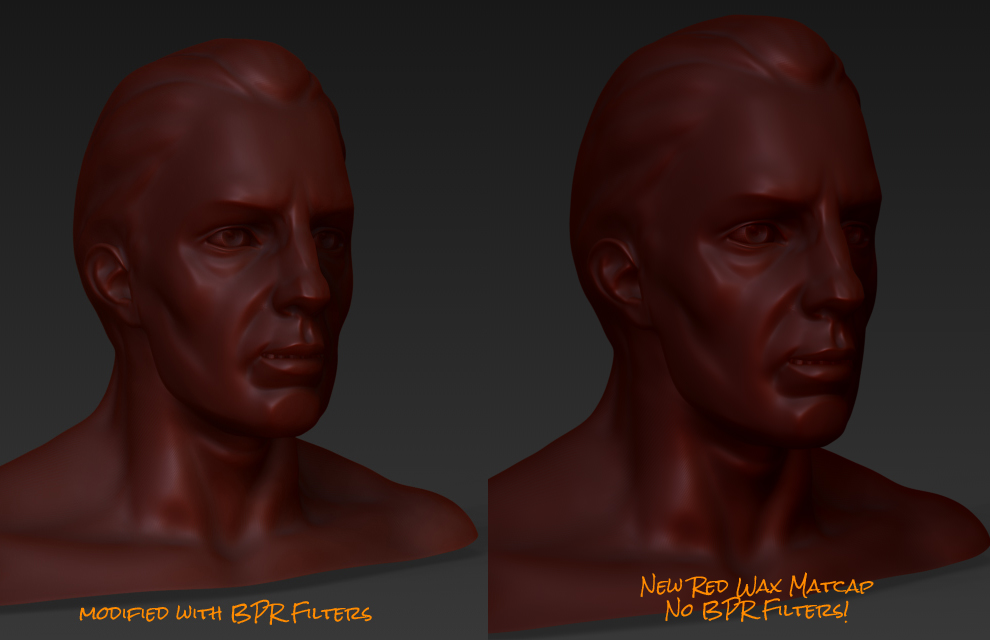
This worked perfectly.

mc2.jpg

I’m happy with the results.

Thanks again Marcus.

Great, you’re welcome!