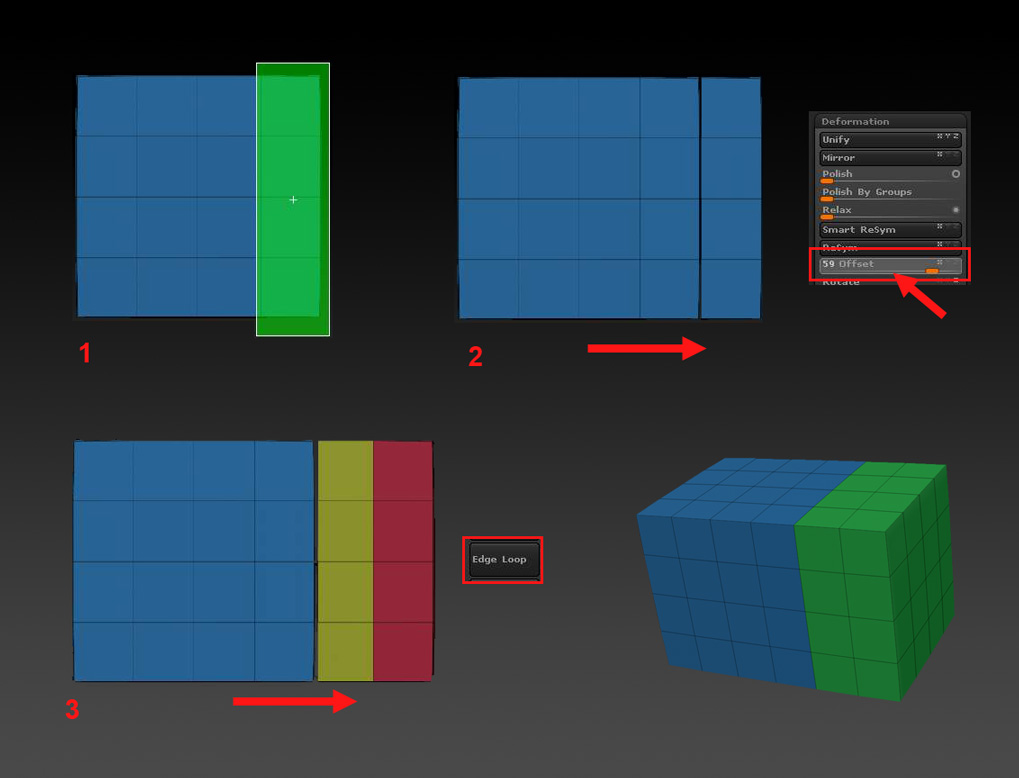
There’s another method that can be useful if it is essential to have the loops spaced as evenly as possible but there must be no subdivision levels. This example uses a cube:
[attach=220401]Edgeloop2.jpg[/attach]
-
With perspective off, position the model in one of the ortho views and snapshot to the canvas (Shift+S). Hold Shift+Ctrl and drag the green rectangle over a portion of the mesh. This will hide the rest of the mesh although you won’t see this because of the snapshot.
-
Using the Tool>Deformation>Offset slider move the mesh portion so that it is just one polygon loop to the right.
-
Press the Tool>Geometry>Edgeloop button. A new loop is created.
Repeat 2 & 3 as necessary.
The snapshot is only used so that the distance can be judged - it isn’t part of the process.
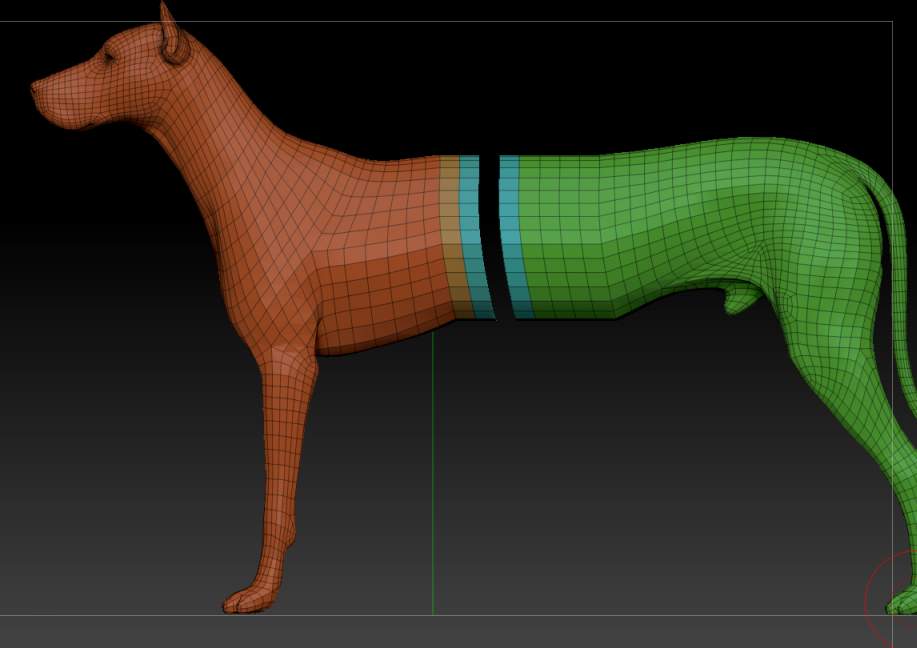
For more complex shapes you can use the Lasso selection. Snapshot after hiding the part you are going to offset, then reverse the visibility by Shift+Ctrl+drag background.
[attach=220402]dog_edgeloop.jpg[/attach]
Attachments


 !
!