ZBrushCentral

Shaded SubTools?

Shaded SubTools

Demo soldier works as expected, but when looking at other subtools none are shaded.

Tried:


  1. filling all subtools with FLAT SHADE + RGB White
  2. Greating different Poly groups for each subtool

SubTool 1 polygroup 1
SubTool 2 polygroup 2

Attachments
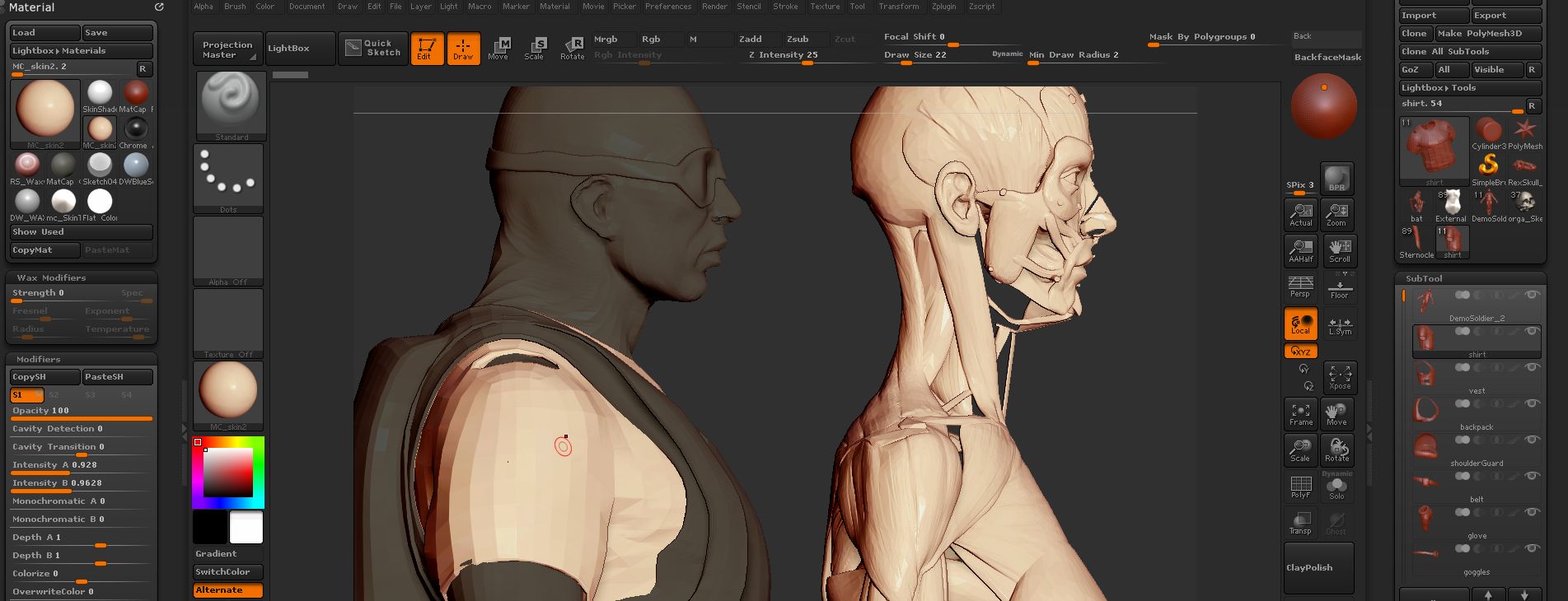
ZB4R6_MatCapSubtoolMask1.jpg

You must stop cropping your window off…http://docs.pixologic.com/reference-guide/preferences/edit/

One value that can control this dimming is Preferences: Edit: Inactive Subtool Dimming.

Alternatively, polypaint can override it as well. If you shift-click the paintbrush icon on the subtool list, it will turn colorize on for every subtool, which should remove the dimming effect (or if you want them to dim, turn off polypaint the same way)

Thanks Cryrid, it was the tiny brush icon in the SubTool that did the trick!