ZBrushCentral

Shaded Mode Problem (grey sillouette)

Hi,
I can’t figure out how to get out of my silloette mode. The subject is grey like there’s not lighting on it. Its just flat grey. I changed sh aders, I have my color swatch on white. I don’t know what I pressed for it to do this, but everytime I turn on zbrush, it does this now.

What did I do or how do I fix this?

Attachments
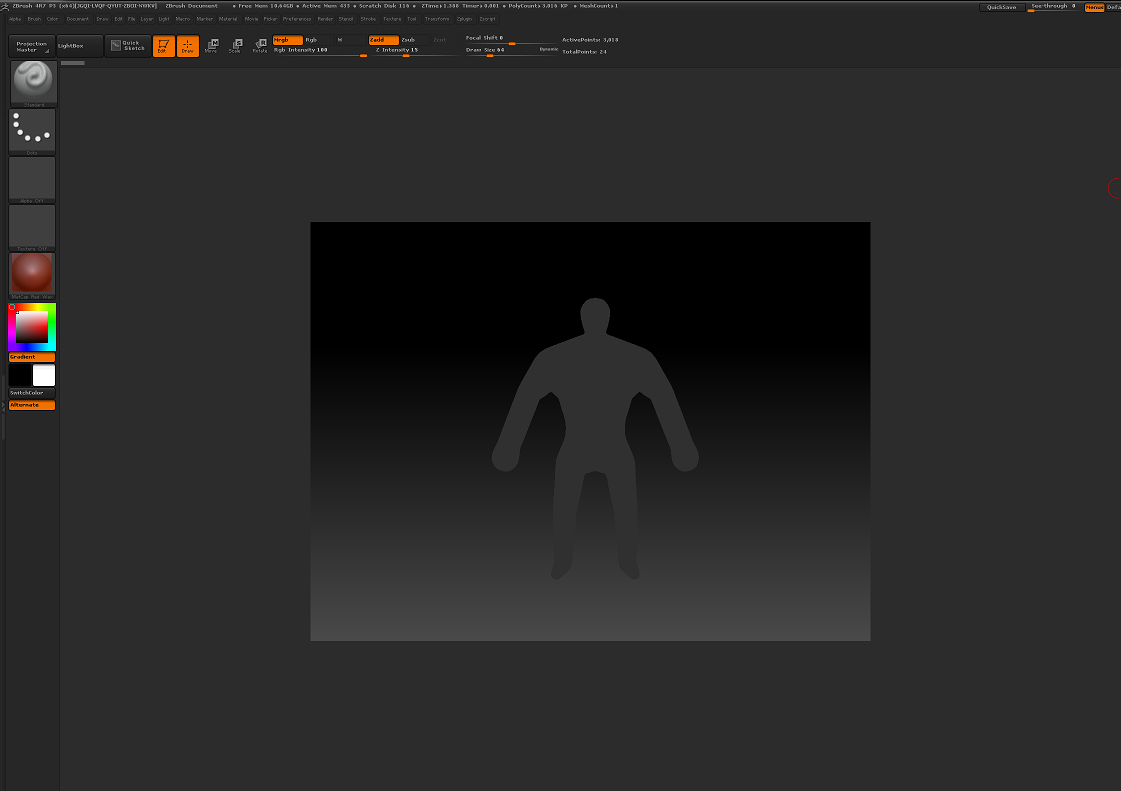
Screenshot 2016-01-09 14.35.04.png

If you hit F6 on your keyboard it will fill your model with the flat color material. Get out of Edit mode, hit Ctrl+N to clear the canvas, switch to the red wax material and then drag your model out on the canvas.

If that doesn’t solve the problem, try exporting your model to obj and then import it back in.

Similar post:

http://www.zbrushcentral.com/showthread.php?197680-object-completely-greyed-i-m-lost-please-help!