ZBrushCentral

Settings for Disp and Normal maps

I’ve sculpted a mesh from Maya and made both Normal and Disp Maps, but the Mental Ray render lacks the ZB detail and has some weird artifacting/broken seams/distortion. For the Disp Map, my settings are Adaptive/Flip UV/DP sub pix 2/Mid 0/32 bit- for the Normal I use Tangent and Adaptive settings. In Maya, I turn off both filters for the Normal and Disp Map, and in the Approx Editor I change method to Spatial and set 0 min/2max/ 1 length- reducing both Alpha gain and offset a little seems to help bring out more detail, but its still not looking very good- any tips, anyone?

Thank you

Attachments
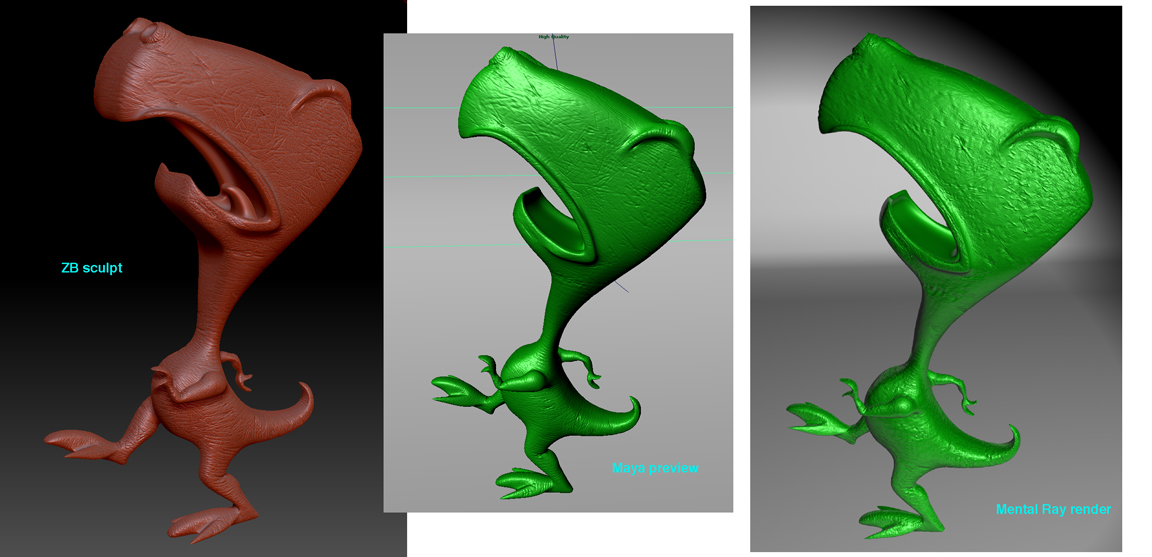
ZB problems.jpg

You could try this. In the Maya render settings click the Options tab, under Performance check Maya derivatives and render.

thank you,

I’ll try that- just got advice from Scott Spencer who told me to just create a 16 bit displacement in ZB and hit GoZ, so I’ll try that also- it seems to me that some settings need to be tweaked either in ZB or Maya on a individual basis

I find that checking Maya Derivatives is necessary for the normal maps sometimes. It is easier to see the difference if you render with only the normal maps in Mental Ray.

OMG-
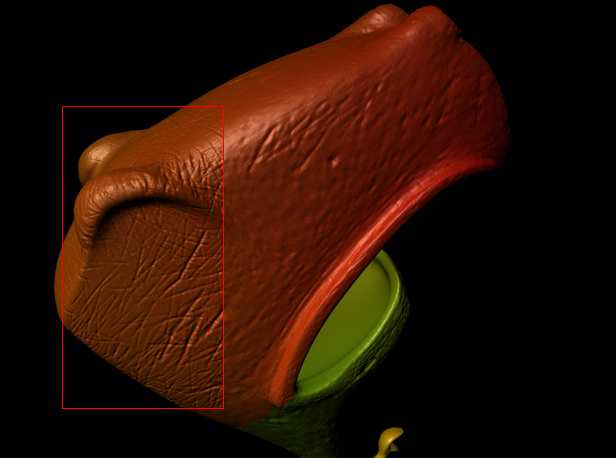
Out of all the settings I’ve been advised to adjust- yours gave the biggest improvement- thank you, you saved me much frustration. Please see comparison- night and day difference!

Attachments

ZB improvement.jpg