ZBrushCentral

seams

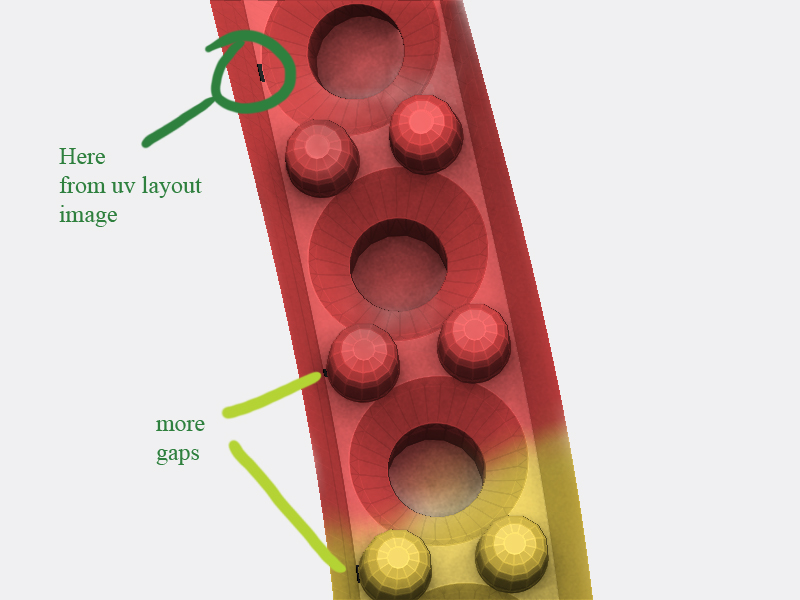
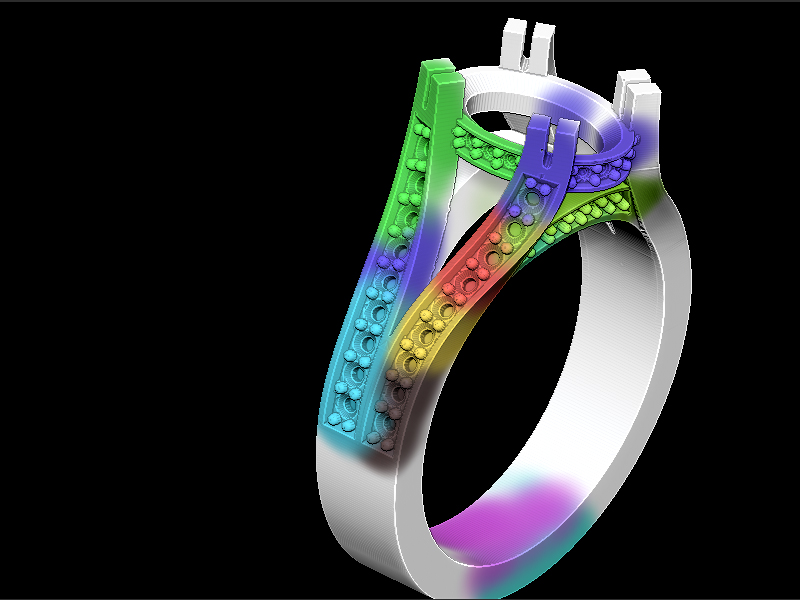
I am just trying to learn how to texture and need some help. I use Matrix/Rhino software to build my objects and then in zbrush I want to texture it. This is just a test to try and get it working. If you notice in the image it has a seam. I tried to use Zapplink and it seemed to show up correctly as it was loading, but once fully loaded the seam was back. Any ideas?

I’m using zbrush 3.5r3 on windows xp.

I’m guessing it’s the uv’s that need correcting. I’m new and don’t know how to fix them. When I use Guv tiles I can’t bring it back to Rhino and render it in V-ray without seeing all the little square seams. And yes I do use the new mesh with the new texture maps each time.

Any ideas would be appreciated. Thanks.
[seam.jpg]
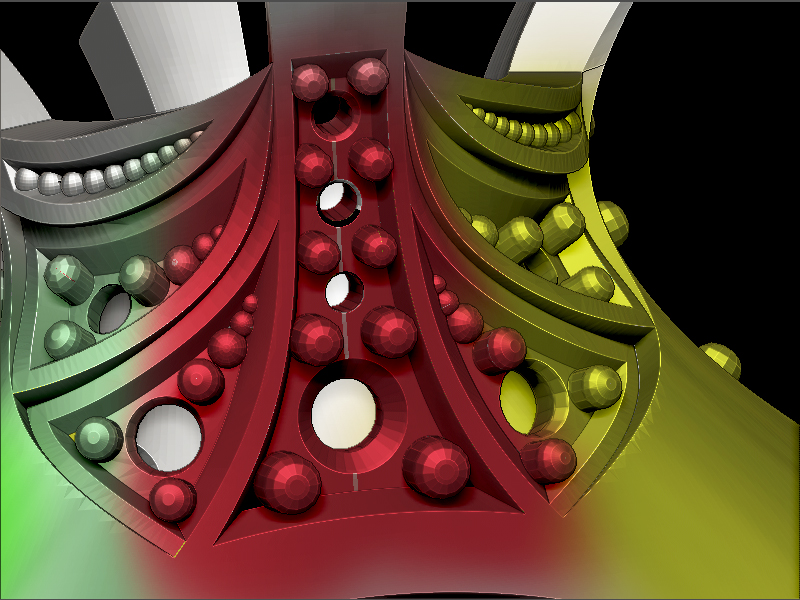
So no one has any idea how to fix seams? A pointer in the right direction?

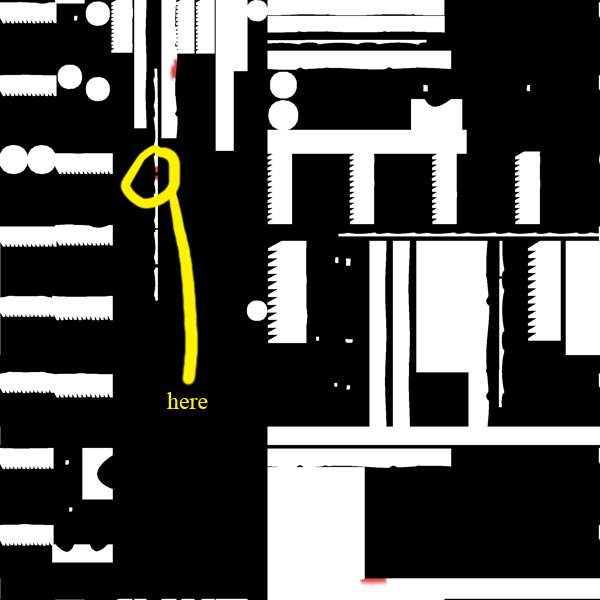
here are some more examples. This time when the texture map is applied it has spots where it has gaps. Look at the uv layout. How do I fix that so I can paint it. I’m very new to this so any help would be appreciated. Thanks.

[prongs_painted.jpg]prongs_texture_flaw.jpg

I used uv mapper and didn’t do anything but make that area larger and the black spots went away.

I can’t seem to fix the other seam issue though.

Hello Dana

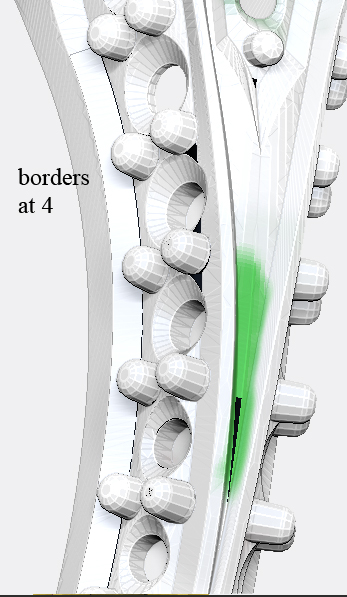
Does this model have triangles? Under the UV Map sub-palette try changing your UV Map border to 4 or 6. Would you be able to give us a mesh that is causing the issue?

Paul

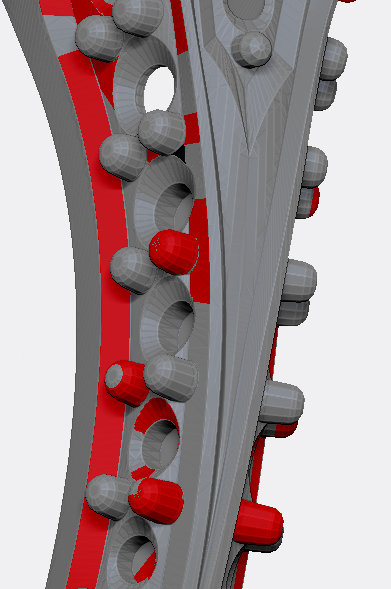
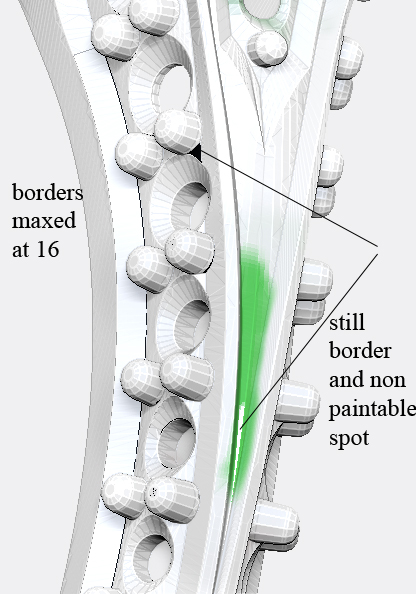
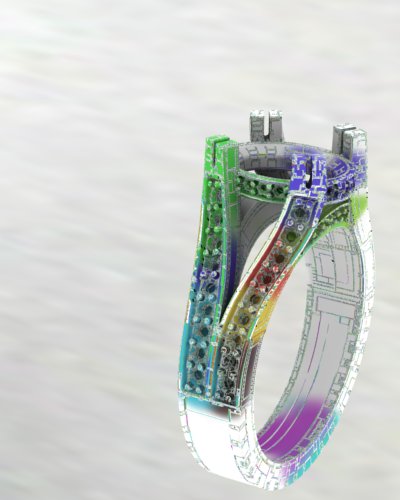
I’ll have to come up with a different mesh to give out and yes it has triangles. Rhino always exports triangle on the borders of each surface. Using the quad plugin makes the edges not as sharp. But here are some things I’ve tried. I am positive that the uv’s are not correct now with uv checker, so I’ll probably have to learn some uv editing program.

[uv_check_ring.jpg]uv_texture_border16_ring.jpg

Attachments

uv_texture_border4_ring.jpg

Dana

Yes it maybe the fact that you have a lot of triangles at the borders and using the ZBrush Automatic unwrap will not be ideal. Instead of GUV you can try PUV but I am pretty sure you will get the same results.

UVLayout is a good cheap unwrap program that you can learn in like 20 minutes.

I would still like a model that is the same as yours to test with please.

Paul

Here are two files that you can play with. They are different from the images above but it’s always the same issue. I had someone help out and they said it doesn’t seem to work unless I were to use another program like lightwave or modo. It seams that those programs do the uv’s similar or the same as rhino but doing it there makes it work inside zbrush.

If you can figure a way to make it work too that would be great. My conclusion is that the uv’s that are created when exported from Rhino causes issues or something inside zbrush.

My hope was to not have to use another program to fix it, but it looks like I may have to.

Not sure If I can post a link here so if this doesn’t work then I’ll need your email to send the large files.

https://www.yousendit.com/download/VGlmK0dzQ1AzeUtGa1E9PQ

Once link expires, if anyone wants the files just contact me

The problem with that model are the triangles Rhino created. As we all know, ZB is not a triangle fan, so in this case PUV or GUV tiles won’t work properly.

Ok here is a possible workaround. Load up the obj into Lightwave (at least in my case because that’s what i work with).
Merge all the points. Do a new UV Map using Atlas mapping (a feature i hardly ever use) Export the obj out. Import it back into ZB and you should be able to polypaint the model without any problem, despite the massive amount of triangles in the mesh.

Also when you export the texture map from ZB into any other Software it shows without any faceting.

Hope that helps.

Hey Dana

I looked at your models. As far as the UV issue I did not run into any issues when I changed the Map size to 5120 and the UV Border to 4. I tested with just polypainting and projection master. I just got a new computer and have not put Photoshop on it yet so I did not test ZApplink. However, ZApplink works almost the same way as Projection Master.

The UV Map settings are found under Tool>UV Map.

Now the other issue you have is the models are not going to be good for subdividing up. The mesh you get from Rhino is not clean for sculpting on.

You would have to play with the Remesh All options in the subtool palette and then do a project all. I did a quick test but did not get the best results. If I get a good workflow then I will let you know for sure.

Paul

Thank you both for all of your help. It has been a real big help.

I Just did a test with the map size and border that you mentioned and still get the black holes in the texture map. Polypainting works but once you turn it into a texture is where the black holes appear from the uv’s not working right or something.

I know that Rhino doesn’t export clean meshes for sculpting, but my end goal in this case would not be to sculpt more on it, but to just paint it and render it out in V-ray for Rhino. Remesh all I don’t think would work well just because of all the sharp corners. This is another reason I export the object out with a higher mesh detail (which means the uv’s are more dense) since I can not subdivide it nicely and keep the object as the original. So exporting a less dense mesh means bigger triangle and a very bad mesh if subdivided. A very dense mesh works better, but then it consumes a lot of resources.

Like dsoellbuster said, bringing it into another program can fix it. I don’t have another program to do that so if you do find a work around that would be great.

Thank you for all the help and hard work on this. I appreciate it.

Dana

That is weird because when I use the objs you sent me with the settings I am not getting any issues. Is the black holes you getting in ZBrush or in another render application?

I am also using PUV tiles.

Let me know.

Paul

Well, I was using the uv’s that it originally had. On the model I provided I didn’t try the PUV tiles because on some models that I import from Rhino I have had the PUV tiles crash Zbrush. On this one it works fine.

The problem now could easily be user error on my part, but I cannot get any of the tile methods to work proper within V-ray for Rhino. This is the example of the ring I provided with a quick render test. The texture map was flipped like I normally have to do with textures. I can flip this map any way and the normal way of just flipping the map vertically (as in the image) is the best one. any ideas?

PUV tiles rendered in V-ray for Rhino
[puv.jpg]zbrush_poly.jpg

This is why I was trying to get the normal uv’s from the original object to work correctly. Especially because I have to sometime import objects at an even higher poly count to make a nice smooth mesh, but then the PUV tiles don’t normally work because I think the base mesh is too dense when I do that.

Hey Dana

Ok the issue may be with VRay. I do not use V-Ray so I can not help you out. There may be a filter somewhere in V-Ray that could be causing the issue when rendering. There also could be some UVs settings that are set incorrect that are causing the issue.

It is too hard for me to say because I do not use V-Ray and just don’t know enough about it. I will see about Maya though to see if I get what you are getting.

Talk to you later.

Paul

Thanks Paul.

I’ll check it out in more depth and see what I can come up with. Thanks for your help. I’ll post more results when I figure it out.

:slight_smile:

I discovered something that puzzles me still. Those last two images that I posted are from one computer. I took a similar ring that had the same issue when rendering with PUV tiles in v-ray and tried it on my laptop. The same settings were used but the render with PUV tiles worked perfectly. I can’t explain it because the settings are the same. I guess I’ll just have to use my laptop to render. :slight_smile: