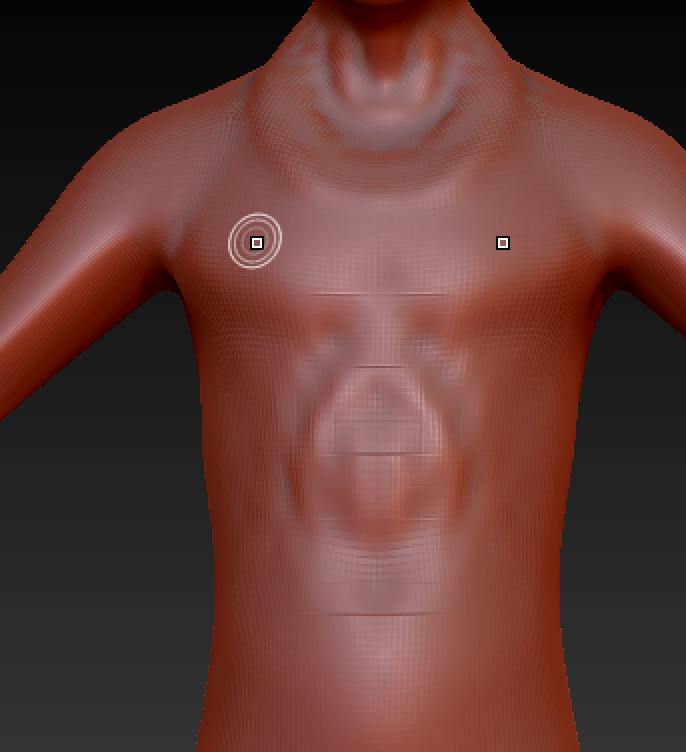
I don’t know why this is happening but it has always been an issue on almost every machine. Whenever I draw using the standard brush, boxes appear around the area that I just drew on and only go away if I move the model or smooth it.
I have shut off every other program running. I’ve tried multi-threading optimization. I don’t know how to get rid of this behavior but I really want to figure it out because it has a negative effect on my whole experience.
MacBook Pro (Retina, 15-inch, Late 2013)
Processor 2.3 GHz Intel Core i7
Memory 16 GB 1600 MHz DDR3
Graphics NVIDIA GeForce GT 750M 2048 MB
Zbrush 4R7
Attachments