ZBrushCentral

Scaling multiple subtools (Displacement problem)

Hello!

So I’ve finished a sculpt and realized it’s scale is far too big.

When I scale all my subtools down using Transpose Master it messes the displacement up, making it too intense.
Here’s a crude example.

Anyone know a way to scale all subtools without this happening?

Cheers… Alex

Attachments
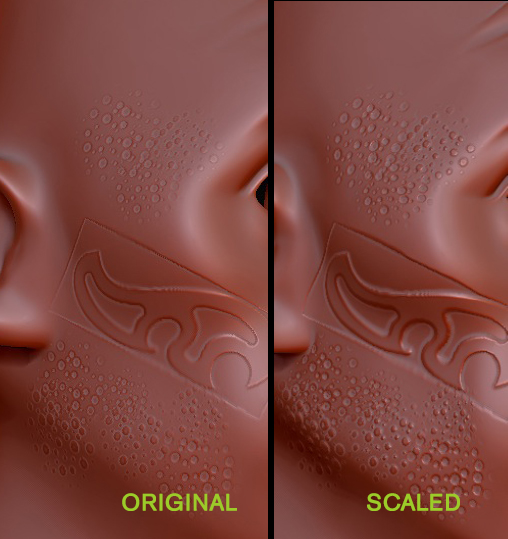
scaling.jpg

scale at your highest subD level.

Thanks a lot. I just need to figure a way to scale all subtools at their highest subD level.

can you merge them into one tool, scale and then split them back into subtools again?

You can use the Tool>Deformation>Size slider for one subtool and then repeat the action by using Tool>Deformation Repeat to Other. Note that you’d need to do this every time you adjust the slider.