I have a bit of a problem, I dragged couple brushes to the bottom tray and then hit Preferences> Store Config. When I restart next time it only remembers 5 brushes and the rest is gone from the tray, why is this happening??
Attachments
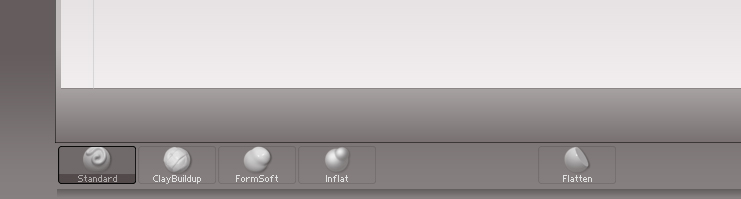
I have a bit of a problem, I dragged couple brushes to the bottom tray and then hit Preferences> Store Config. When I restart next time it only remembers 5 brushes and the rest is gone from the tray, why is this happening??
Where are you dragging the brushes from? Drag them from the ‘Brush’ menu and not the brush palette. If there is one in the brush palette that you want, click on it to put it in the ‘Brush’ menu and then drag it from there.
I am dragging brushes from the brush docked menu like on the picture below, First I have to select brush from the brush palette or the lightbox and then when it appears in the list I drag it.

I noticed that ZBrush only remembers the brushes which are available in this menu after restarting (I don’t know why it gets reset every time I restart program)

Have you installed Pixolators plugin for Custom UI. It’ in the very last Q/A in ZBrush 4R2 Troubleshooting FAQ
I’ve always dragged them from the Brush menu (not docked on side tray) and have never had any problem with them not sticking.

Yes I have this pluggin installed, I have reinstalled ZB and still no joy…
If you are loading brushes through Lightbox those will not stick in custom UI arrangements. You will need to copy the brushes to the ZStartup/Brush Presets folder so that they are always available.
It works! thanks very much marcus
PROBLEM SOLVED