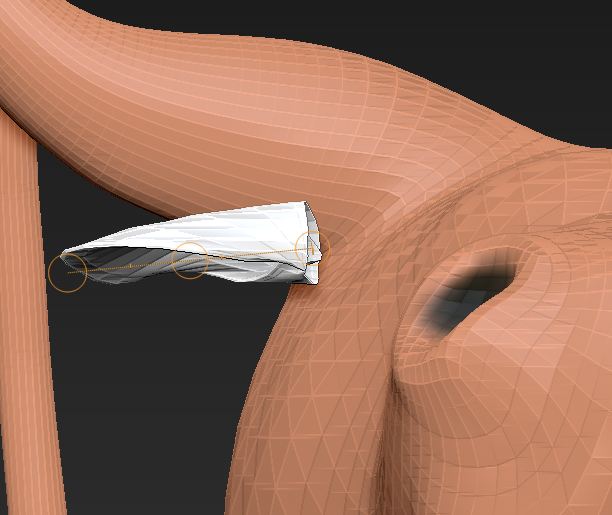
As an exercise, I wanted to see if I could remove the ear from the rhino and attach it to a model of a cartoon bull I’ve been working on. One challenge has been to position the ear_subtool correctly. (See image attached.)
In rotate mode, I can raise and lower the outer tip of the ear from one side, or raise and lower the base of the ear from the other side (vertical or Y axis). From the middle, I can rotate the ear around the X-axis (like a chicken on a spit).
What I need to do is move the tip of the ear forward and the base of the ear back, to bring the base flush with the head. I take that to be rotation on the Z-axis. I can’t do that at all. (If I try to move rather than rotate, the ear distorts.)
It may well be that inserting an edge loop and pulling an ear from the existing geometry is a better option. I’m just experimenting with what is or is not possible. Am I spinning my wheels, or is it possible to use the transpose tool to accomplish my mission?
Thanks for the help.
DocPit
Attachments