I pulled a head into Zbrush to morph the face. Great, no problem.
But now I need to rotate the top and bottom rows of teeth to match the new “yell” morph.
The head is the main object, which has separate groups within it: teeth, tongue, eyes, etc …
So I can CTRL SHIFT CLICK on the teeth which hides the other groups, but rotating the teeth, rotates the whole head.
So how do I just move the teeth without moving the head?
This has got to be page 1 newbie stuff, but I just can’t find it.
Thanks for your help.
Attachments
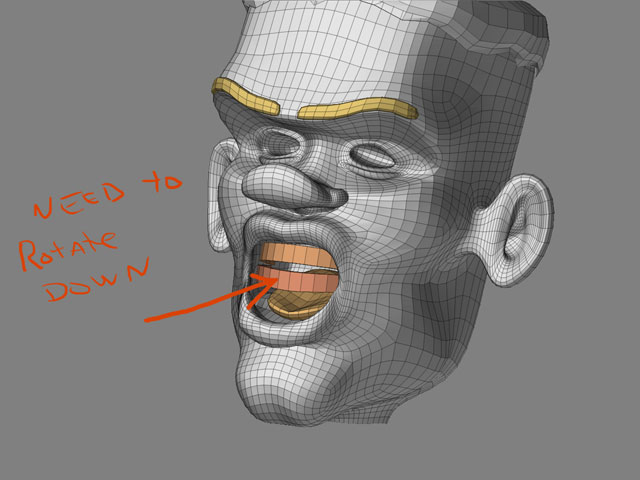
 Hide everything except the lower teeth and gums.
 Hit Set Pivot Point [short cut P]. This changes the centre of gravity from that of the entire model, to just the CofG of the visible model parts.
 Use the small preview window to drag the CofG cross-hair to the fulcrum of the lower jaw, so the lower teeth and gum will pivot around that point.
 Mask the lower teeth and gum