Good day ZBrushers.
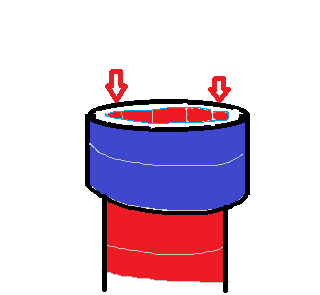
Quick question. Now normally if I was working on this project in Maya, I’d simply extrude the edge towards the “leg”, in this case. However, I have a model that I masked/extracted to create a thickness for a, eg. a boot. However, I needed have the edge touch the leg and I didn’t want to create a huge thickness from the extract. I attached an image, and I’ll apologize for the crudeness of the drawing as it was in MS paint :)(at my office job), but the blue ring is where the leg is actually at and the cylinder represents the boot. I need to bring the existing boot edge to the blue area. I know there’s the new zbrush modeler, but I haven’t used it yet. Would that be the answer, instead of GoZ to Maya and bringing back?
I tried moving the edge with the Move Topo brush, but that didn’t work so nicely. I haven’t done a lot of hard surface modeling and was trying to figure out logically the solution.
The cuff area, marked in dk blue, was created with the only thing I could think at the time(I’m sure there was a hard modeling solution in Zbrush for this but I don’t know of one), the clay brush. That of course created rough texture and not a nice solid thick piece, so I had to use the damian standard to create the underlying mesh, which would create the “rollover” cuff effect. So now I just have that thickness issue with the edge that should touch the leg(the blue ring).
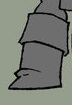
I also added a pic with the boot. I’ve never done clothing before, so this is fun but overwhelming with all the different ways of completing the final project, ie, topotool to create geo, extracting from a mask,creating a subtool and sculpting it, etc.)
Multiple solutions, I’m sure.
Thanks!
Attachments