what is the best material to have your piece that you want to retopo in, so that you don’t see both sides of the retopo mesh as you are building it?
thx 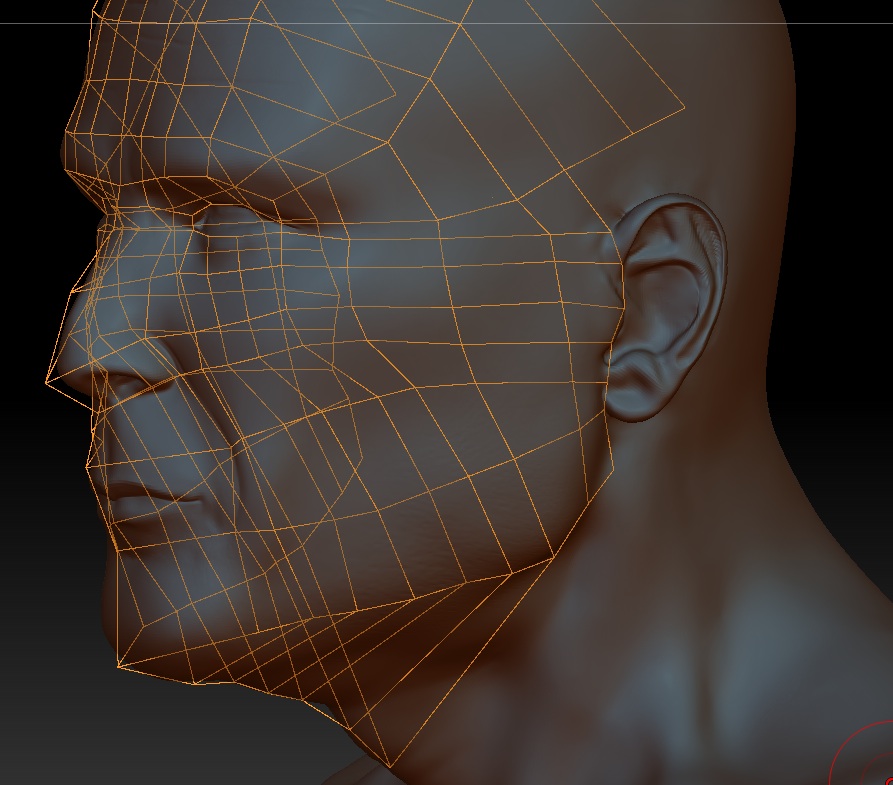
any help would be appreciated!
what is the best material to have your piece that you want to retopo in, so that you don’t see both sides of the retopo mesh as you are building it?
thx
any help would be appreciated!
From what i know and have experienced with z4… there is no way to make it not be ‘see through’. In 3.5 it was not like that, but in z4 it is now…
Wait for some more posts about it, but I remember fiddling around with that, and had no luck fixing that… 
Good luck, and I hope someone has a solution, because I HATE HATE HATE the transparency when retopoligizing. It gets really confusing once you are working further into the model and can see your topology from the opposite side. :mad:
Good Luck,
Ian
Hey there, it’s actually not a material issue at all but rather a ‘feature’ of zbrush 4 :p:td: There is a fix for this though - although it’s not 100% perfect.
If you go up to your preferences menu > Draw - you can adjust the Front Opacity and the Back Opacity. This will help you out when retopologizing.
Cheers!
thanks for the replies! I have tried the front and back opacities, but still it gets confusing. if people out there had to choose another program to retopo in, what would it be. I currently own MODO 501 and am learning that as well, but are there others…say like topogun or something else?
thanks again.
topogun is pretty gd… kinda slow to work with and likes to freeze up alot, but overall its good.
just wish new max wasn’t such a mess, some really nice retopology stuff in there now
A work around solution is to load a zsphere as a subtool. Append a zsphere in the subtool palette (scale down if you like). Make sure the zsphere is selected and go into the topology subpalette of the tools palette and press “edit topology”. Retopologize. For some reason retopologizing in this manner doesn’t have the same problem of see thru back topology lines.
The only “downside” is the projection button at the bottom of the tools palette doesn’t work, but that’s not much of a problem. Just reproject the adaptive skin via the subtool menu when you are finished retopologizing to get the details.
Also, I find it helps to use either a grey material or even fill the object with blue to contrast with the orange topology lines.
That is the part that I cannot seem to get right, how do you reproject the adaptive skin to get the details?
Thanks in advance!
Set the density as desired in the adaptive skin sub-palette and select “make adaptive skin”
Go to the subtools subpalette and append the skin you just made.
Turn off the visibility or delete the zsphere subtool.
Make sure that the skin subtool is the selected subtool and press the “project all” button at the bottom of the subtool subpalette.