Im´ve been creating a new topology for my sculpt and was using this workflow http://www.pixologic.com/docs/index.php/Importing_Topology
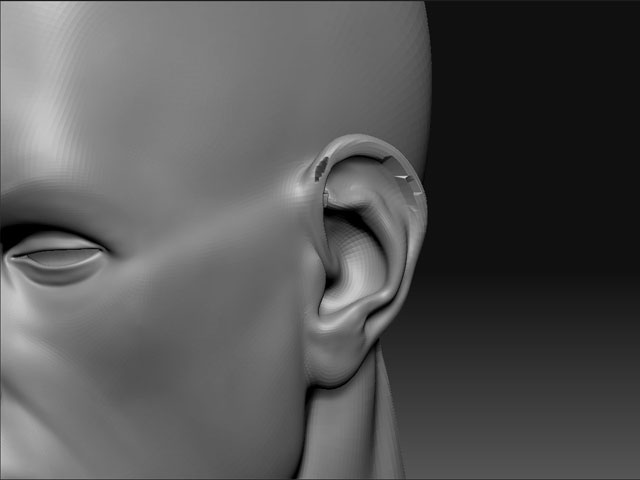
Everything worked fine but as you can see here at the ear theres some trouble. Is there any way to adjust this?
[ ]
]
Some times projection can’t get everything…actually, most times.
Anyway, you can either try to add extra geometry to the areas screwing up.
or you just have to resculpt the areas that mess up.
you can try to use the Zproject brush to bring back the geometry. But you have a very quick and simple fix on that projection that it will be faster just to smooth that back out and redo it.
projections typically mess up when you have conflicting normals, i.e. the ears, eye holes, where fingers/toes meet the hand/foot. Places like that will typically get a little out of whack.
Just a heads up.