ZBrushCentral

Rendering problems

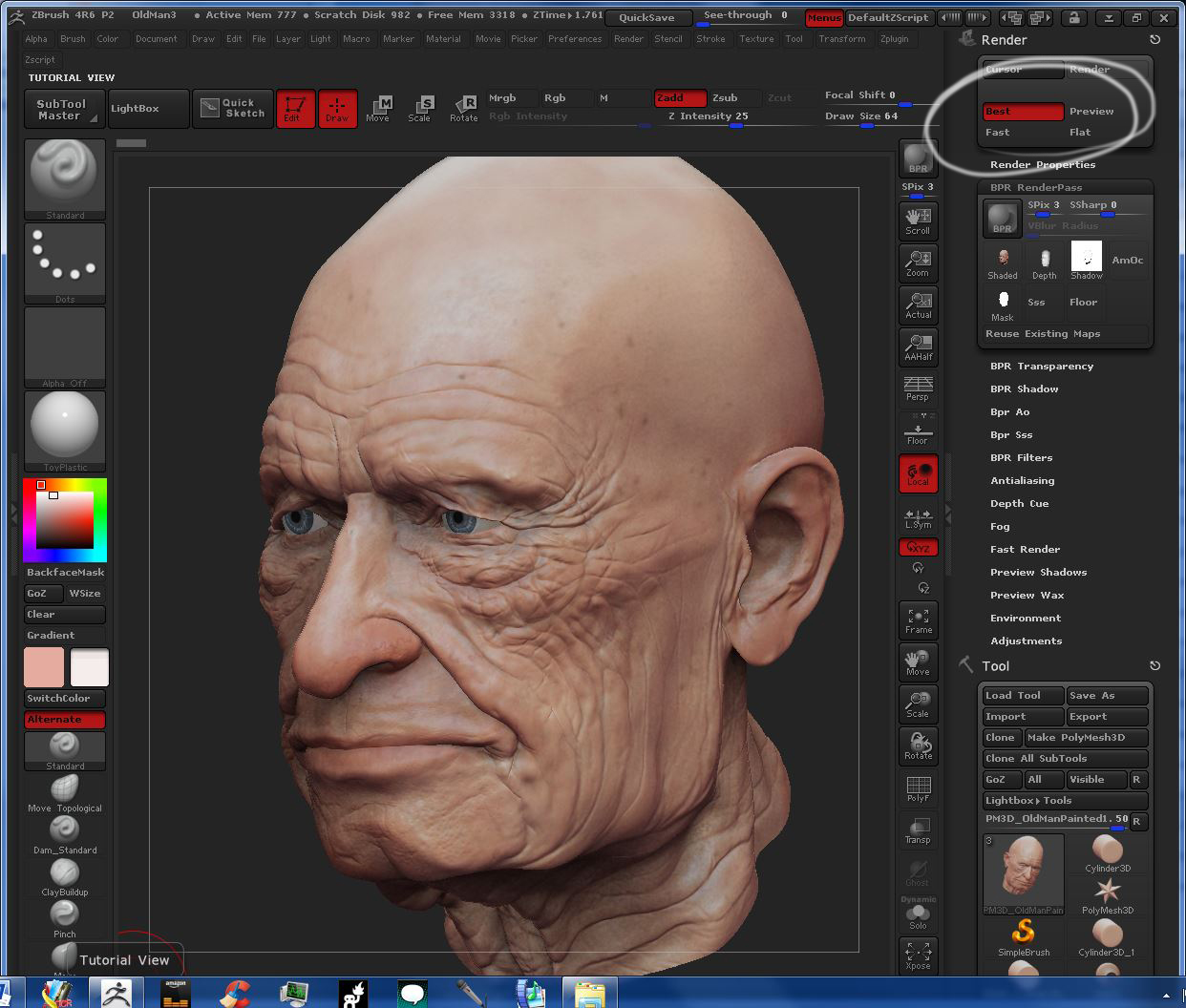
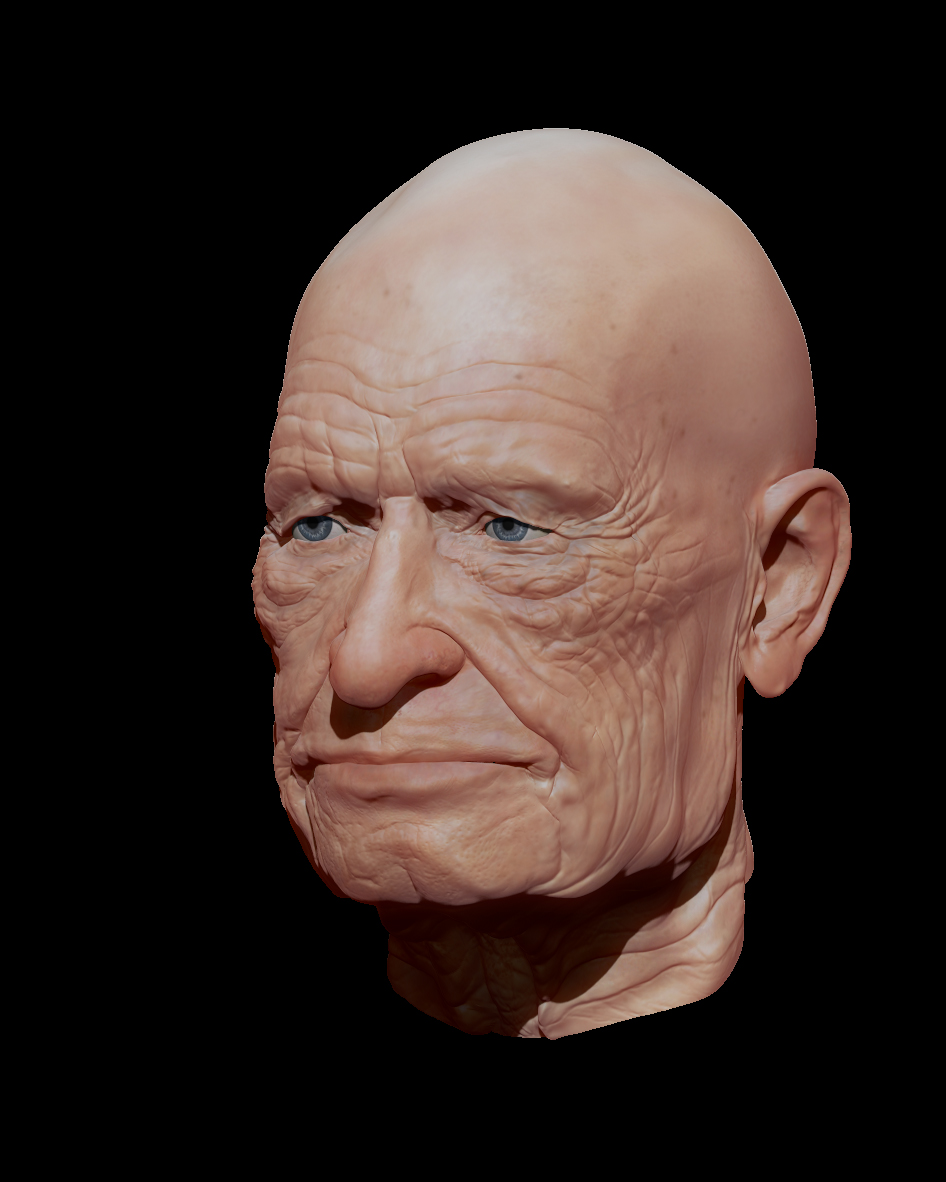
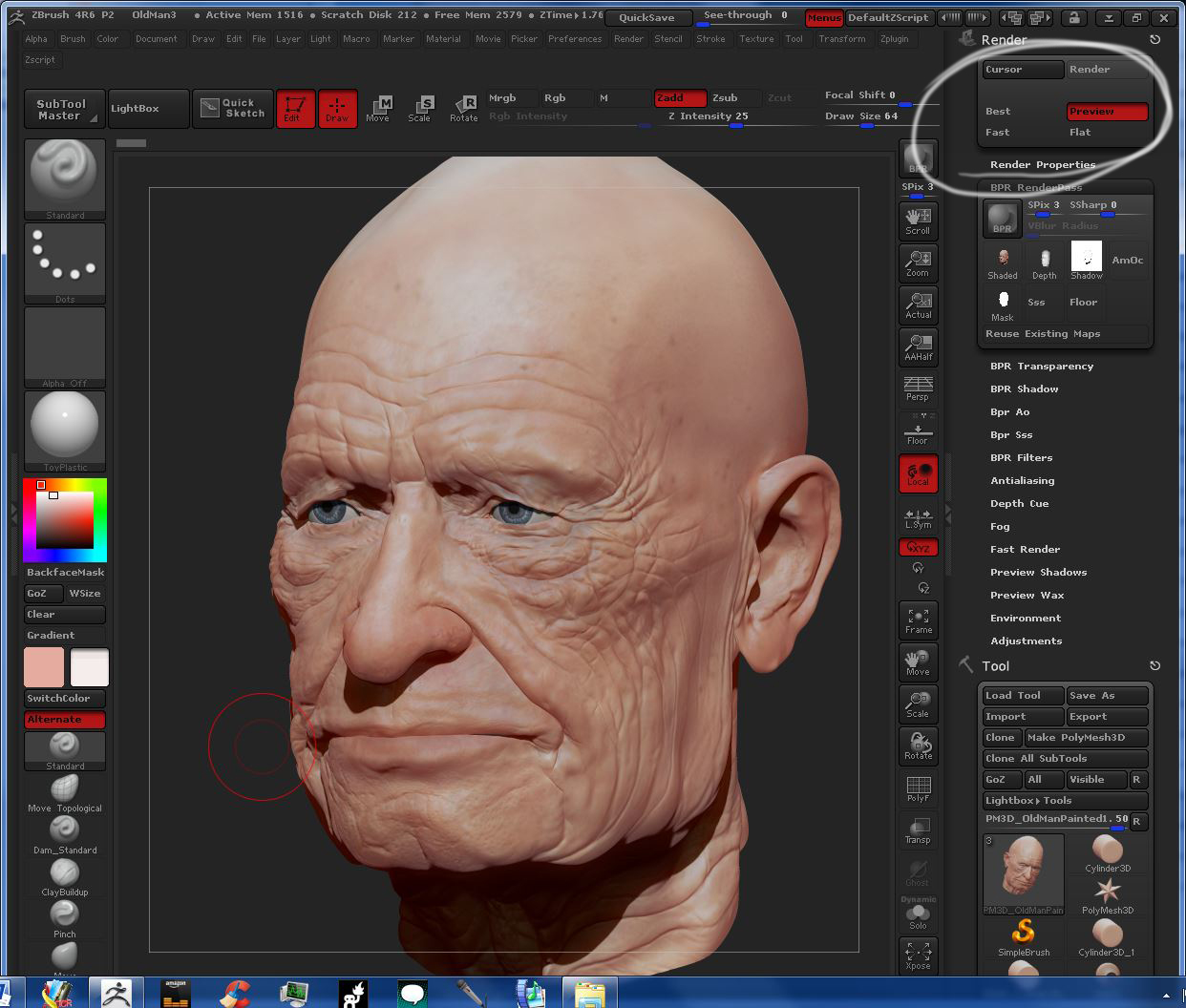
When I am rendering, I will do a Best render pass, but the BPR rendered output does not reflect the same quality as I see on my screen. The psd files instead look more like a preview render pass. Also when I do a best render pass, the renderings do not automatically generate an icon image. If I click the icon it tells me I need to do the pass again.

Thanks.
http://docs.pixologic.com/user-guide/materials-lights-rendering/rendering/bpr/

To save what you are seen on screen go to Document>Export. If you are saving directly from the render passes the color pass image will not have the AO or SSS applied

Thanks for your responses.

What I get with preview:

What I want with Best Render Selected:

The output of the PSD file:

BPR_PSD_Render.jpg

I’ve done this before and have been able to have the output of the psd file match the rendering quality of the render that is shown on my ZBrush screen when Best Render is selected, but now, I keep getting the Preview render as the psd file output. Hope this makes sense and thank you for your interest.

http://docs.pixologic.com/reference-guide/render/ After best render, Grab doc and then export. Nice model BTW.

I see, Doug. Yes that’s a good workaround, but I could swear that I have made the psd output from the BPR be the same rendering as you get from the Document output. I assume that the AO, mask, and other outputs from the BPR will match the document, as long as I don’t move the model. Thanks again for your help and the compliment.