Hi. I’ve been setting up some custom UI situations (can increase work-flow).
I read in the ZBrush doc that you can’t remove custom Menus, once you’ve created them. You’d have to restart ZBrush (as long as you haven’t saved the new custom UI).
It should be possible to remove a Custom Sub Palette, however. When you’re in Custom UI mode, you can CTRL+Alt click the name of the subpalette and a pop-up will tell you, that you can “clear the text field to remove the item” (something to that meaning).
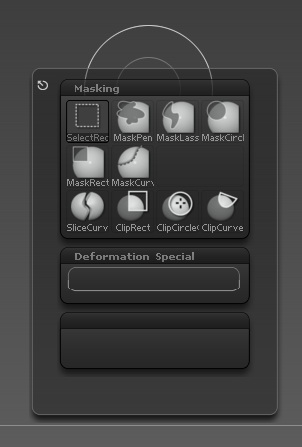
When I clear the text and hit Enter, the Sub Palette is still there (see image). It just doesn’t have a name now.
Help?
Attachments