Hello!
First of all great community over here! I am new to the ZBrush scene and I already feel really welcomed and stuff 
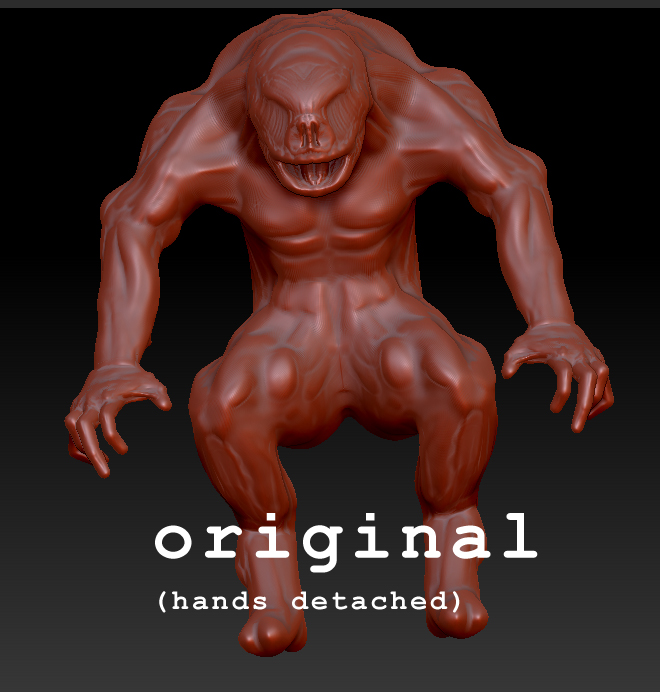
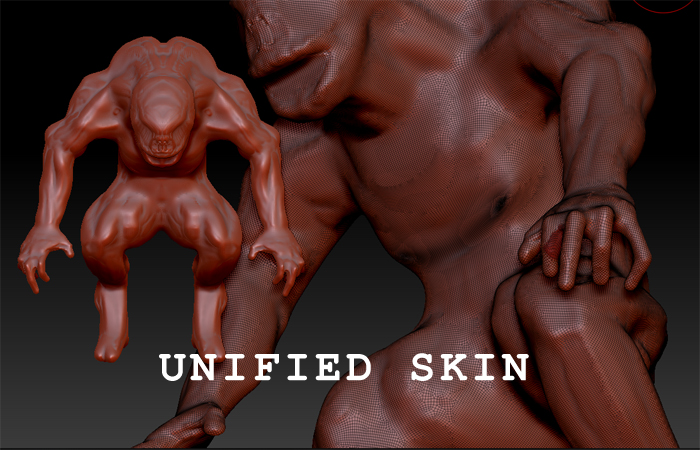
My issue is that I am remodeling a sculpt I made a month or so ago for a project… The original model had lots of issues. Hands not attached due to silly me not realizing that I didn’t have enough polys prior. So I struggled and make a unified mesh to try to merge the detached hands, it was a bit of a mess and the artifacting left some scary poly clumps (around nipple area) at around 1 million polys and no way to go back down a level in divisions so I decided why not make another with all this new knowledge I have from the classroom?!
Okay… So I made a second version, around the same progress as the last one but it just lacks all the charm of the original. So my question is… What is an easy way to either: salvage my original model or fix my new?
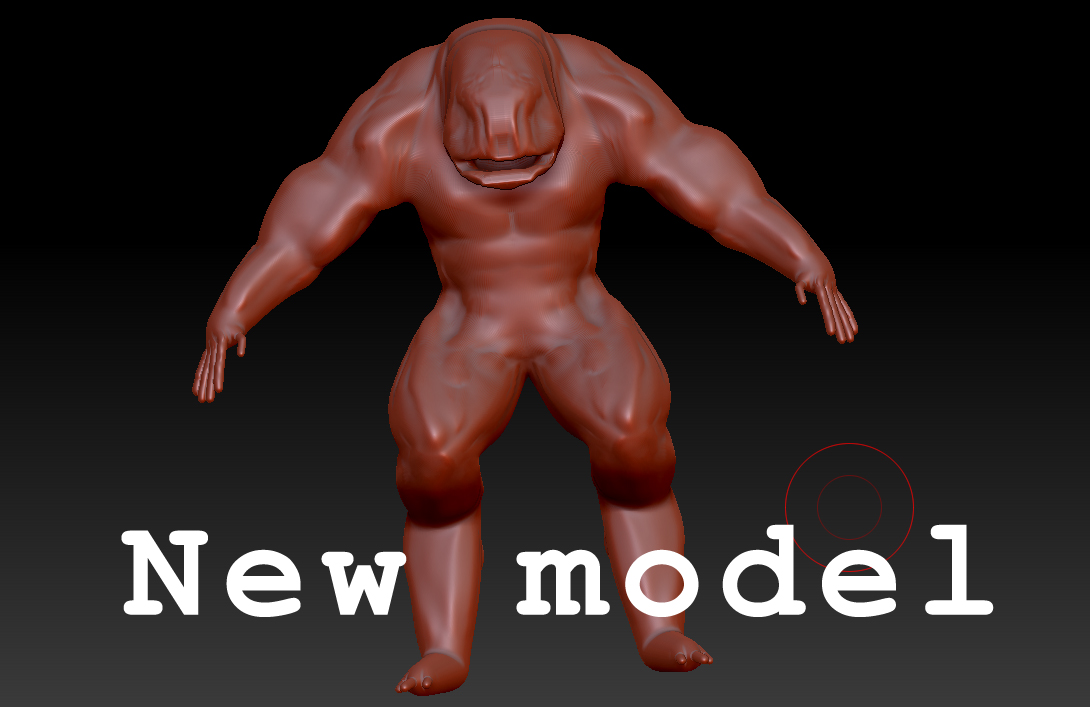
In the end I am hoping to pose this creature into a scene for a poster!
Thanks, Sam.
Attachments