Hey all,
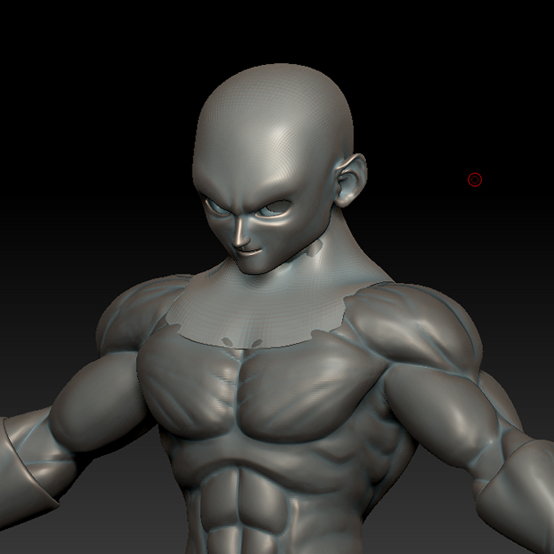
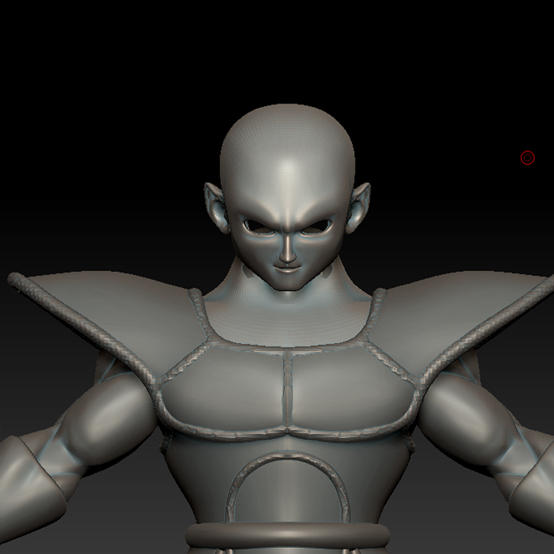
I usually plan ahead for this by modeling a complete character base, but took a different approach on this project…and now Im slightly stuck. I modeled the base of the body in Lightwave and then sculpted it, the head I started off with a sphere, sculpted and retopoed. My question is, what is the best way to combine/remesh these meshes? Idealy Id like for the head and body to be one seamless mesh but was willing to try seperated meshes.
Since my character has chest armor, I figured I could seperate the head/neck from the body and hide the seam under that armor. I tried using matchmaker to get the heads geometry to follow the neck area on the body, but that did not work (maybe Im using matchmaker incorrectly).
Normally Id grab the low poly cage of the body, use that for the retopo and reproject the details back in, but since the head is in a seperate subtool, I cant bind the mesh for the projection.
Any suggestions?
Here are my screenshot examples:

Thanks in advance!
Attachments