ZBrushCentral

Remeshing Problem (Screenshot included)

Hey guys,

Just shouting out to see if anyone can help me with this problem I’m having. I’ve been quagmired with it for about half a day now.

If I understand correctly, remesh, retopologises your mesh to better match the shapes you’ve sculpted.

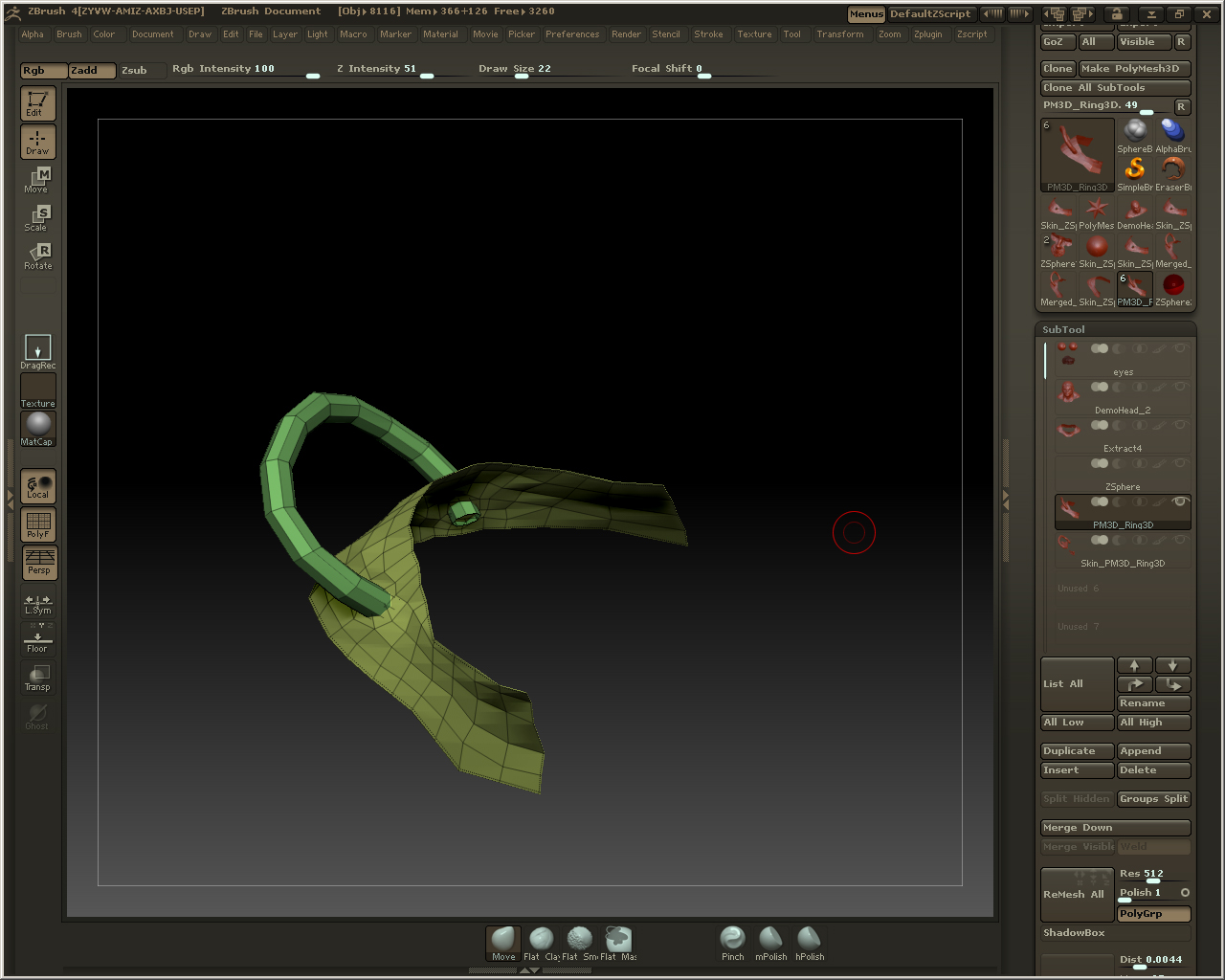
What I have is a Ring3d mesh thats partially deleted clipped into a piece of Geometry I created from a ZSphere with the retopology tools. These two subtools were then merged together. I had hoped the Remesh would join the two of them together but I cant seem to get the result.

I’m probably misunderstanding the function haha:D

Thanks for taking the time to read this!

Attachments
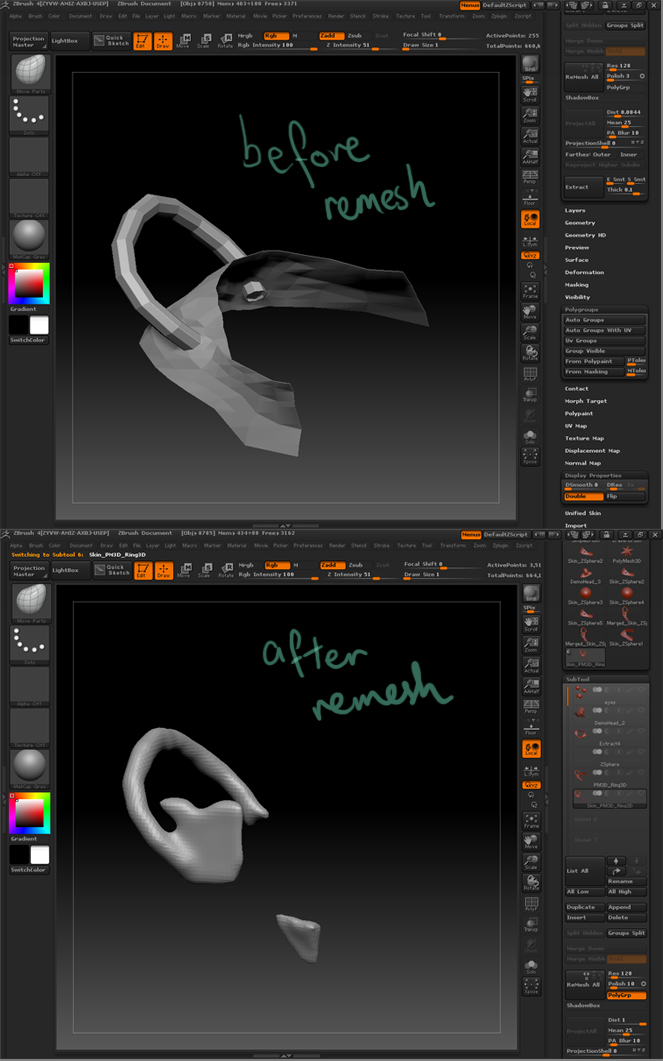
remesh_01.jpg

you need to up your res

@beta_channel

thanks for the reply man, I tried that but I still can’t seem to get a good result, just a most refined version of the previous result.

I’m wondering if I should keep the tube and the base geometry piece as seperate subtools. Could that be causing the problem?

I’ll do more tests. Meanwhile, heres the screenshots.

before:

remesh_512_polish01_before.jpg[url=""]
Thanks for taking the time!

Attachments

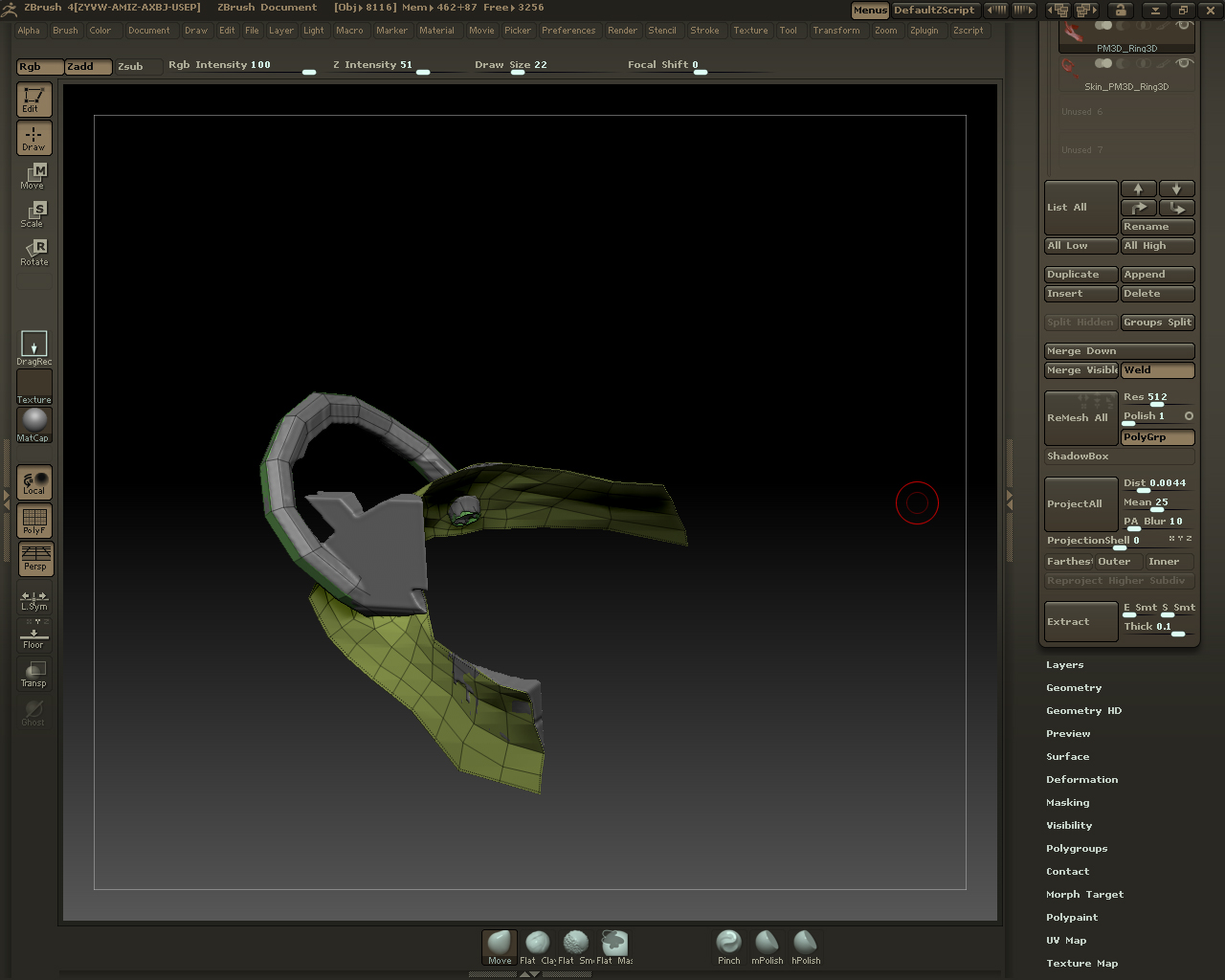
remesh_512_polish01.jpg

I tried separating the two meshs into individual subtools and running the Remesh.

Still no dice I’m afraid.

both links are broken.

[
Opps, My Bad,

Here they are.

remesh_512_polish01_before.jpg](")

Attachments

remesh_512_polish01.jpg

Ugh…Sorry my bad, totally didn’t read the FAQ thoroughly.

Here are the screen shots.

remesh_512_polish01_before.jpg

Attachments

remesh_512_polish01.jpg